Participant
February 27, 2018
Answered

Create Nulls From Paths: Position is way off

  • February 27, 2018
  • 6 replies
  • 30304 views

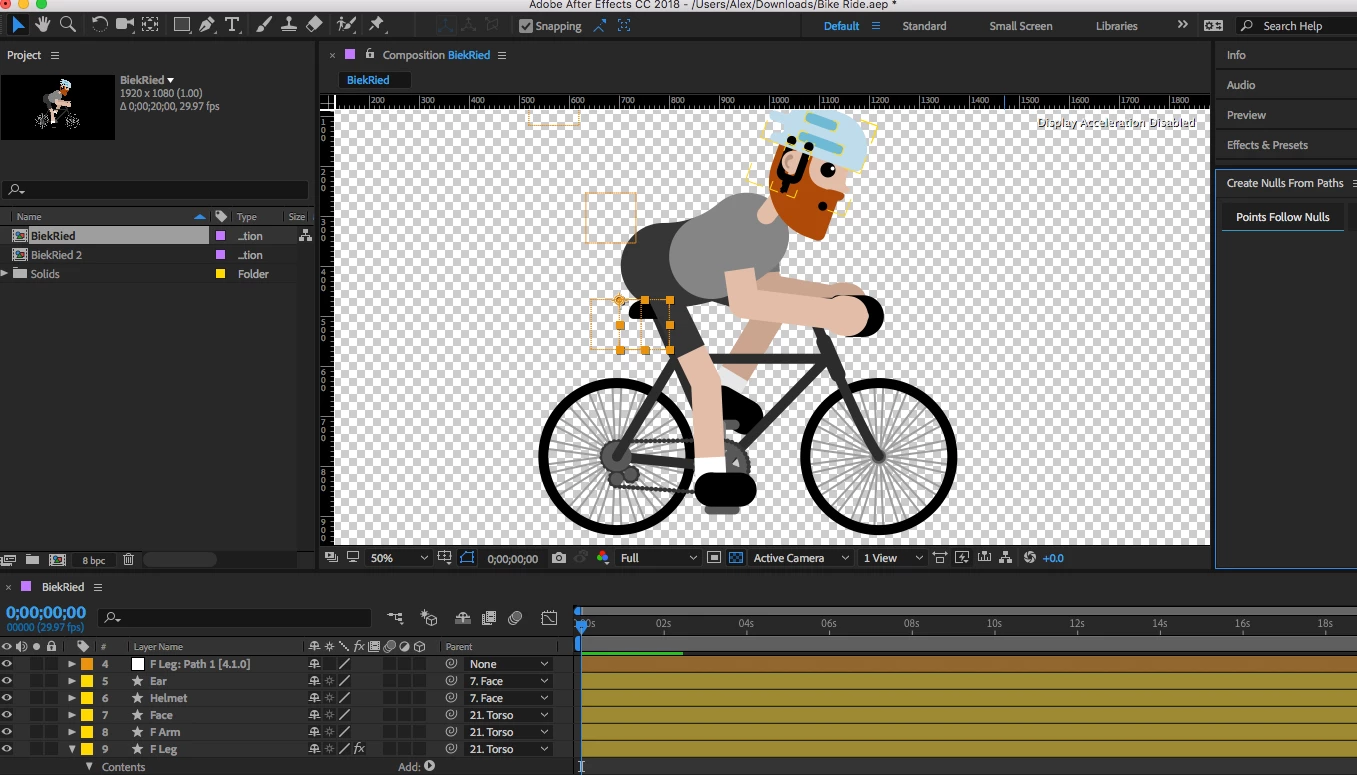
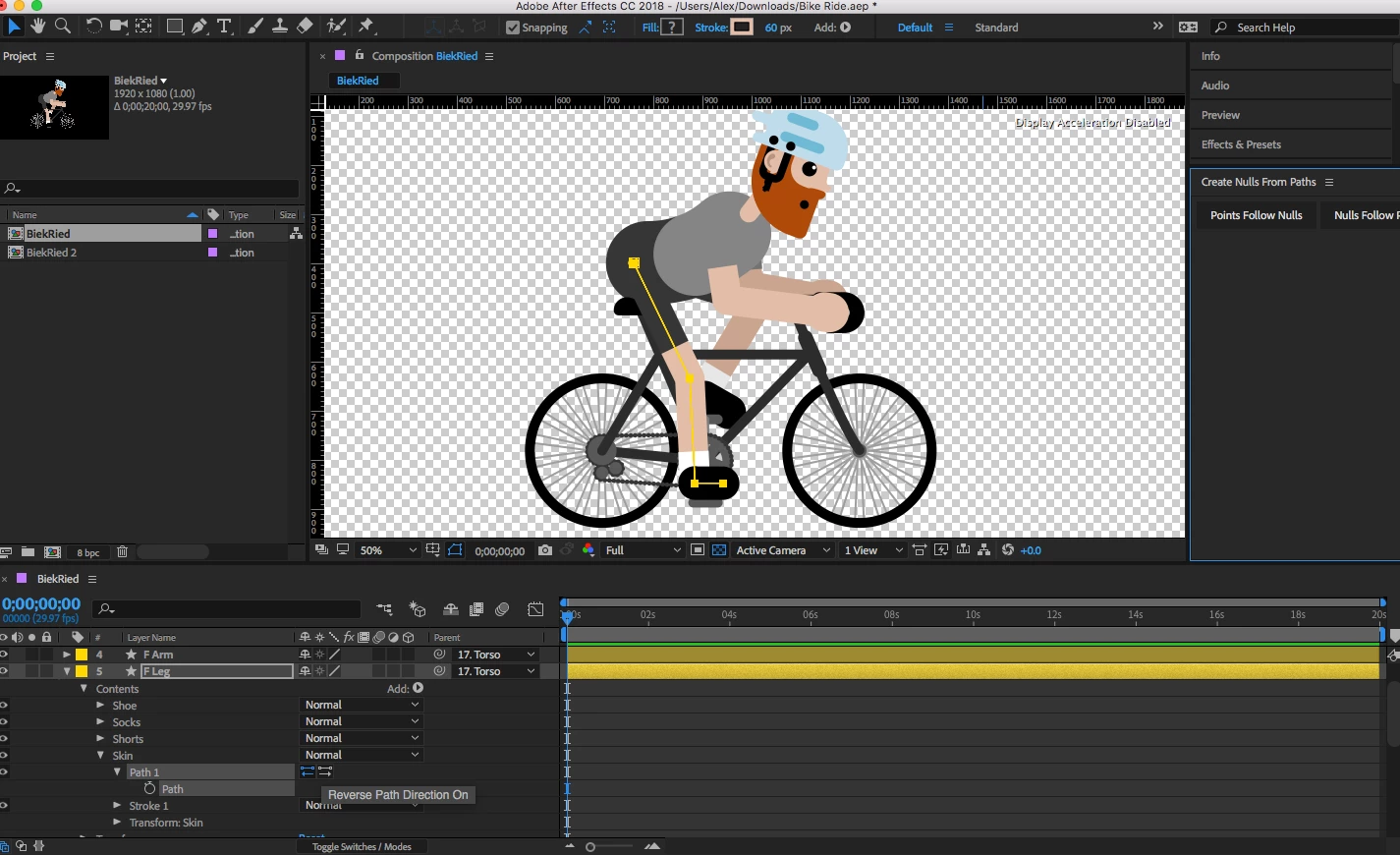
Hi! I love the new built-in feature "create nulls from paths." However, sometimes I get an issue where the newly created nulls are not where they should be. Please see the examples below, where the front leg of the bicyclist kicks out four misplaced nulls. Anyone else having this issue? Any workarounds? Fixes? Advice?

Thanks!
    Correct answer nicomartins

    But is there a way to do it in .Ai without getting this error? it's really annoying me.


    I managed to find a solution and it is by downloading this script that has fixed this bug. I got it from this video in spanish.


    https://www.youtube.com/watch?v=APry31ydjuU&

    http://www.pablocuello.com/scripts/

    6 replies

    Participant
    September 5, 2022

    For me it was a case of ensuring each layer has a different name. It was just linking each new path to the original nulls I had created. Might help someone

    Participant
    October 13, 2021

    I have solved it .. !!
    As they all mention, you have to put all the values ​​of the transform tab of your group that contains the error in values ​​0.
    the position of your vector will move, but you can return it to its place by changing the position in the transform option of all your vector and then apply the create nulls from paths

    Participant
    October 13, 2021

    lo he solucionado..!!
    como mencionan todos, tienes que colocar todos los valores de la pestaña transformar de tu grupo que contiene el error en valores 0.
    la posicion de tu vector se movera, pero puedes volverla a su lugar cambiando la posicion en la opcion transformar de todo tu vector.y luego aplicas el create nulls from paths

    Known Participant
    September 2, 2020

    I am experiencing the same issue. To test the problem, I created a new project, then a new comp with a single path, then used "create nulls form path / trace path" and shift+picwhiped a rectange shape layer to the null but the rectangle gets placed far from the null.

    Community Expert
    September 2, 2020

    Copying and pasting a motion vector path to a motion path requires that the layer with the mask or the shape layer with the mask have the transform properties reset to the default positions for the motion path to match up. This is because vector paths are based on the original layer dimensions, not the transformed properties. 


    The CreateNulls from Paths.jsx scrip will compensate for layer size scale and rotation so the nulls will be on the path no matter what the position, scale, and rotation of the layer have been set to. 


    When you Shift + parent a layer to another layer the position, rotation and scale are all matched at the Anchor Point of the layer. paper1246, your screenshot shows the outline of the null on the path, so that is correct, but you have the layer with the path selected. I would be willing to guess that the Anchor Point of the Blur Rectangle layer is right on top of the null. The reason that it doesn't match up is that the anchor point of the layer with the rectangle is not centered in the rectangle. 


    If the blue rectangle layer is a shape layer, and the rectangle is a parametric shape (Rectangle 1) and not a vector Path, then all you have to do is to select the shape layer, press the U key twice, and then zero out the Transform Rectangle 1 properties for Position, rotation, and scale if the scale is not 100%. That should move the center of Rectangle 1 to the Anchor Point of the shape layer.

    Participant
    August 6, 2020

    Good afternoon I need help I have the same problem when creating a null in a mask, the points do not come out where I need how can I solve this thank you very much

    Roland Kahlenberg
    Legend
    February 27, 2018

    Before you apply any of the Nulls2Path feature you SHOULD zero all the Path>Transform:Path properties (except Opacity and Scale). Otherwise, you will have the issue you are currently facing.

    Very Advanced After Effects Training | Adaptive & Responsive Toolkits | Intelligent Design Assets (IDAs) | MoGraph Design System DEV
    atdanksAuthor
    Participant
    February 27, 2018

    That did the trick! Thanks a bunch!