

nickgripton
Inspiring
June 5, 2017
Answered

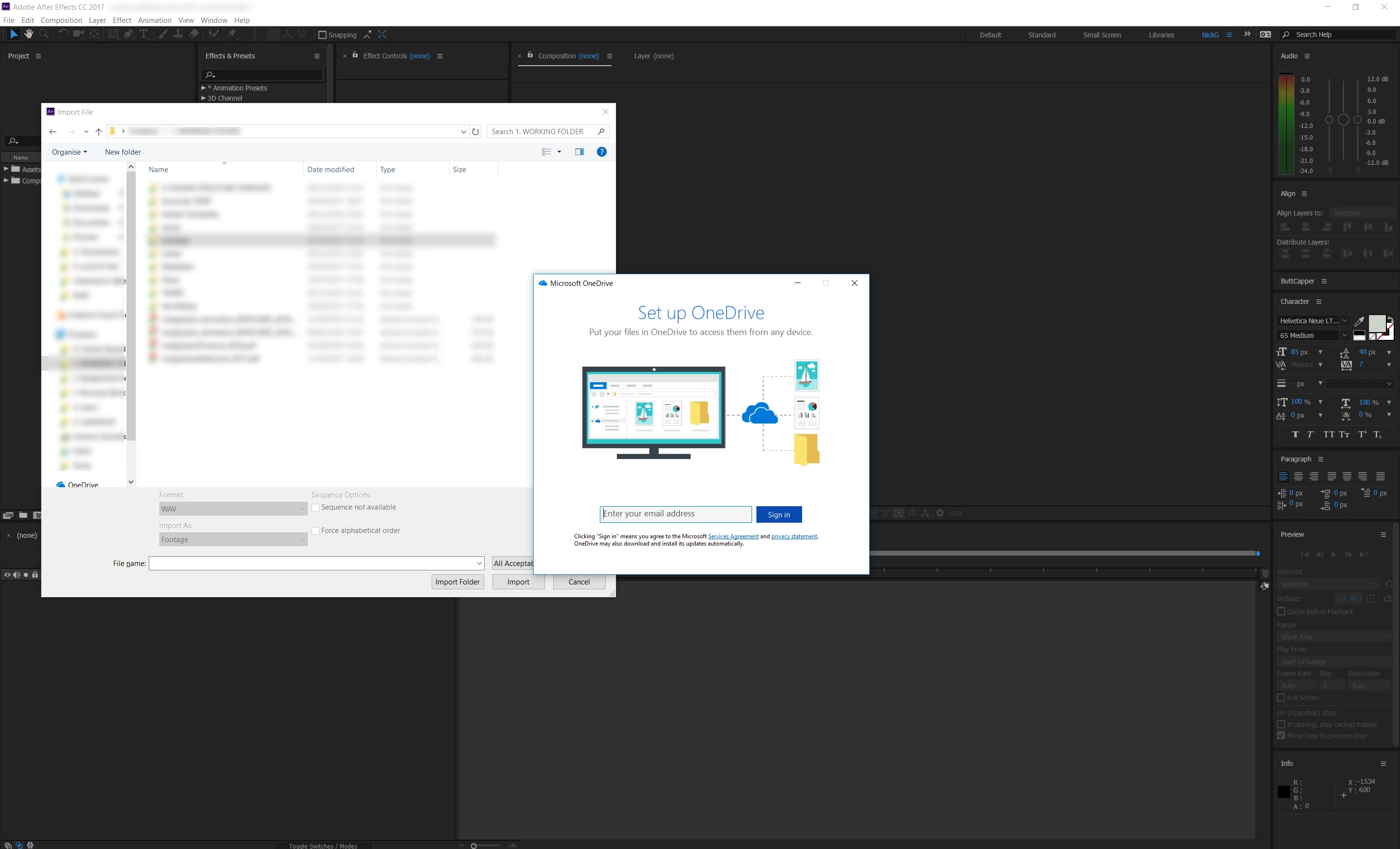
CTL+I starts OneDrive. Help me stop this.

  • June 5, 2017
  • 1 reply
  • 850 views

So this is really weird.

Heres whats happening:

In after effects, I press CTL+I and in my system tray I can see OneDrive start running with the promt to set up. It does it every time.

1. It still allows me to import normally.

2. I don't use Microsoft OneDrive, in fact I've even gone as far as making sure that none of its processes are running on my computer

3. This only happens when I'm in After Effects. CTL+I is a shortcut I use A LOT. I've tested it in other programmes, on the desktop and CTL+I does nothing (other than what its supposed to do)

How can I stop this! !
This topic has been closed for replies.
Correct answer nickgripton

Ah, I see. Just seemed so obvious since current versions have those "Send to OneDrive" features everywhere. Then perhaps you might need to dig into the monitoring and notification options of the OneDrive client. might be that it has its claws on your folders and wants to prevent you from making unsynced changes. It might help a lot to simply exclude the default My Files/ My Documents folders, since that is typically where AE will start looking for files if no previous import has set another recent location.

Mylenium


I actually unistalled onedrive, which "fixed" it. If I had to use onedrive for client work tho, it would probably cause me some issues!

1 reply

nickgripton
Inspiring
June 5, 2017

I've just UNINSTALLED OneDrive, which has stopped it (obviously). But its still weird. Any ideas why it was happening After Effects team?

Mylenium
Legend
June 6, 2017

Office installs some global system shortcuts in rexcent versions. You can turn this off in the respective system panels and the Office prefs. In your case this may be a specific version issue.

Mylenium

nickgripton
Inspiring
June 6, 2017

I dont have office installed either...