Penney Design
Participant
March 31, 2019
Answered

Different Coloured Side To 3D Shape

  • March 31, 2019
  • 3 replies
  • 5374 views

Hi

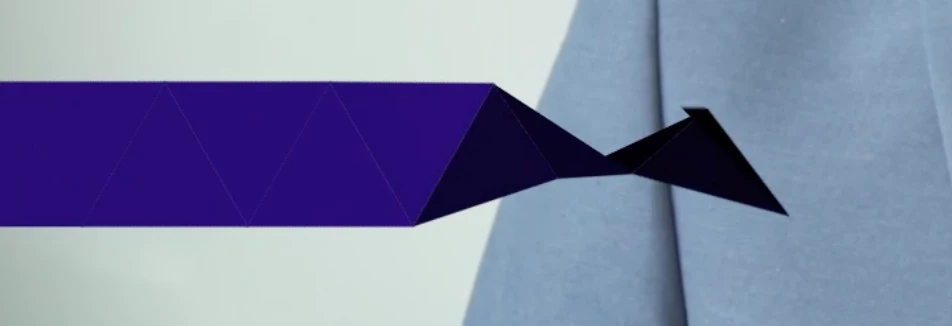
I'm creating a project where an origami-style paper banner folds out and becomes a lower third for a video.

I want the FRONT side of the shape to be one colour, but also as it's folding out I want to see the BACK side of the shape as another colour.

I've attached what it looks like currently. You can see how it folds out, I just want to show the underside in another colour and keep the top side blue.

Thanks!
    This topic has been closed for replies.
    Correct answer OussK

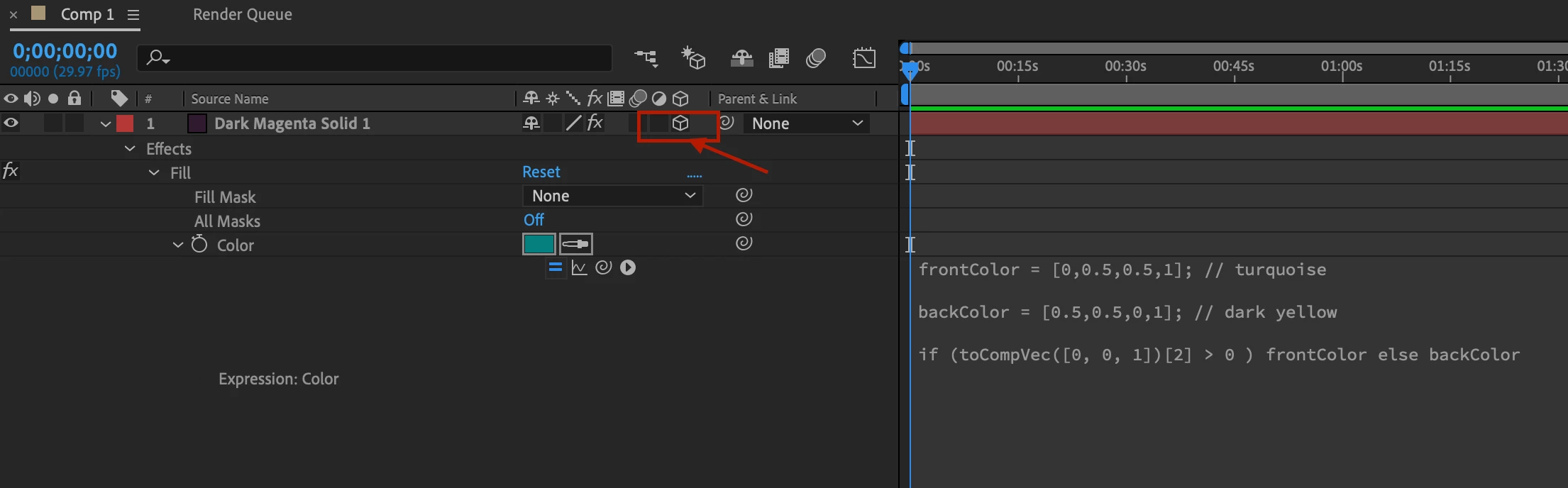
    Be sure to set the layer to 3D to get this expression work

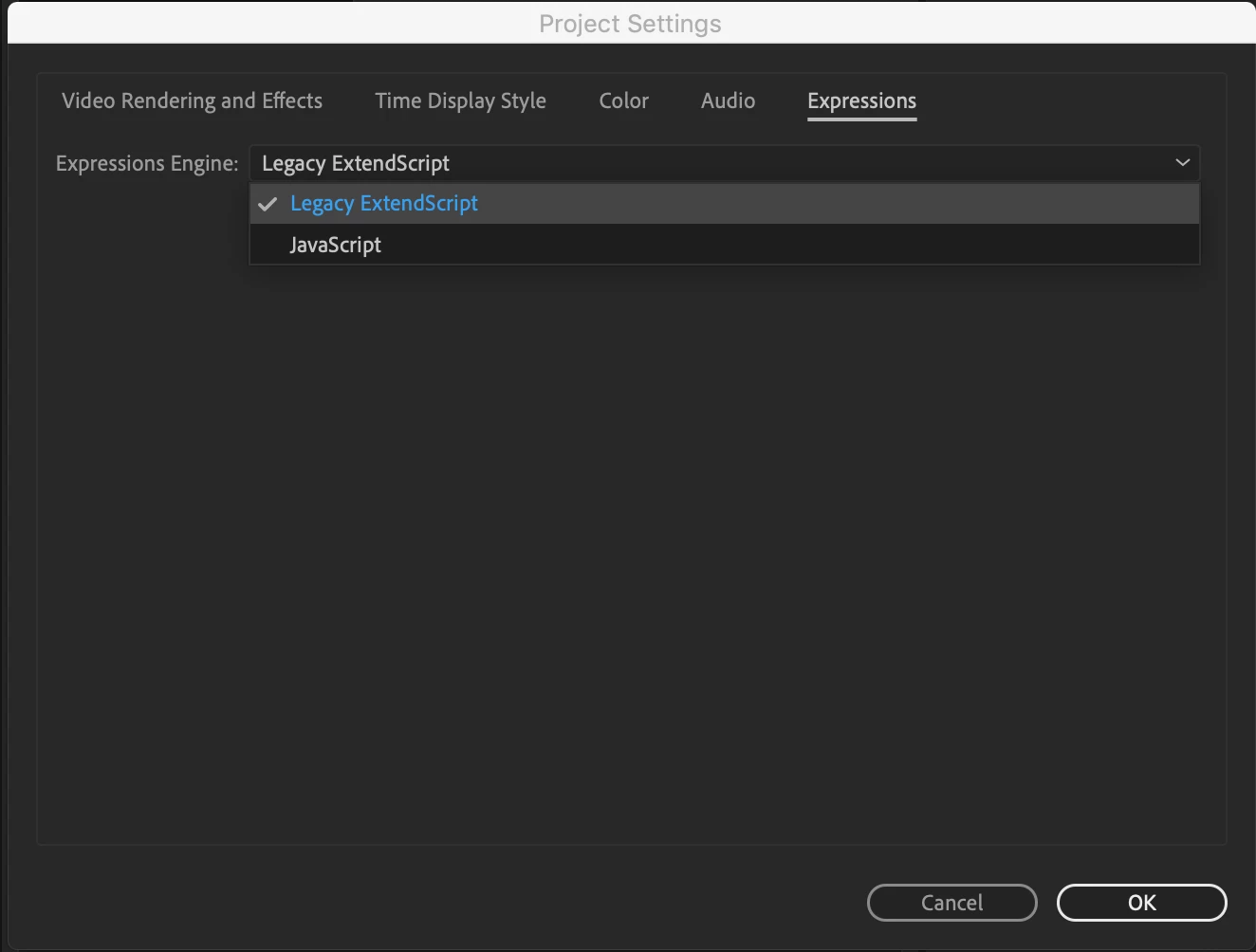
    Also set the expression to legacy from project settings (file/project settings)

    3 replies

    Participant
    February 24, 2022

    In 3d shape layer .must increase extrusion depth then Click on Add Button and choose front then  color

    Participant
    February 24, 2022

    Must choose render Cinema 4D 

    OussK
    Community Expert
    Community Expert
    March 31, 2019

    You can also do it by using some expression, this link must be useful CreativeCOW

    also here a small free script can do this easily https://aescripts.com/two-sided-layer/

    Penney Design
    Participant
    March 31, 2019

    Thanks I will try that script perhaps.

    I already saw that forum you linked to and tried that expression.

    frontColor = [0,0.5,0.5,1]; // turquoise

    backColor = [0.5,0.5,0,1]; // dark yellow

    if (toCompVec([0, 0, 1])[2] > 0 ) frontColor else backColor

    It returned an error sadly.

    OussK
    Community Expert
    OussKCommunity ExpertCorrect answer
    Community Expert
    March 31, 2019

    Be sure to set the layer to 3D to get this expression work

    Also set the expression to legacy from project settings (file/project settings)

    Martin_Ritter
    Legend
    March 31, 2019

    How did you build the shape and folding effect?

    There are several ways but which one to choose depends on how you created the origami effect.

    You can separate front and back side with masks, coloring each individually - re-coloring the shapes - using 3D lightning, just to name a few.

    *Martin

    Penney Design
    Participant
    March 31, 2019

    Thanks for your reply Martin.

    I built the shape by using shape layers and rotating them in the 3D space to give the appearance of folding out.

    Does that make it difficult to colour now back and front?

    Martin_Ritter
    Legend
    March 31, 2019

    Not at all!

    You can change and animate the color of shape layers. Just recolor all shapes which are on the back and as soon as they flip to the front, put in keyframes and give them the front color.

    You should try lightning, as well. Just add a light and give yourself an hour to play around with the settings. The advantage of lightning will be, that once set up, it will always work, even if you change the animation and timing.

    *Martin