danielm76845605
Participant
May 21, 2021
Question

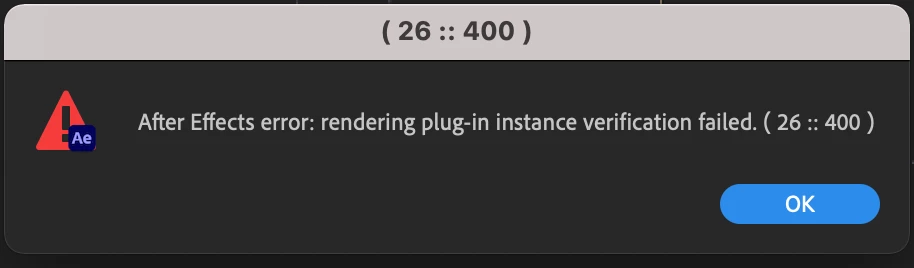
Error Message 26 : 400
  • May 21, 2021
  • 3 replies
  • 1659 views

Hi, does anyone know how to fix this error message that appears when I open my project?

This topic has been closed for replies.

3 replies

danielm76845605
Participant
June 1, 2021

Thanks Heaps! Figured it out when I disabled the Cinema4D software. 

Mylenium
Legend
May 21, 2021

Sounds liek an out-of-bounds memory error. You may have to check security settings on your Mac. For anything beyond that you will have to provide info on actual render settings, contents of the composition, what Mac you're actuaslly on, version of OSX and so on. Again, I think this is some security mechanism of the system blocking a specific function, not directly an AE error, but anything is possible.


Mylenium

ToolfarmJP
Community Expert
Community Expert
May 21, 2021

It looks like a permission error. Would you run After Effects by Run as Administrator.


C:\Program Files\Adobe\Adobe After Effects 2021\Support Files\AfterFX.exe <- Right-click by mouse.