


- Home
- After Effects
- Discussions
- extremely slow preview of 3d layers
- extremely slow preview of 3d layers

Copy link to clipboard
Copied
Hi,
Here is my config:
I7 6700K
Gigabyte Z170-D3H
Samsung SSD 850 EVO 250
samsung ssd 850 pro 256
Toshiba DT01ACA300 3TB
GTX 1060 6GB
2 x Patriot Viper 4 16GB DDR4
EVGA SuperNOVA 650 P2, 650W
Noctua NH-D14"
Windows 10 pro
AE 2017
There is a basic composition with a single FHD clip (8sec) - when I make it 3d it extremely slows down. Even with quarter quality preview takes ages, ram preview is loading around 3 frames per 2 seconds. CPU runs ~99%. Is it something wrong with my computer or is it normal and I should not expect more??
Please advice
Michal


 1 Correct answer

o.k Michael I see you are new to the software so let's give you some valuble information:
1. CPU usage in Ae is depended, among other things, on what effect you use. some effect are multi-threaded effects and some are not but in any case unfortunately Ae is currently not utilizing all your CPU cores so don't expect maximum CPU usage here. it's how the software was built - it was always single threaded application (writing one frame at a time) but as of CC2015 it's has become multi-threaded applic
...
 12
Replies
12
12
Replies
12

Copy link to clipboard
Copied
we can't be sure. show us screenshots or if you can videocapture and we can examine if this is normal related to your setup or you got some U.I tweaks you need to make.
Copy link to clipboard
Copied
ok, but what screenshots should they be of?
Copy link to clipboard
Copied
ok, but what screenshots should they be of?
of your full Ae interface showing your setup, your UI, your switches and layers. this is valuable information. otherwise we are just guessing what you got there. a video capture is a good way to demonstrate performance but most of the time a still is good enough.

Copy link to clipboard
Copied
What kind of footage is this? Media container? Codec?
Copy link to clipboard
Copied
So AE crashes now everytime when opening preferences.
I installed previous version (2014) to check and it works fine, I can scroll and preview 3d compositions almost fluently.
I'm gonna reinstall AE tomorrow and will come back with a feedback.
Copy link to clipboard
Copied
So AE crashes now everytime when opening preferences.
you can reset them without opening them. here's how: Reset After Effects Preferences
Copy link to clipboard
Copied
well, I reinstalled it before get your tip; rush isn't the best option sometimes:)
With this new copy I get much better performance until it gets to changing 3d renderer settings. Anyway I attache screenshots below so you can take a look step by step, and maybe suggest useful changes to setting etc.
I create new project with one MOV file, 1920x0180, 30fps, 3m38s, 448MB.

my settings:

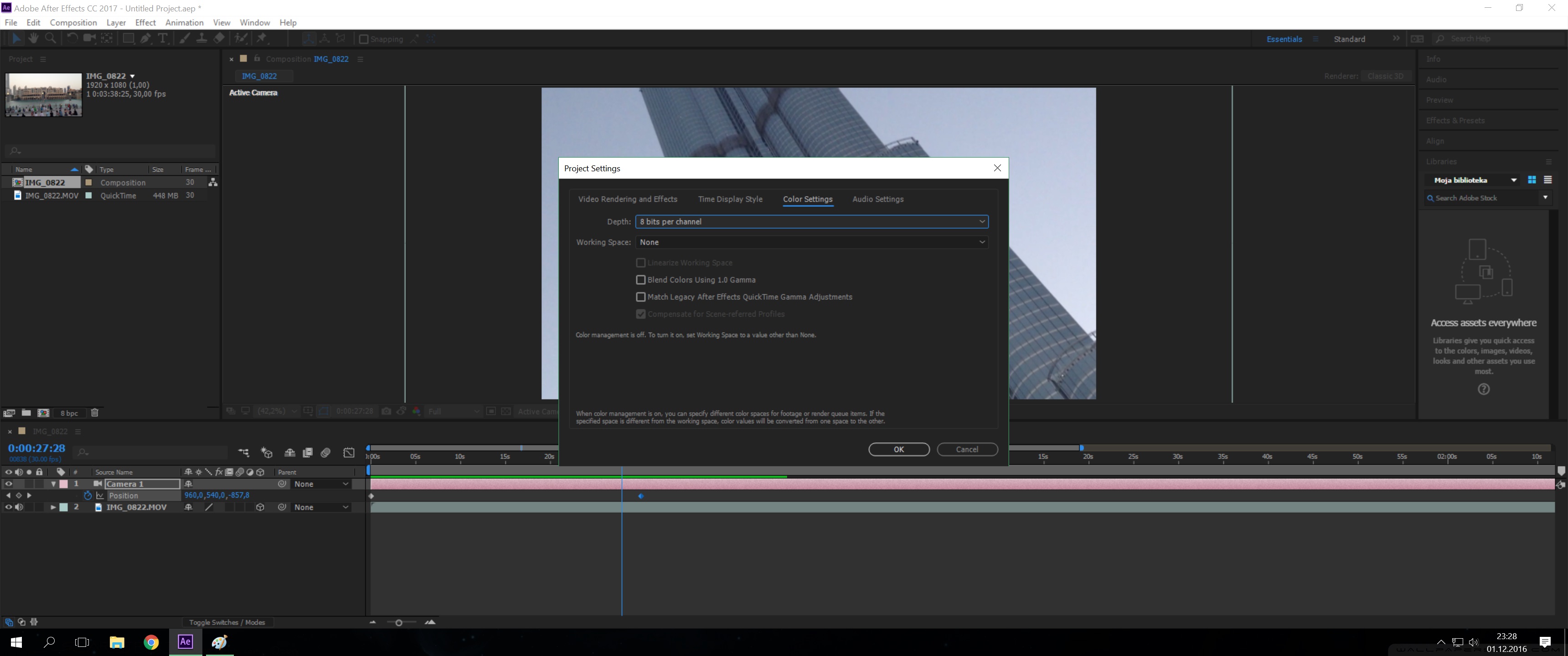

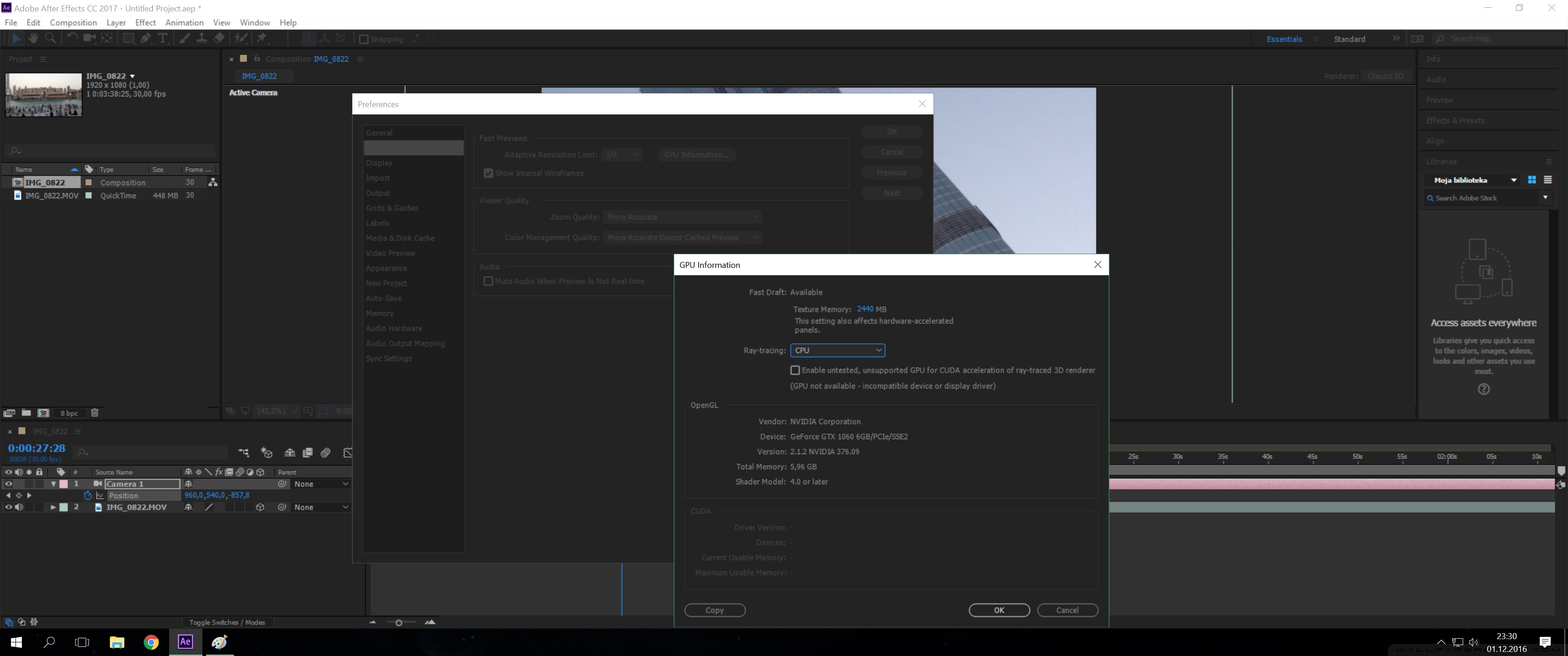

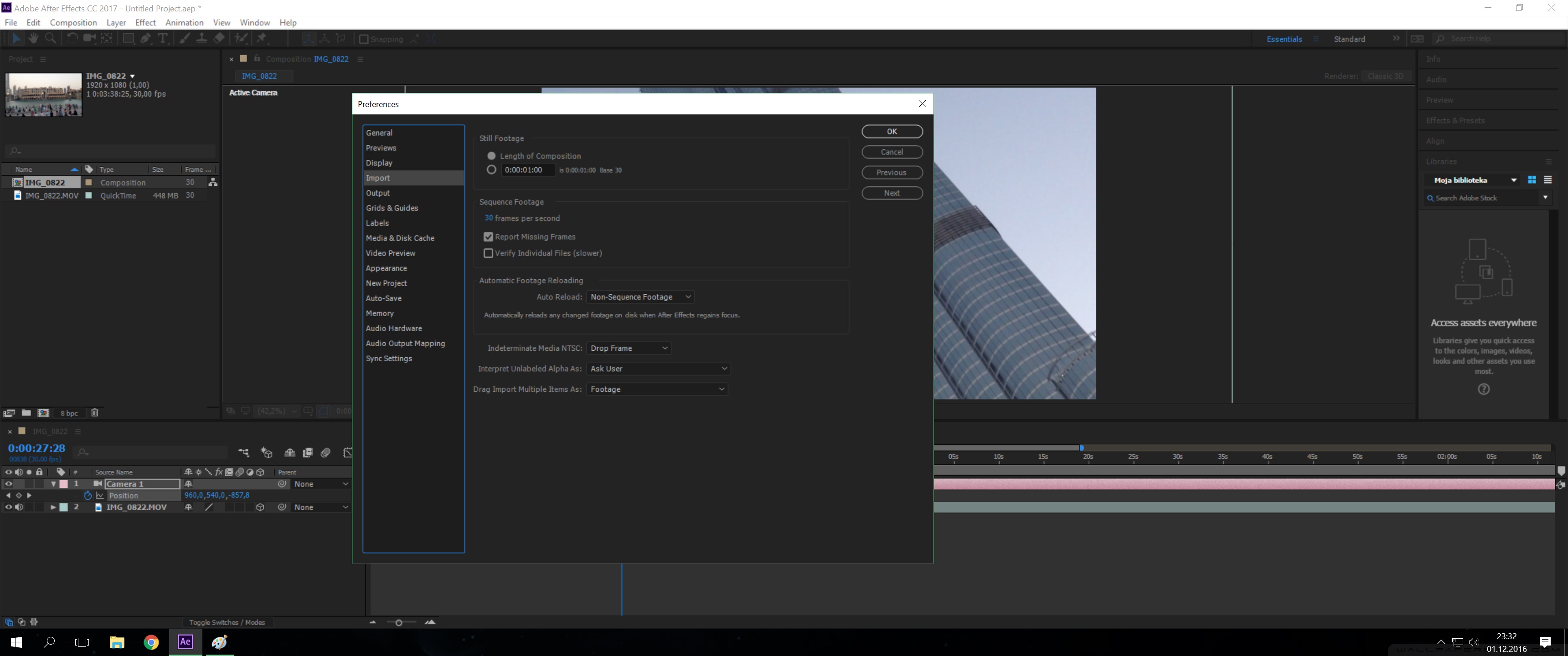


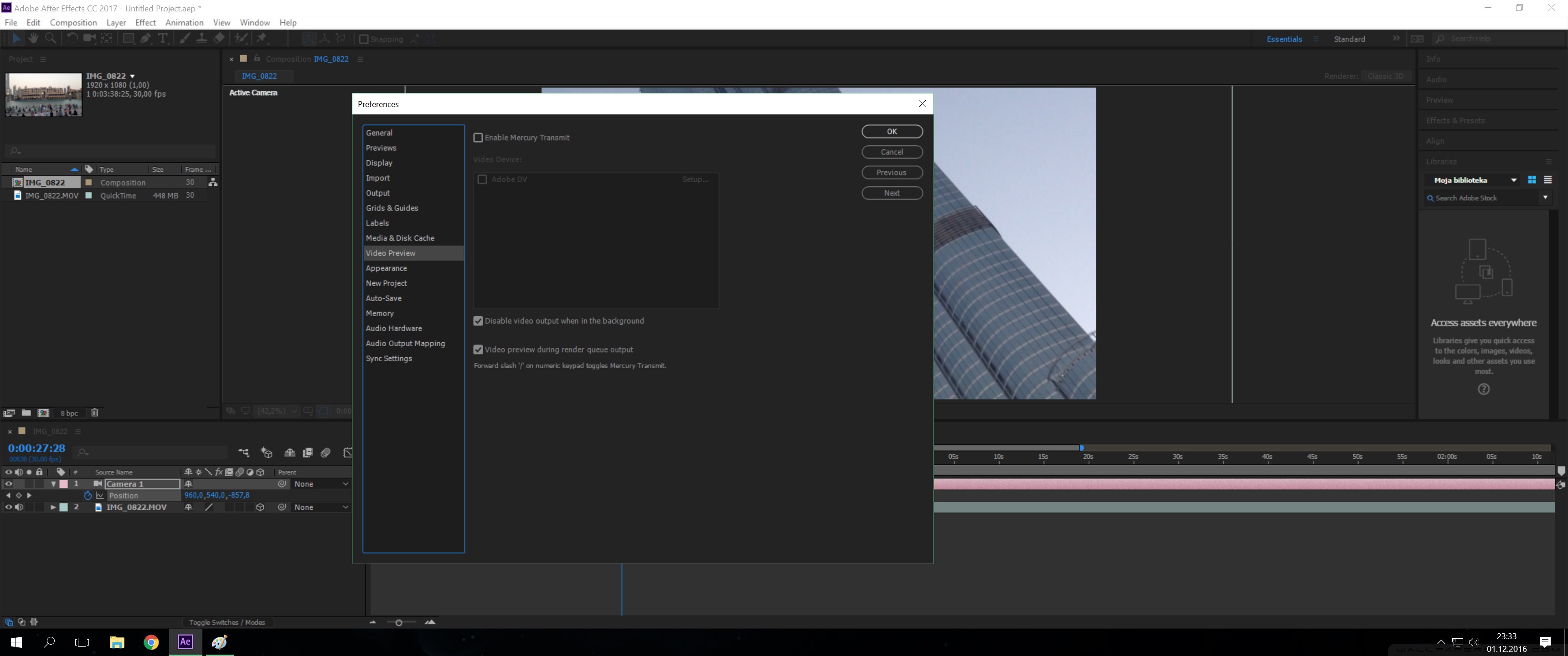


The very first preview runs smoothly at full resolution. It's just weird that first 30-40sec CPU uses around 50% and then it drops down till 8-10%. On second try, with a green bar it is the same, but when tried third time, it's low CPU usage from beginning. Is it normal behaviour?:

Here is with 3D layer option on:
(CPU range 48-67%)
Also noticed, after stopping ram loading - system disk C: high activity for maybe 30 seconds - is it creating any preview file on disk?
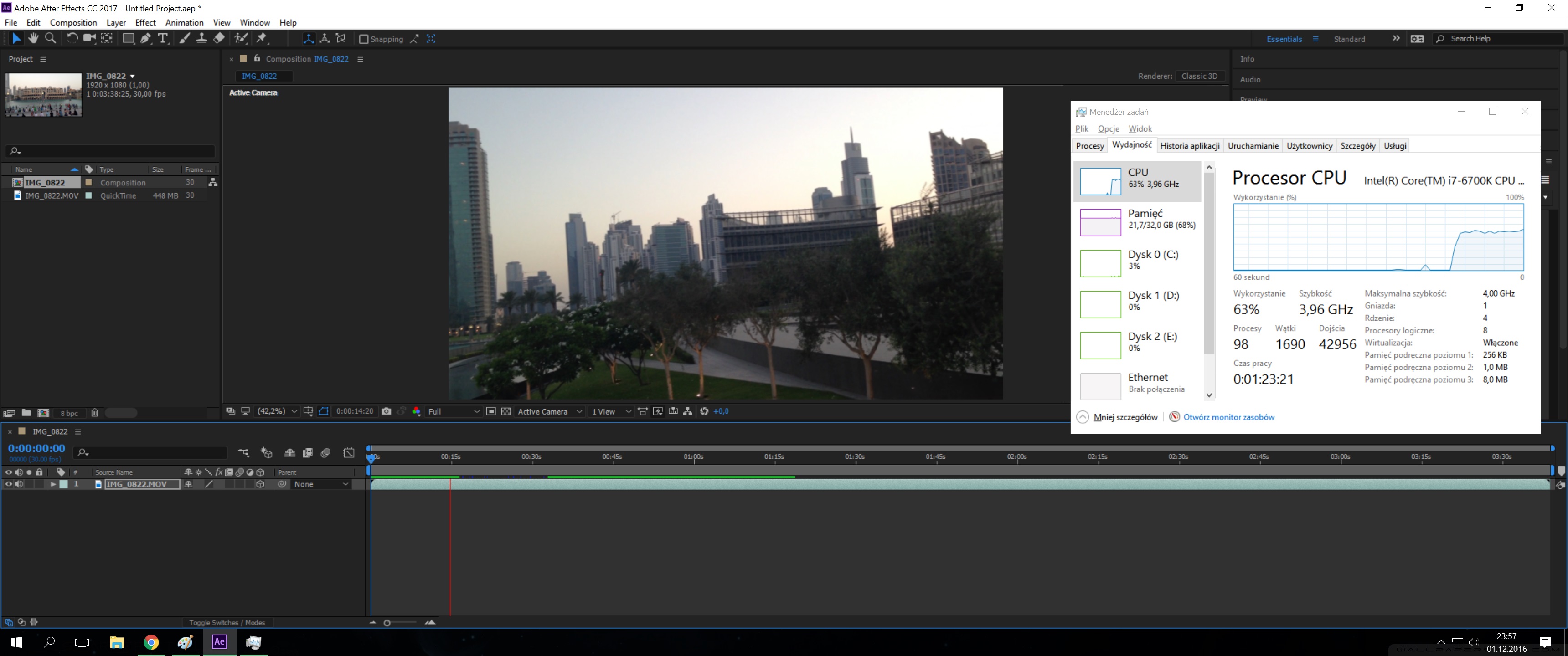
And after adding new camera with two keyframes changing zoom.
Would say the same performance, still almost perfect playback.
Renderer set to classic 3D.
Ok, so here start problems. When I opened composition settings, changed renderer to cinema 4D/options/choose installation - AE freezed.

I restart AE and now with C4D choosen, but without opening option's tabs, hit playback:
As you can see, the CPU runs constantly ~80% and for one minute it has loaded 4-5 seconds of the clip. Another screenshot shows it's not AE but Cinerender CPU consumption.
I provided tests with different types of files and the situation is simmilar.
Please advice.
Copy link to clipboard
Copied
o.k Michael I see you are new to the software so let's give you some valuble information:
1. CPU usage in Ae is depended, among other things, on what effect you use. some effect are multi-threaded effects and some are not but in any case unfortunately Ae is currently not utilizing all your CPU cores so don't expect maximum CPU usage here. it's how the software was built - it was always single threaded application (writing one frame at a time) but as of CC2015 it's has become multi-threaded application internally - the U.I is one thread, the renderer is another. this is only the beginning. we can definitely expect for it to become much more efficient in upcoming versions - this change is the most anticipated there is among heavy Ae users. we need it badly. we want Ae to use all the resource power it can. the debate on why isn't this happening yet tends to get heated and emotional when Ae users talk about it so let us not start a fire talking about it 
2. The Cinema4D renderer is mainly for extruding Ae's native vector layers which are Text and Shape layer. it can also bend other layers to some extent. other then that function, it has no use for you. more about the Cinema4D renderer here. this renderer is actually CPU multithreaded ! (notice the irony here, that this somewhat esoteric renderer that only does one magic thing or two can actually use more of your CPU power, instead of the Classic 3D renderer which you actually use 99% of the time)
3. as for saving cache to disk - the default behavior is save cache to disk. if you have more space then by all means use more than 23GB.
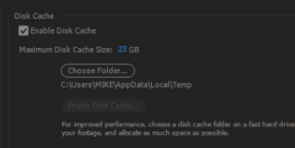
use other drive than your system drive (system drive which I hope is SSD)
4. as for playback - bare in mind that After Effects is designed to playback frames cached to RAM in real-time. this means it has to cache them to disk first before it can plays them smoothly. if you don't have any effects applied, this can happen instantly (this is a relatively new thing in Ae) and give you real-time playback from the start. other times, you should cache it first and you can set your preview settings shortcuts to your liking in the preview panel: Preview without rendering in After Effects
5. one last thing: Ae is not that intuitive. it may seem like that at first that it looks like Premiere and you can mess around with some settings and find your way but it's hard and inefficient to work with it that way. using Ae has been compared here to flying an F-18 with your mom shouting at you in the back seat in a warm summer night! so get your training first. you should start your journey here: After Effects tutorials.
welcome to our crazy family 
Copy link to clipboard
Copied
Does it mean I should prefer C4D renderer for text and shape layers within AE, over those two others? Will I use classic or ray-traced in another situations for more possibilities?
About disk cache size - I have 250GB SSD (other then system disk which is SSD as well). I use it for Premiere pro cache files and database. Shoul I consider it when setting AE cache size according to your suggestion? (don't know if they interfere with each other).
Copy link to clipboard
Copied
Does it mean I should prefer C4D renderer for text and shape layers within AE, over those two others?
only if you plan to extrude them. watch the tutorial to understand more clearly: Faster 3D Text and Logo Workflows in After Effects CC | Creative Cloud blog by Adobe
About disk cache size - I have 250GB SSD (other then system disk which is SSD as well). I use it for Premiere pro cache files and database. Shoul I consider it when setting AE cache size according to your suggestion? (don't know if they interfere with each other).
give Ae some more. I think you can spare 100GB you can clean it every time you want and a good practice is to actually manually clean it from time to time.
start your journey in the tutorial page. learn as you go. we'll be here.
Copy link to clipboard
Copied
Looks like there is a lot to learn, but I'm gonna do my homework:)
Thanks a lot for help and useful information!
Copy link to clipboard
Copied
Quick question in connection to preview subject - sometimes it happens, especially when working longer. playback doesn't work, green bar progress but pressing spacebar or play button doesn't work, just moving time ruler one frame backwards.
Thanks in advance for tips.


Find more inspiration, events, and resources on the new Adobe Community
Explore Now
 AdChoices