
Participating Frequently
June 20, 2019
Answered

Graph lines not travelling at same speed...

  • June 20, 2019
  • 1 reply
  • 481 views

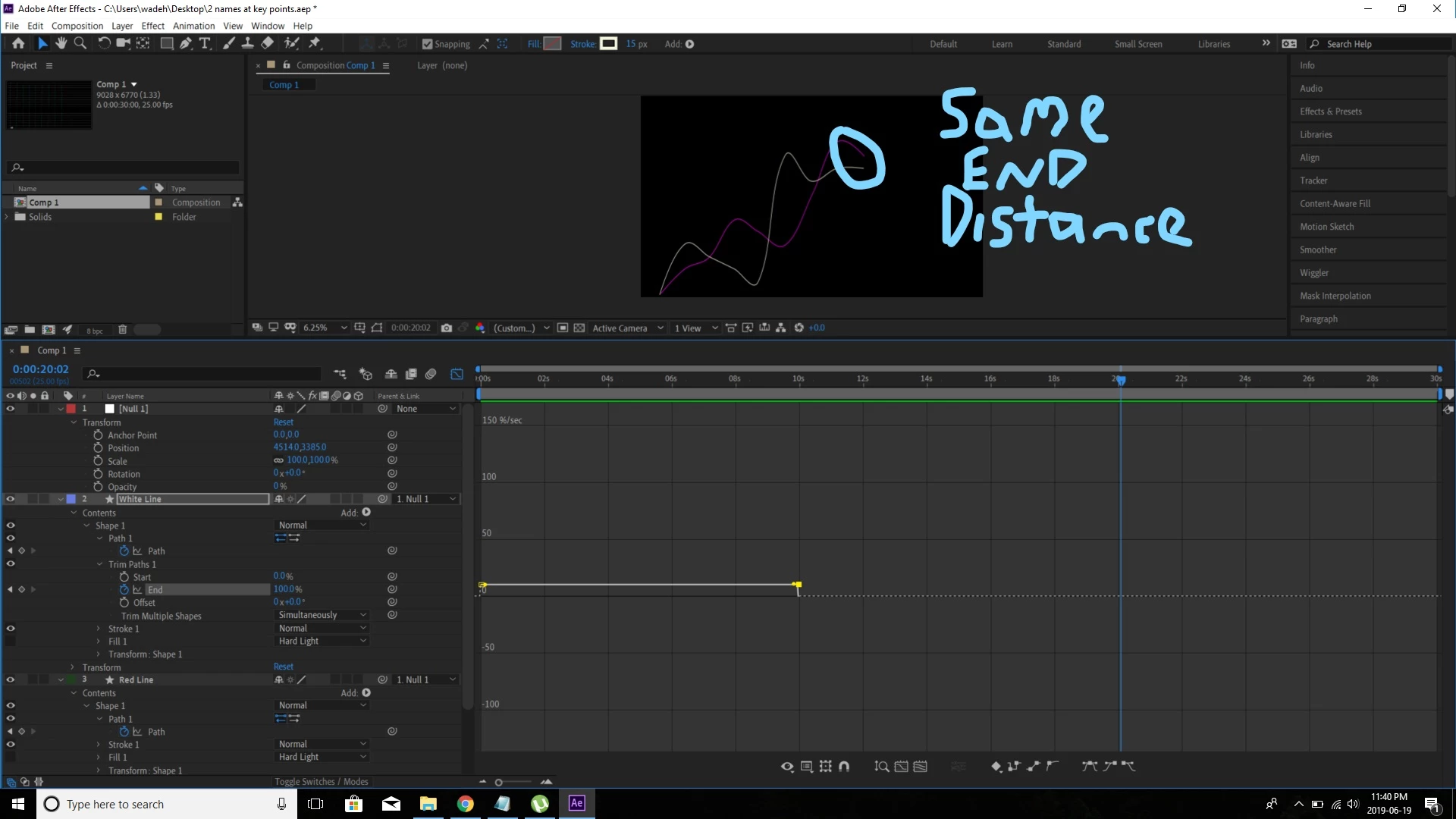
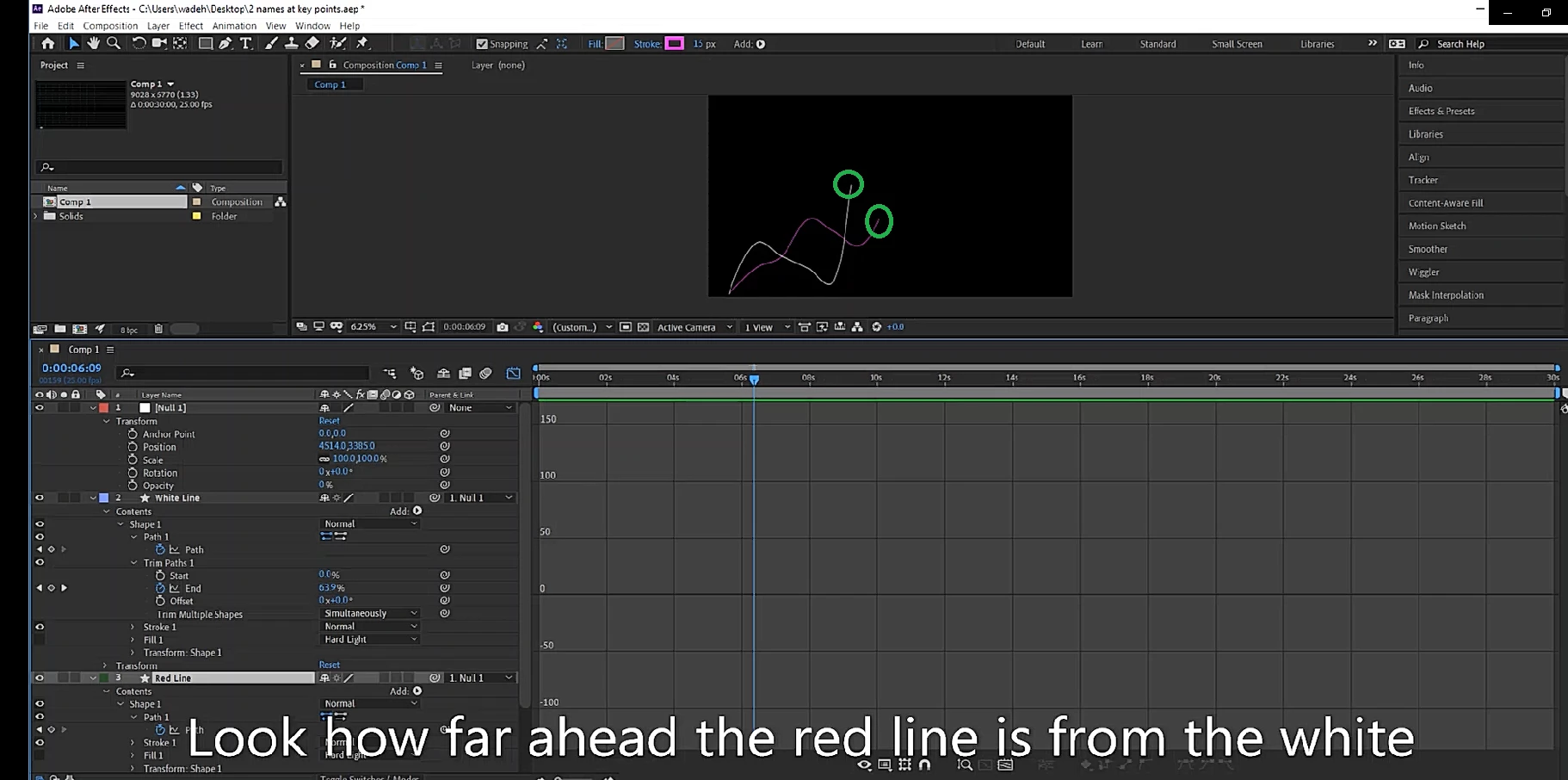
So I have a very simple project. 2 lines (white and red) travelling from left to right (up and down as they do so). They both start at the same point (at 0s) and both end at the same point at the SAME time (at 10s). But when the graph is moving from left to right, sometimes on line gets ahead of the other, depending on the incline it is travelling up. I've tried to sort this out through the speed graph editor, but to no avail. How would I be able to get both lines to move at the same speed THROUGHOUT the graph, and not just both end equal distance at the 10s mark?
    This topic has been closed for replies.
    Correct answer David Arbor

    You were on the right track with the Speed Graph, but you can also do this by making multiple keyframes and changing the distance. Try this:

    • Make a keyframe at each peak and valley for each graph. Don't change the values of the Trim Path's End property, just add keys at the current value. Judging by the top image you should have an equal number of keys for each graph, you might just need to place one near the beginning of the red line even though there's not a very defined valley.
    • As long as your start and end keys line up you know what will happen, so you can just adjust each corresponding key for the peaks and valleys by dragging them in time to match the speed.

    1 reply

    David ArborCorrect answer
    Inspiring
    June 20, 2019

    You were on the right track with the Speed Graph, but you can also do this by making multiple keyframes and changing the distance. Try this:

    • Make a keyframe at each peak and valley for each graph. Don't change the values of the Trim Path's End property, just add keys at the current value. Judging by the top image you should have an equal number of keys for each graph, you might just need to place one near the beginning of the red line even though there's not a very defined valley.
    • As long as your start and end keys line up you know what will happen, so you can just adjust each corresponding key for the peaks and valleys by dragging them in time to match the speed.
    Community Expert
    June 20, 2019

    If the paths are different lengths and the start and end time of the animations are the same then the lines are going to travel at different speeds.

    You have two options. Use something like a linear wipe to reveal both lines or set a keyframe every couple of frame so the progress of both lines on the X-axis is the same.

    If you want to use keyframes then the easiest thing to do is to set up some vertical guides lined up with every place the lines cross or at least every place the lines change direction. If you want the X speed constant then you need to draw a straight line as a reference. The comp would look like this:

    I simplified the graph with just one straight and one crooked line but you get the idea. Holding down the Ctrl/Cmnd key while you drag the range selector in the timeline will help you set accurate keyframes. This will keep the end of the graph lined up horizontally but the speed of the lines may need a little adjustment. Your lines are curved so you may need a lot more keyframes to keep things lined up.

    If it only takes four or five seconds to animate the graph you might be better off with a linear wipe that has a soft edge to hide the diagonal end of the line and make it look a bit more like motion blur.