

Grid/Hashtag By Source Name?
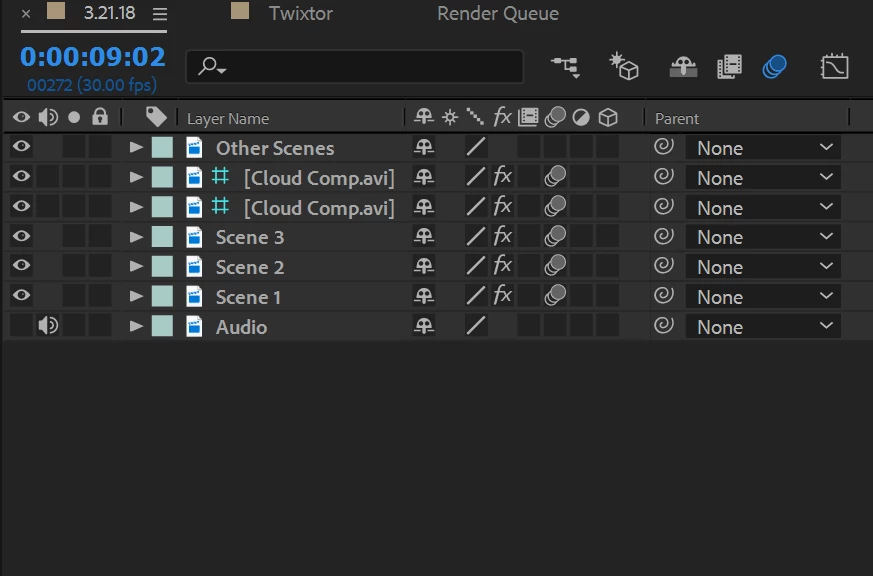
So, I was editing, and suddenly I realize there is a blue and grey hashtag/grid by one of the sources I am using for said edit. Though I did add some paint on the source, and I believe that is why the grid is there, because it wasn't there before I had added the paint. Now when I go to preview the video, the one clip turns black, but when I click on a frame of the clip, it reappears. All the other clips are working, just not that one clip I added paint to. I have added paint to clips in previous projects, though this never seemed to happen. I tried to render/export the clip in hopes it would be fine, but it exported just a black screen as well. I can't seem to right-click on the grid or do anything with it.
Here are my current sources, and as you can see, there is the grid on the source I added paint to:
 AdChoices