
Participant
November 27, 2020
Answered

Having Problems withe wiggle expression (Ae Begginer)

  • November 27, 2020
  • 3 replies
  • 392 views

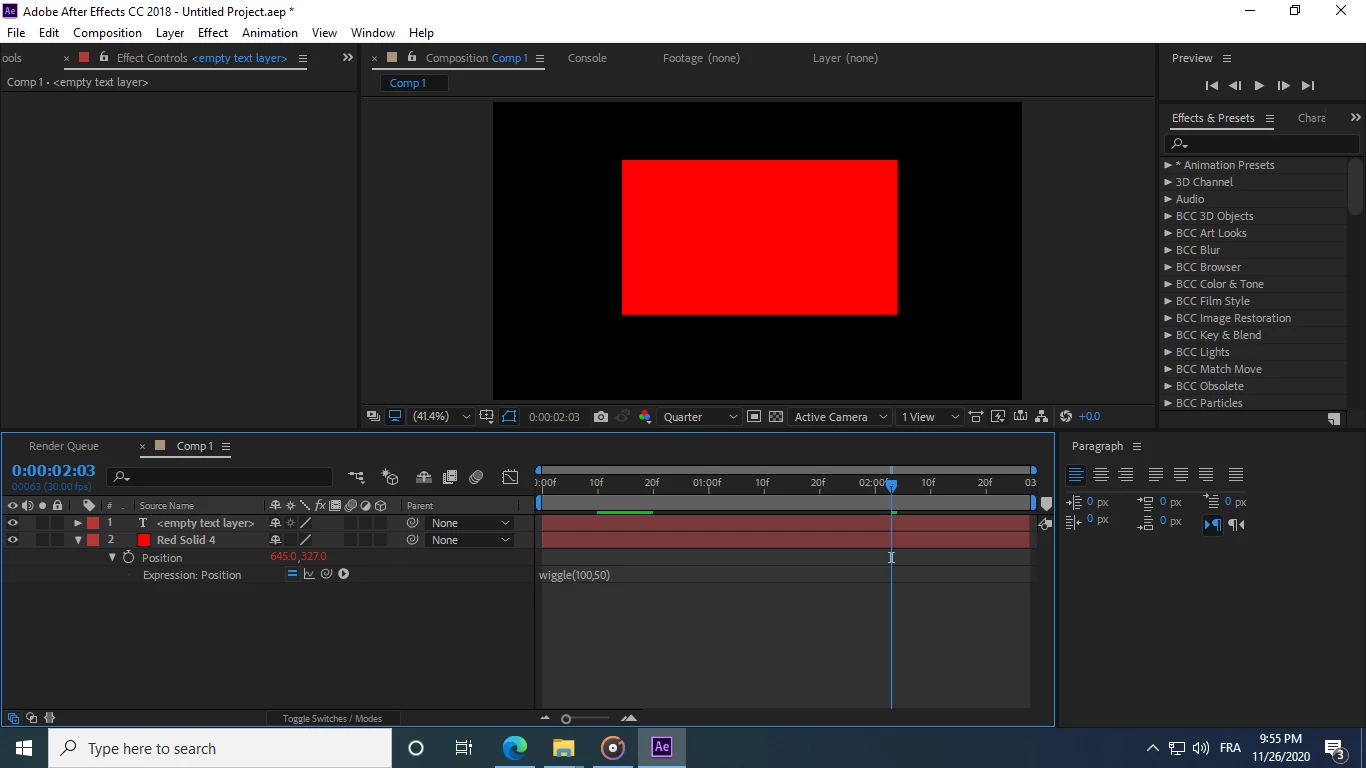
Hi, Im Rafik and Sorry if my English is bad i have a problem withe wiggle expression i have been trying to selove for two weeks now and i have no experiance withe wiggle and expresions So for example i have a (solid) withe this position expresion [wiggle(100,50) ] So now the position is (659.8,307.9) Now when i add any other layer next to it or under it any where in the entire timeline[ For ex: text , video , music] My Solid Wiggle Position Will Change for now Whenn adding text on top changed to [645,327] I'll be happy to get answers
This topic has been closed for replies.
Correct answer Rafik1100

 Srry ment to upload this photo 

3 replies

Roland Kahlenberg
Legend
November 27, 2020

Use the seedRandom Expression method to affix the random/wiggled values regardless of its Layer Index.

All you need to do is to type -

seedRandom(false)

see the Expression below for an example.
.............................
seedRandom(false)
wiggle(5,100)

Very Advanced After Effects Training | Adaptive & Responsive Toolkits | Intelligent Design Assets (IDAs) | MoGraph Design System DEV
Participating Frequently
November 27, 2020

Hi. Wiggle is a random thing, it will always change and be different every time you play it.

Rafik1100AuthorCorrect answer
Participant
November 27, 2020

 Srry ment to upload this photo