
Silverbell
Inspiring
June 3, 2017
Answered

How i can cut layer bars or remove gaps beetween layers

  • June 3, 2017
  • 2 replies
  • 4005 views

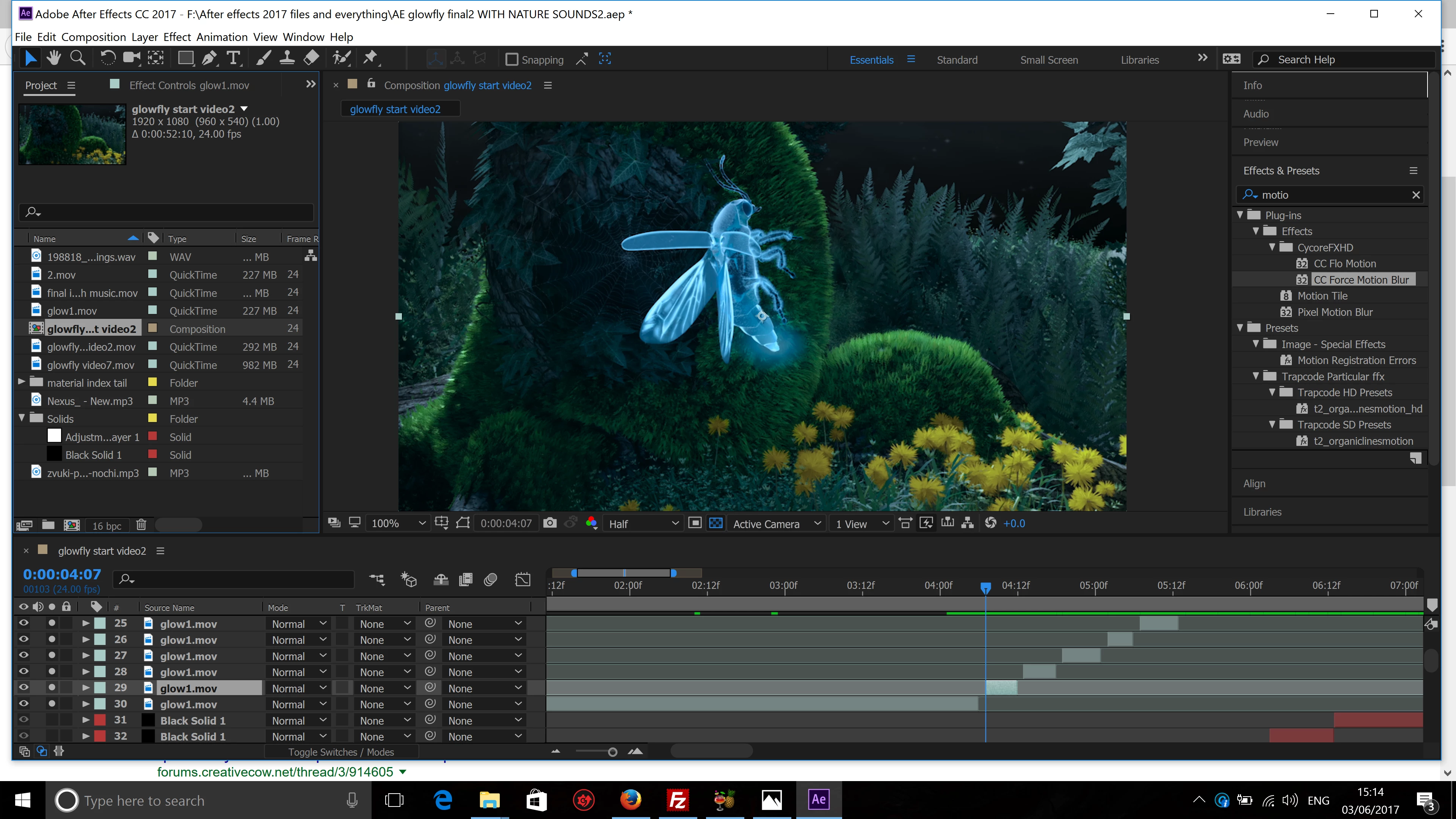
I used split layer option to remove all the gaps beetween layers, now when i want to remove gaps i know only one method - to drag them manually, but when i do that i get the previous result as if i didnt cut them at all, seems like layers still hidden inside of this bars. So what would be best solution to get rid of the gaps and put layers together in my case?
    This topic has been closed for replies.
    Correct answer Roei Tzoref
    I know how to drag bars,  I did it correctly,  bit it didn't seem to work anyways.

    if you drag bars, you are moving the layers and by looking at your timeline, you could be done with it in 5 seconds. by your description, you were dragging manually and getting the previous results. the only conclusion is that your were probably using the handles to move the layers. contributing to this assumption was the "hidden" layers inside layers description. 

    I was asking different question if there is a way to remove all the gaps automatically

    you were asking for the best solution. manually would be the best solution in your case it because automatically isn't possible through the native tools in Ae. I think there's a script for it somewhere but can't be sure.

    2 replies

    Silverbell
    Inspiring
    June 3, 2017

    I know how to drag bars,  I did it correctly,  bit it didn't seem to work anyways. Maybe it was actually working,  but I was in a hurry and didn't check properly. Anyways I did it all in Blender Video Editor.

    I was asking different question if there is a way to remove all the gaps automatically,  like in other software,  Blender, Adobe Premier?  Apparently no.

    Roei Tzoref
    Roei TzorefCorrect answer
    Legend
    June 3, 2017
    I know how to drag bars,  I did it correctly,  bit it didn't seem to work anyways.

    if you drag bars, you are moving the layers and by looking at your timeline, you could be done with it in 5 seconds. by your description, you were dragging manually and getting the previous results. the only conclusion is that your were probably using the handles to move the layers. contributing to this assumption was the "hidden" layers inside layers description. 

    I was asking different question if there is a way to remove all the gaps automatically

    you were asking for the best solution. manually would be the best solution in your case it because automatically isn't possible through the native tools in Ae. I think there's a script for it somewhere but can't be sure.

    Silverbell
    Inspiring
    June 4, 2017

    Thank you

    Roei Tzoref
    Legend
    June 3, 2017
    i know only one method - to drag them manually, but when i do that i get the previous result as if i didnt cut them at all, seems like layers still hidden inside of this bars.

    when you drag, click on the layer bar itself and not the edge of it. you will get an indication if you are on the edge by a bidirectional arrows cursor and you don't want that for this operation - you want the regular arrow cursor. hold and drag and press shift to snap and snap the layers edge to edge.

    Community Expert
    June 3, 2017

    Editing layers and moving in and out points is one of the most basic AE skills you should have. It's not entirely intuitive but the technique is well covered in the help files and the community resources available directly from the Search Help field at the top right corner of AE. You should become very good friends with this tool and use it often, especially when something isn't working as you think it should. AE requires a bunch of study and some expertise to use efficiently. You'll never get there by just poking around in the UI or asking a few questions on the forums.