
Participant
July 11, 2019
解決済み

How to Add Bounce to a Text Animator with Timing

  • July 11, 2019
  • 返信数 2.
  • 7199 ビュー

I’m trying to figure out how to add bounce/overshoot to text animations while maintaining the ability to control their timing with keyframes.

The goal of this is to be used when a person is talking, and bring in the text as they talk. Since people don’t talk in perfect rhythm, the ability to control the timing of the words is key.

Below are two examples:

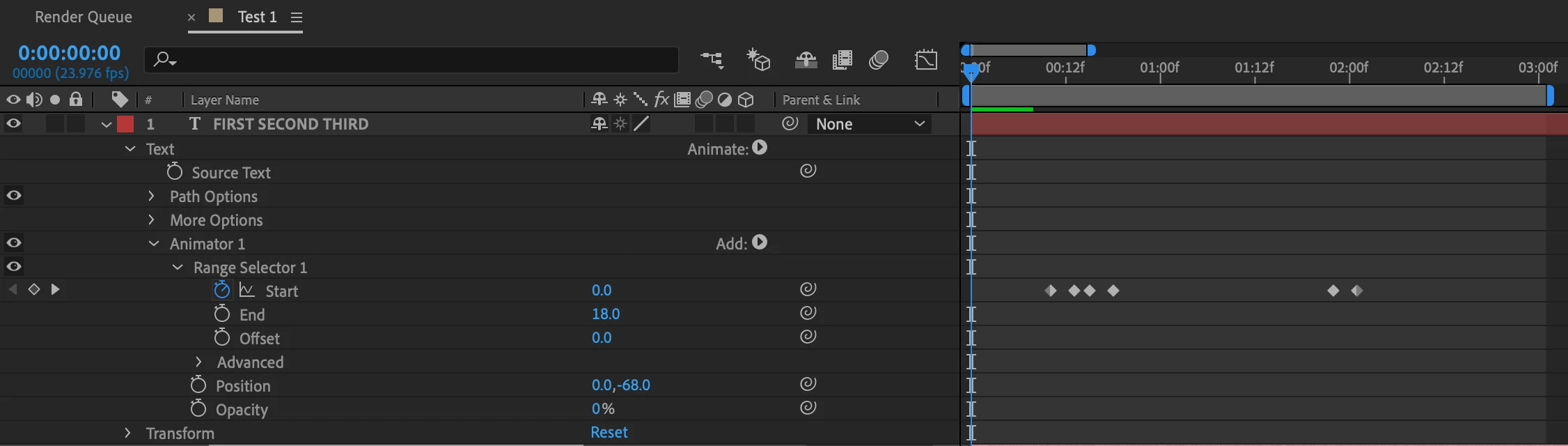
This first one is a normal text animation with a range selector where the words come in at different times.

There is no overshoot or bounce on this version but I have the ability to control the timing of the animation with keyframes.

Here is the layer properties for this example:
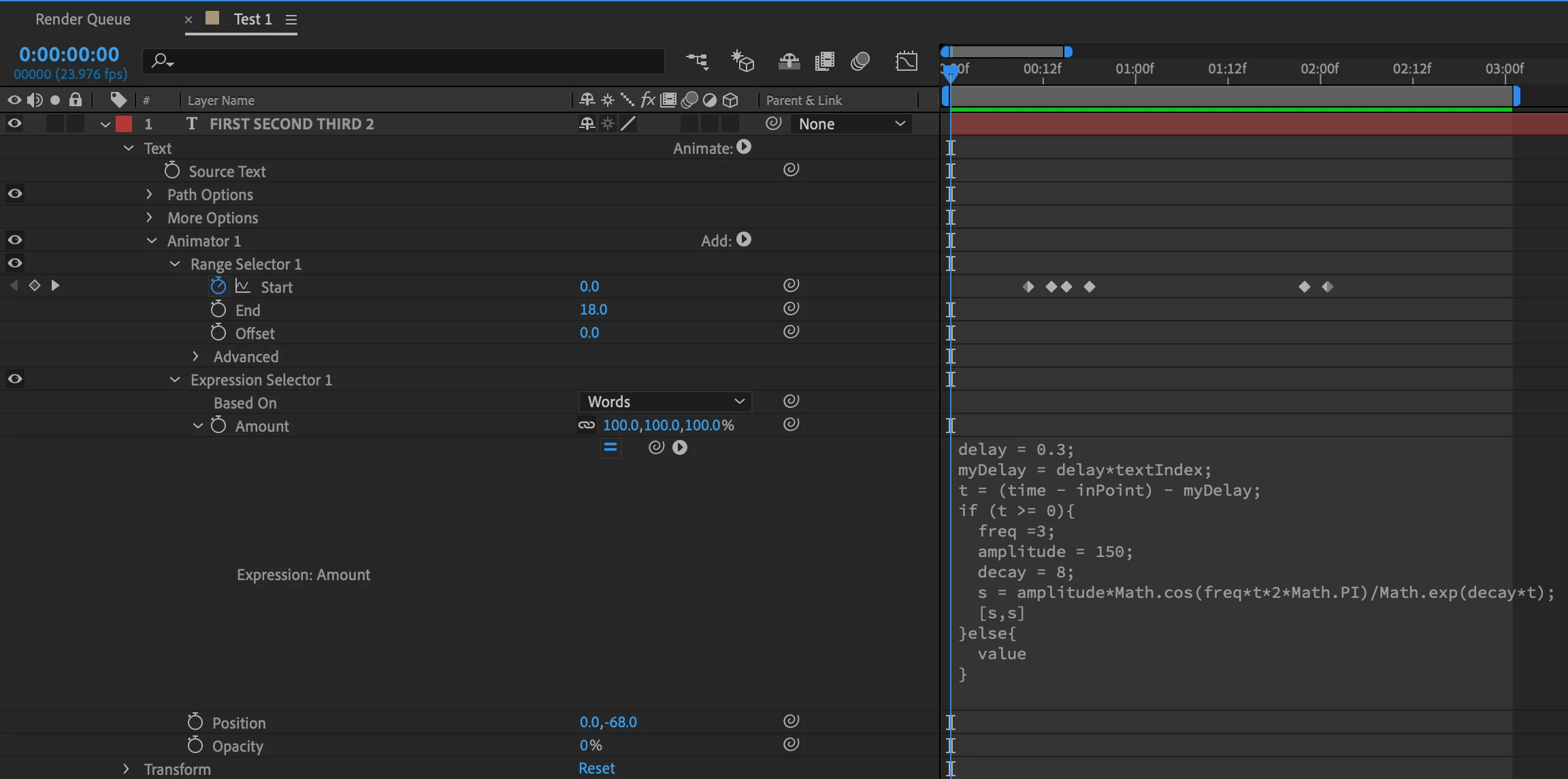
This second one is what I would like the animation to look like.

This is the layer properties for this example:
Does anyone have any advice on how to combine these two gifs to be able to have a Text Animator with bounce/overshoot and the ability to control the animation timing?

Thank you!
このトピックへの返信は締め切られました。
解決に役立った回答 Roei Tzoref

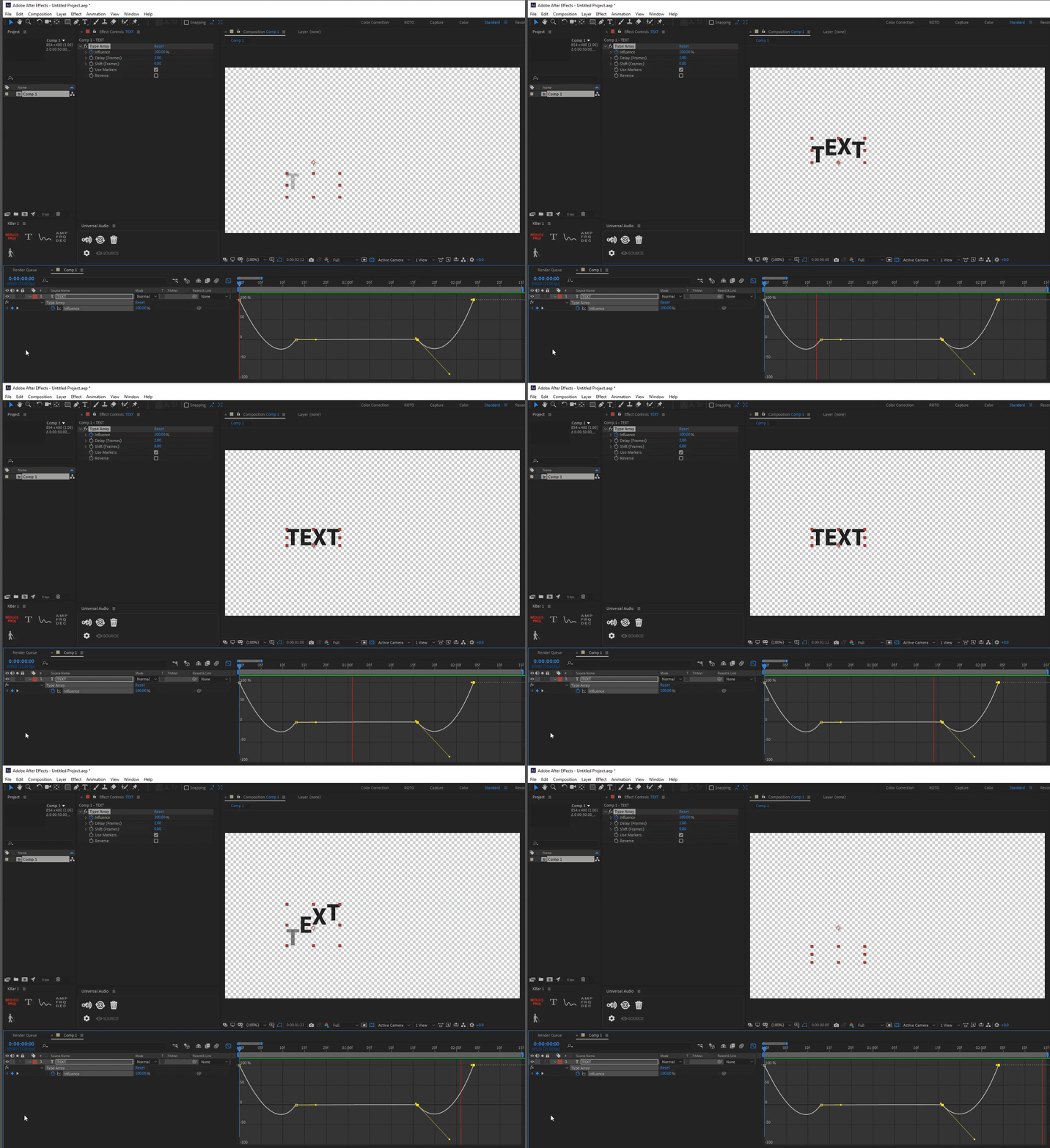
use this preset:
https://paulslemmer.com/type-array

use the graph or any inertia/bounce expression on the influence parameter:

返信数 2

Participant
February 6, 2022

Delete your range selector and replace it wtih an expression selector. Put this code in your expression selector's "amount" property. You can edit the delay, frequenccy, amplitude and decay to time it and change the other characteristics of the bounce. I'd pickwhip those values to slider controls in your effects panel so you can keyframe them and edit more easily in general. You can even select all your sliders and the new text animator in your layers and save them as a new effect so you don't need to set it up again in the future.

delay = .1;
myDelay = delay*textIndex;
t = (time - inPoint) - myDelay;
if (t>=0){
freq =3;
amplitude = 150;
decay = 8.0;
s = amplitude*Math.cos(freq*t*2*Math.PI)/Math.exp(decay*t);
{s,s}
}else{
value
}


The_Inky
Participant
June 14, 2023

So if you did use this expression, how would you change the timing on when you want the animation to end? Obviously for the start you can just slide the layer down the timeline, but to control the length of the animation there is no keyframe data to tell it how long you want it to last.

Roei Tzoref
Roei Tzoref解決!
Legend
July 11, 2019

use this preset:
https://paulslemmer.com/type-array

use the graph or any inertia/bounce expression on the influence parameter: