So you caught me on an open day, and I even dragged in another staffer (Josh) to sit and figure this out and we did.  I just need to clean it up into a function for ease of use. It literally became an obsession between Josh and I to figure this problem out. We seriously need to get outside more, haha. I'll post the solution here shortly once it's cleaned.
|
Is there a way to access layer's properties like position, rotation etc without its comp open or selected and not knowing its item number.
|
Finding layers can be done by looping through all comps and all layers. You must set a series of matching criteria to compare against so you don't accidentally grab a duplicate layer that has the same values though. Usually the layer name, size or any property spec that is unique, source asset if it's an AVLayer, etc... It's also possible to have a list returned that you choose from if you wanna verify the layer before proceeding. All this has to be manually coded though.
|
var comp = app.project.activeItem;
var layer = comp.selectedLayers[0];
//assuming layer is a comp
layer.duplicate();
var num = layer.index;
var name = (layer.name + "_comp");
var newComp= comp .layers.precompose([Lnum], Lname, true);
newComp.width = 4000;
newComp.height = 4000;
now what am trying to achieve is move the comp (layer) to the center of newComp i.e at 2000, 2000
|
I'm not fully understanding the process you are intending. You are searching for precomps (comps used as layers) basically?
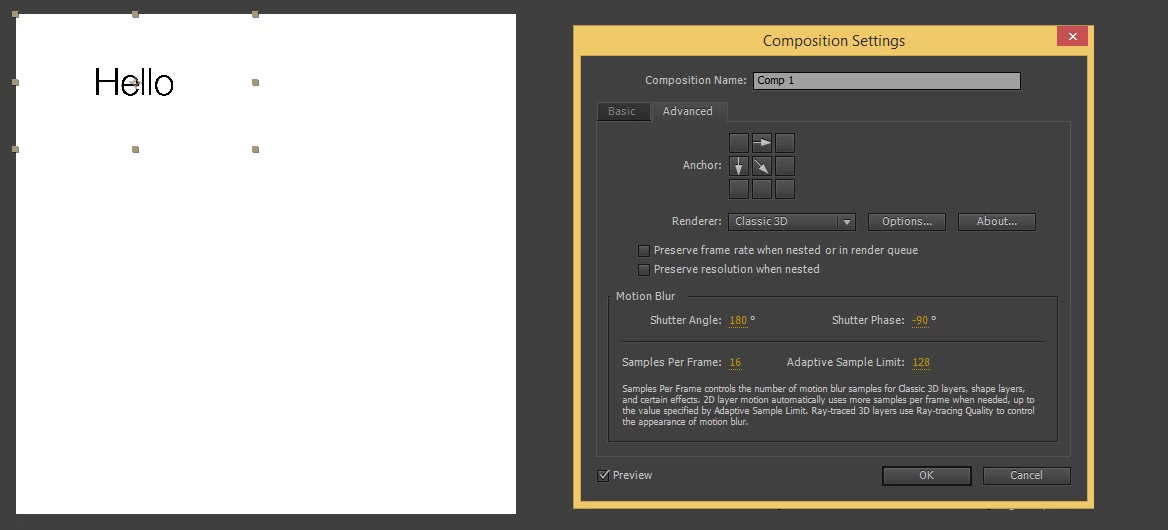
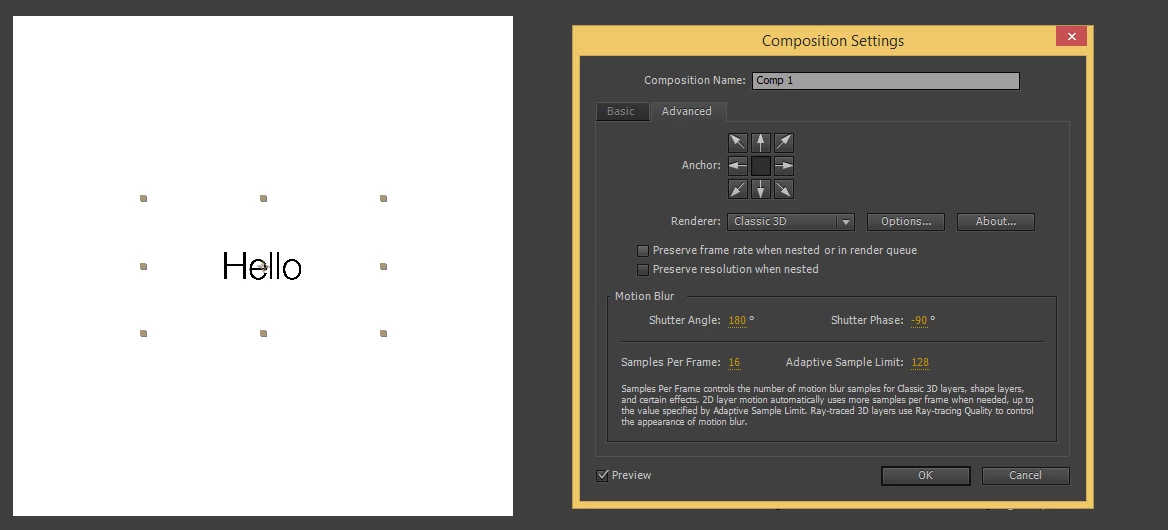
Ok, so here is the function code for the comp resizing. I've tested it a few times with Anchor points being offset on layers and centered, even with layers that are not even within the bounds of the comp viewer. I'm sure there will be some user that eventually finds something that will break this, but for now it seems to work just fine.
app.beginUndoGroup("CompResize");
  var myComp = app.project.activeItem;
  resizeComp(myComp, 500, 500);
app.endUndoGroup();
/* TESTING ABOVE */


function resizeComp(compObj, newWidth, newHeight){
  if(typeof newWidth == "number" && typeof newHeight == "number"){
  if(compObj instanceof CompItem){
  var locData, allLayers, allLayersLen, curLayer, clAP, clPos, xShift, yShift, oldCW, oldCH, clH, clW, xOff, yOff;
  pData = new Array();
  cWidth = newWidth;
  cHeight = newHeight;
  allLayers = compObj.layers;
  allLayersLen = allLayers.length;
  oldCW = compObj.width;
  oldCH = compObj.height;
  compObj.width = cWidth;
  compObj.height = cHeight;
  for(var i=1; i<=allLayersLen; i++){
  curLayer = allLayers;
  clW = curLayer.width;
  clH = curLayer.height;
  clPos = curLayer.transform.position.value;
  clAP = curLayer.transform.anchorPoint.value;
  xShift = (oldCW - cWidth)/2;
  yShift = (oldCH - cHeight)/2;
  curLayer.transform.position.setValue([clPos[0] - xShift, clPos[1] - yShift]);
  }
  }else{
  alert("Invalid argument(1):\nComp Object required.");
  }
  }else{
  alert("Invalid argument(2/3):\nInteger required for Width and Height.");
  }
}

 AdChoices