
Lambsear
Participant
May 19, 2018
Answered

How to make a texture only appear on dark colours?

  • May 19, 2018
  • 1 reply
  • 863 views

Hello! I'm making an animated short film and I'm trying to figure out a way to get a certain paper texture effect.

I want the paper texture to only be visible on darker colours, Here is an example of what I mean. Is there a way to do this? I'm rather new to AE so I don't know much haha.
This topic has been closed for replies.
Correct answer Rick Gerard

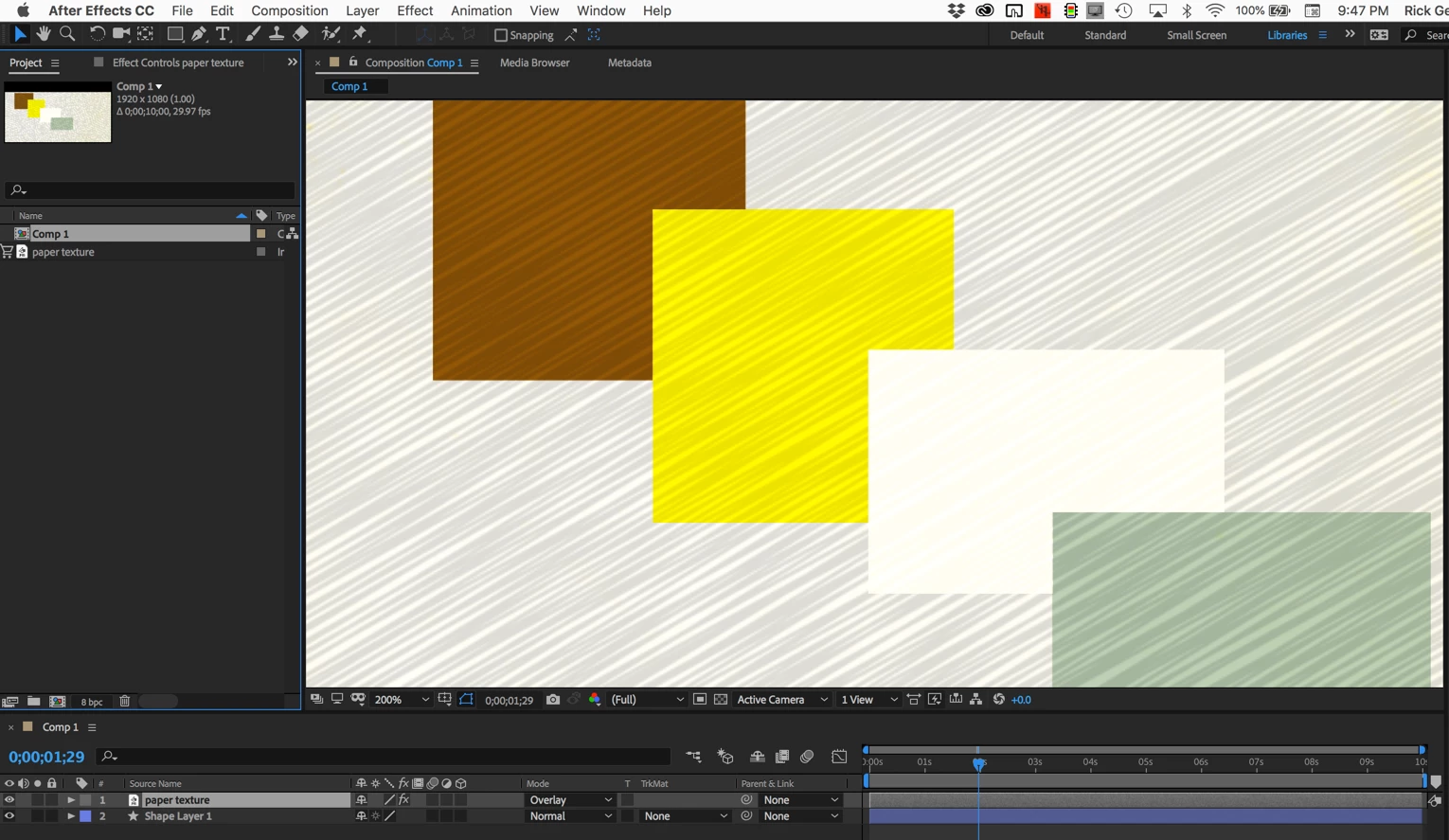
Try putting your paper texture above the other layers and setting the blend mode to Overlay or Soft Light. These blend modes darken everything below 50% gray and lighten everything above 50% gray. You may have to apply some color correction to the paper texture to get the levels right. The paper texture layer should also be grayscale.

Something like this:

I made 4 different colored shapes and put the paper texture above so you could see how what it looks like without anything below it. You may also want to adjust the opacity of the paper texture layer.

This is just one of a bunch of ways to achieve that kind of blend effect. It's probably the easiest.

1 reply

Rick GerardCommunity ExpertCorrect answer
Community Expert
May 19, 2018

Try putting your paper texture above the other layers and setting the blend mode to Overlay or Soft Light. These blend modes darken everything below 50% gray and lighten everything above 50% gray. You may have to apply some color correction to the paper texture to get the levels right. The paper texture layer should also be grayscale.

Something like this:

I made 4 different colored shapes and put the paper texture above so you could see how what it looks like without anything below it. You may also want to adjust the opacity of the paper texture layer.

This is just one of a bunch of ways to achieve that kind of blend effect. It's probably the easiest.