
Inspiring
May 12, 2021
Question

How to make layer only visible over certain shape layers?

  • May 12, 2021
  • 2 replies
  • 3204 views

Hi there,

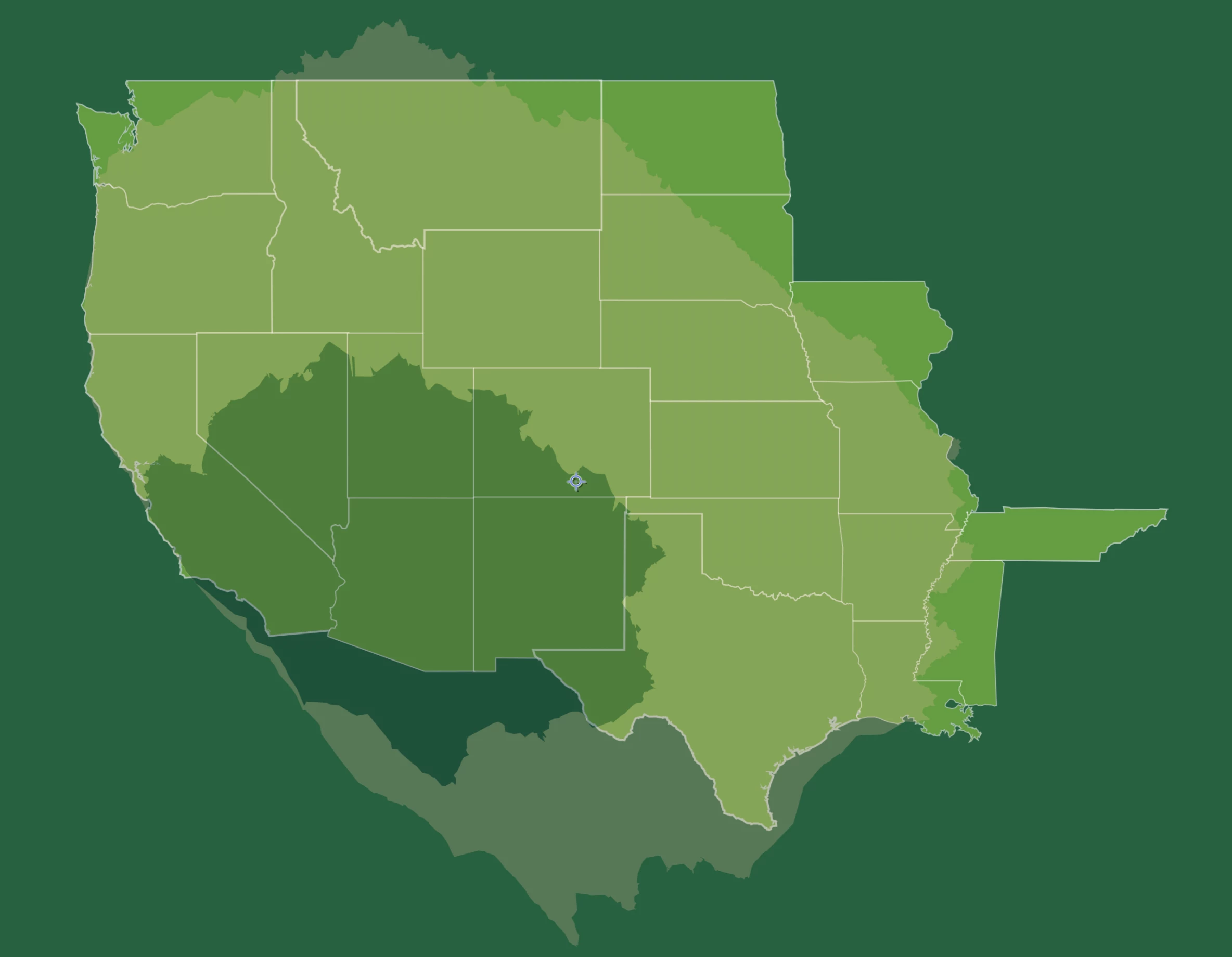
I'm creating a range map with 2 overlays that are supposed to be only visible over certain layers, in this case states. How do I make the invisible over areas that are not US states? Thanks in advance!
This topic has been closed for replies.

2 replies

Mylenium
Legend
May 13, 2021

As @Andrew Yoole already wrote, you need to work with duplicate layers and pre-comps. Trying to do everything in a single sweep rarely ever yields the results you want.


Mylenium

Inspiring
May 13, 2021

Thank you all. When I try to precompose all the states, they disappear and the composition turns black. Any idea as to why that is?

Sorry, I'm an absolute beginner in AE.

Inspiring
May 13, 2021

I should mention I'm using GeoLayers for this and get an expression error when precomposing.


//GEOlayers 3 expression
var shapeAnchorName = "World Mapcomp Anchor";var val = 100/thisComp.layer(shapeAnchorName).transform.scale[1]*value*0.15349902212887;val
nishu_kush
Legend
May 12, 2021

Hi PastaRhymes,


Thanks for writing in.

Have you considered using Track Matt? It'll work pretty well if you have the map layers separated. Here's an example: https://www.youtube.com/watch?v=zgbXGqYMxq4&ab_channel=BOLT

Let us know if it helps.


Thanks,

Nishu

Inspiring
May 13, 2021

Hi Nishu,


thank you so much for your help.

Yes, that would work with an alpha inverted mask if the the states were all on one layer but I can only put one state underneath the range map.

Inspiring
May 13, 2021

Another problem is that I have 2 range map overlays. A 1-day and a 2-day drive time overlay.