

Answered
How to properly crop an image in AE?
I'm trying to do a simple crop "wipe" where if i increase the top edge of the thermometer image it will give the illusion that the thermometer temp is dropping from red to green. Over in Premiere it's quite easy to do but it seems like After Effects it's very difficult to figure this out. See image:
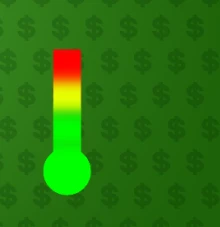
Once again, by simply "cropping" the top portion of the above image edge, it will look like the temp is dropping from a high of red to a low of green.
Can someone tell me how to do this in AE?
Thanks.
 AdChoices