
Participant
April 26, 2019
Answered

Imported files' proportions distorted when put in composition

  • April 26, 2019
  • 2 replies
  • 9301 views

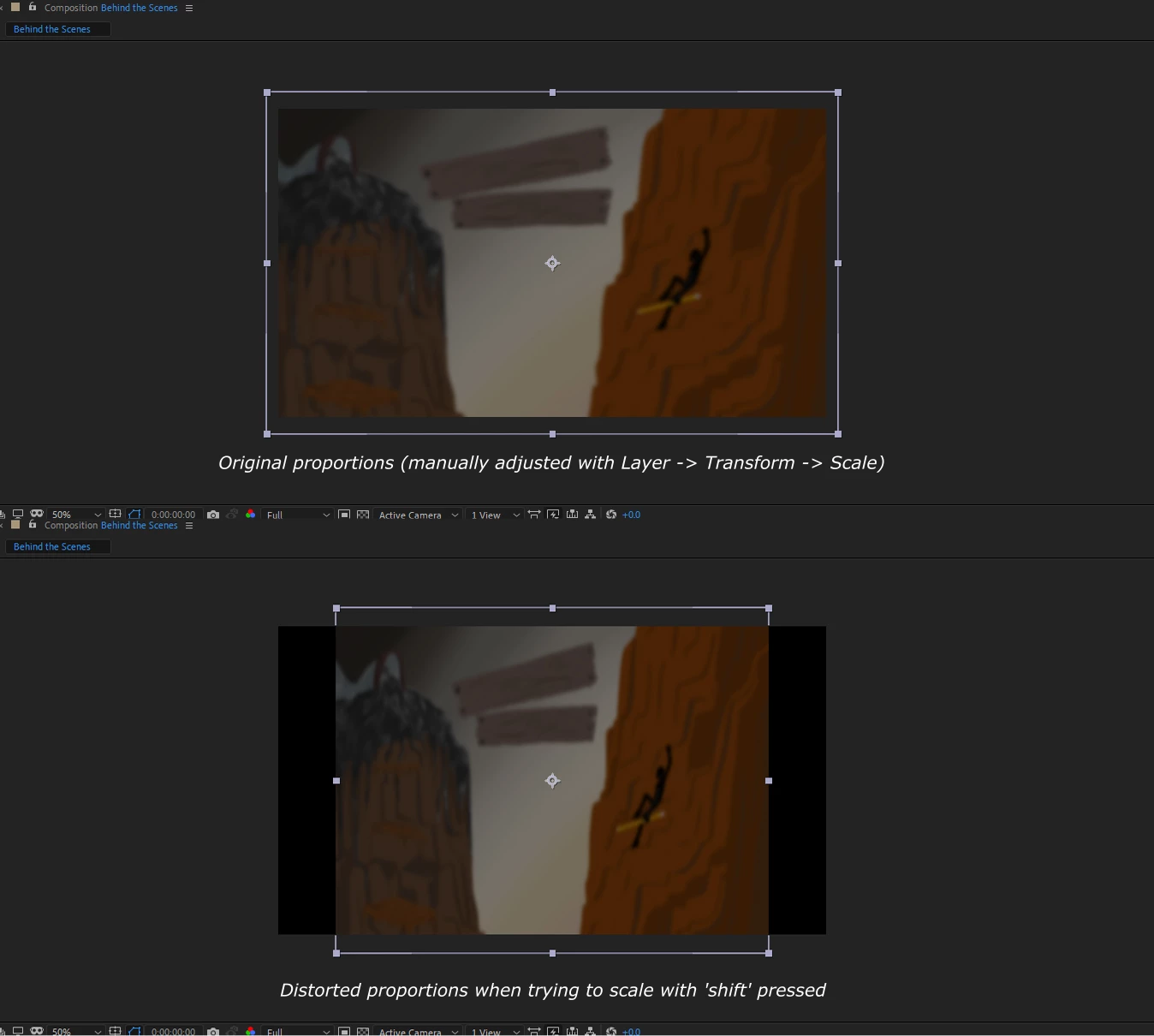
I'm working with AE 2019 (16.1.1) after a while of not using it (so I haven't touched the settings recently), and when I drop files into the composition they get distorted, instead of keeping their proportions

what's more, when trying to hold Shift+drag for proportional scaling, even if I had stretched the file into new proportions, it locks it back to the the distorted ones (and it's only within the composition, if I double-click the image/video to open it in a new tab I see the correct proportions and dimensions)

example:
Notes:

1. I haven't resized the image in the second screenshot, look at its height, the width just contracted

2. I've seen that Pgotoshop's proportional scaling has been made default and holding 'shift' does the opposite, but here scaling without it does stretch the image, while holding shift may distort the original proportions, but locks them while resizing

3. The composition's aspect ratio is 16:9, and this has also happened with videos imported into AE with the same ratio

4. yes, I can scale it back with the transform tool, but it immensely slows down my work if I have to do that with every single file I import

has anyone else had this problem, or can at least direct me to the settings/properties section that could've caused it?

This topic has been closed for replies.
Correct answer Andrew Yoole

Looks like After Effects has automatically adjusted the pixel aspect ratio (PAR) of your footage.  Odds are that the resolution of your footage is something that is typically PAR adjusted.

Select the footage item in the project window and choose Interpret Footage.  Then make sure it is being interpreted with square pixels. 

Also verify that your composition is defined as square pixels in Composition Settings.

2 replies

Andrew Yoole
Andrew YooleCorrect answer
Inspiring
April 27, 2019

Looks like After Effects has automatically adjusted the pixel aspect ratio (PAR) of your footage.  Odds are that the resolution of your footage is something that is typically PAR adjusted.

Select the footage item in the project window and choose Interpret Footage.  Then make sure it is being interpreted with square pixels. 

Also verify that your composition is defined as square pixels in Composition Settings.

isoren245Author
Participant
April 27, 2019

yes, that was it

thank you!

Michael Bullo
Community Expert
Community Expert
April 27, 2019

Have you possibly changed a setting somewhere to use non-square pixels? What is the setting for the Pixel Aspect Ratio of your composition?

isoren245Author
Participant
April 27, 2019

indeed, it was non-square pixels!

thanks

Michael Bullo
Community Expert
Community Expert
April 27, 2019

Good to hear. Thanks for the update.