

lasdoug
Participant
March 6, 2020
Pregunta

Imported texture showing up in Cinema 4D but not in After Effects

  • March 6, 2020
  • 2 respuestas
  • 4338 visualizaciones

Hello!

I'm trying to use a texture I've created on an object in Cinema 4D and animate it, and then bring it into After Effects. Everything looks great in Cinema 4D: 


But once I import it into After Effects, the texture disappears and all I get is this white texture, regardless of what render settings I'm using! The crazy thing is I can see my texture in the preview window on the top left:
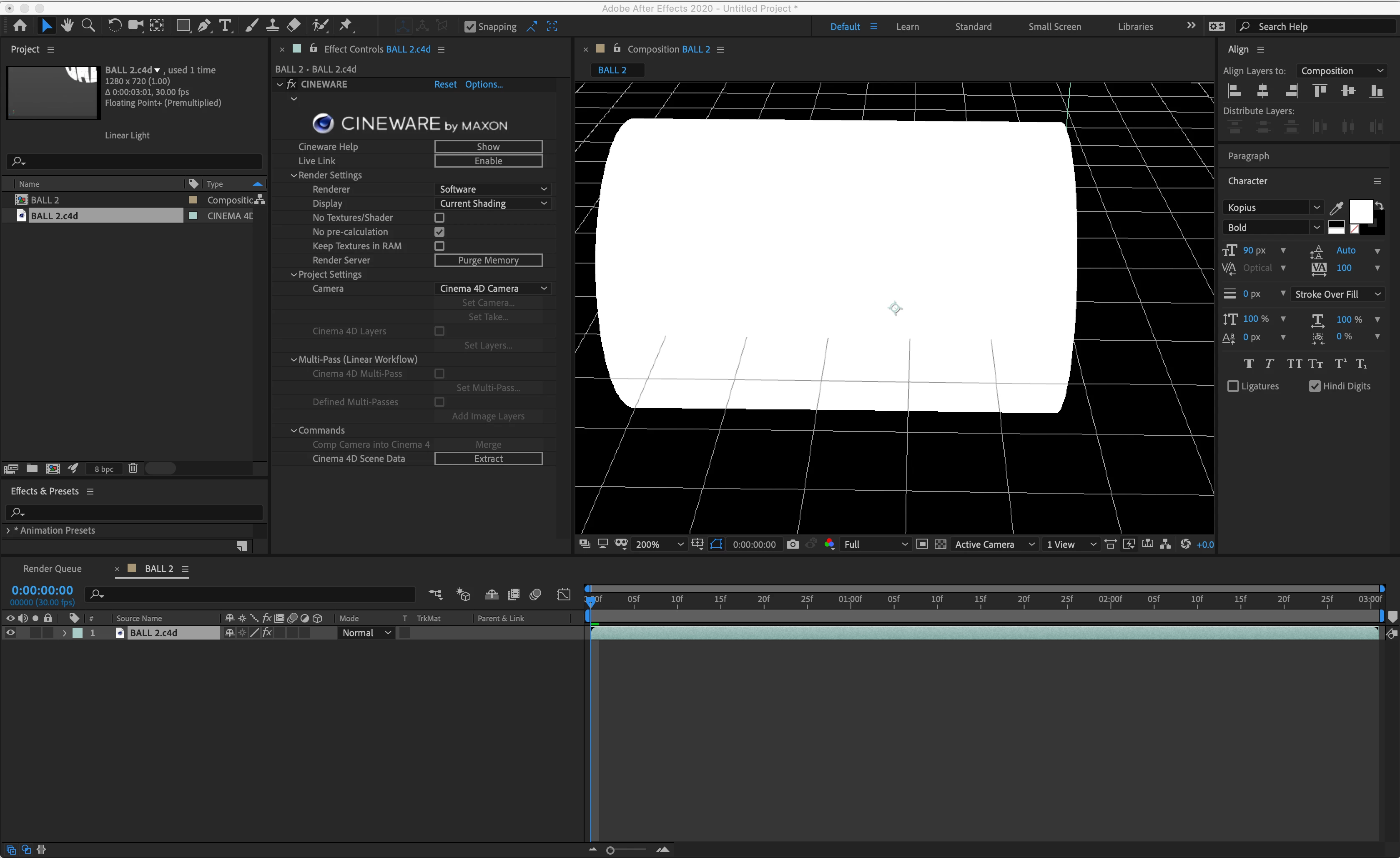
No matter what I do, it's not showing up in the preview, nor the render from After Effects. What am I doing wrong? Thanks for any help in advance 🙂


    Este tema ha sido cerrado para respuestas.

    2 respuestas

    ibraheemb98088606
    Participant
    May 20, 2020
    Hey did you ever solve this problem, experiencing the same thing now but I've changed the renderer from software to Standard
     
    Participant
    December 9, 2020

    Hey there!


    So I was just encountering the same problem. I ended up leaving the Rendering on "Software" and instead I enabled the "Live Link." Once you click "Enable" a small window pops up and prompts you to go to Edit > Preferences > Communication in CINEMA 4D Lite. Once there, check mark the "Live Link enabled at startup" option. From there, it should start working in AE.


    I know it's a little late but I hope that helps.

    Community Expert
    March 6, 2020

    You have the render setting set to Software. Try changing the renderer to Open GL, Standard Final, or Standard Draft.


    It looks like you need to go through the basic C4D light training available on the home screen. when you open C4D Lite.