
Participant
July 1, 2019
Question

Kinks in Wave Warp effect

  • July 1, 2019
  • 2 replies
  • 1108 views

I'm working on an animation to use as a background in an app. On the top and bottom of the screen, I'm using two Wave Warp effects. I've found that as the waves get longer and taller, little kinks start appearing, as shown below
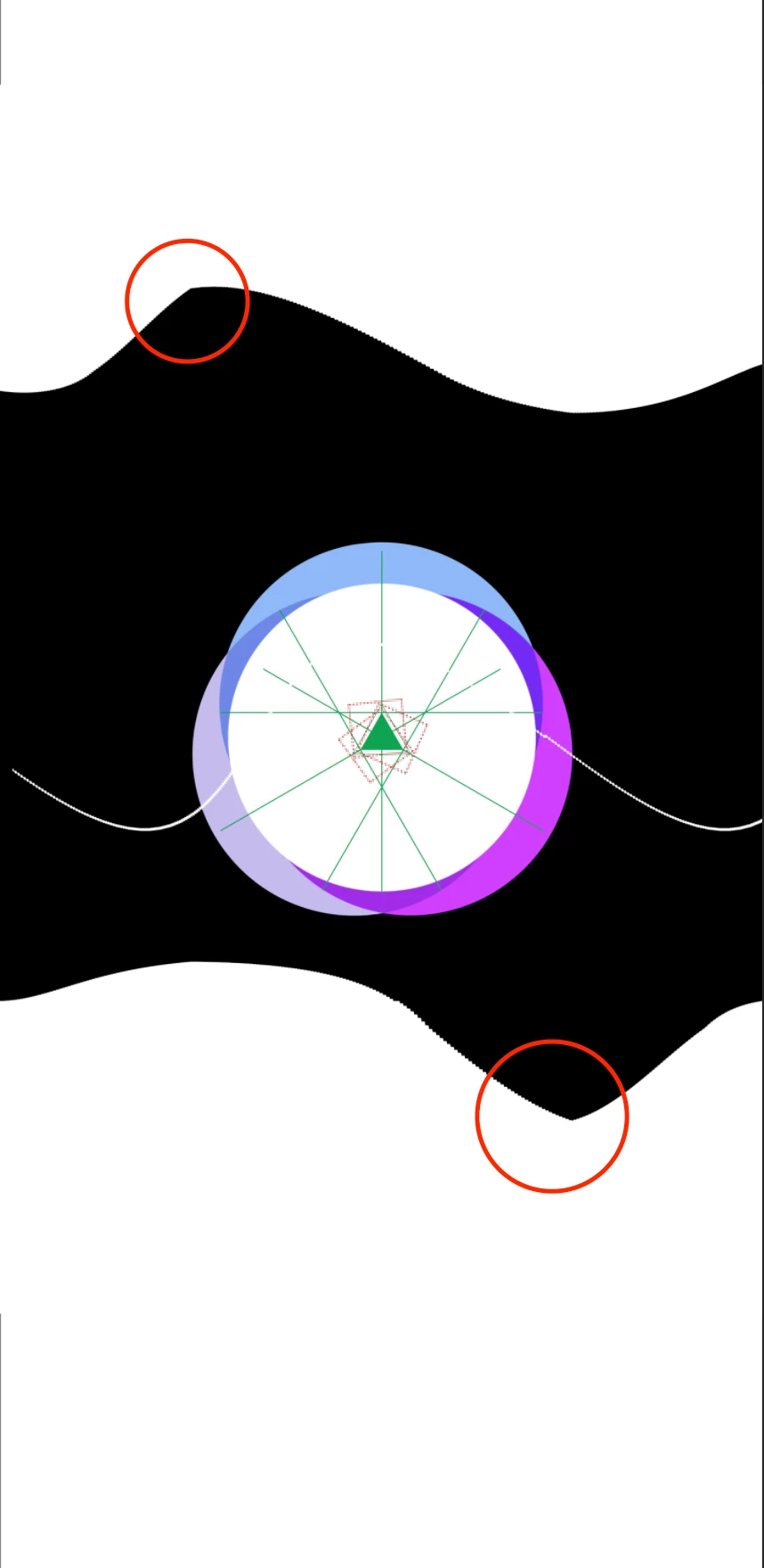
I've noticed that the kinks (or whatever you call them) appear when the wave height gets above 50, and the weave width gets above 350. The composition size is 1440 wide and 2960 tall (Galaxy Note 10 screen). I've tried adding a gaussian blur and then another effect on top of that, per a tutorial I found, but that didn't help at all. Any tutorials or suggestions would be appreciated. Thanks!

2 replies

Mylenium
Legend
July 2, 2019

What Rick said - likely you're using unfavorable wave phase settings. Tweak them ever so slightly. Also consider separating the steps with pre-composing. Applying a second instance on a comp sized buffer is different from applying it to an already mangled shrunk layer...

Mylenium

Participant
January 12, 2024

Hi there, found an acceptable workaround using DisplacementMap being fed by a subComp that used waveWarp to create a GradientRamp that feeds back to it. See video: https://www.youtube.com/watch?v=QzMfxAiZh4A

Hope it helps somebody out there. 
-remo

Community Expert
July 1, 2019

You can get waves interacting so points are formed as the phases interact with each other if you use two copies on the same layer. That will give you the points you are looking at. You can also clip the waves if they extend beyond the layer size. You can solve that problem by applying Grow Bounds above Wave Warp and increasing the value enough to fix the clipping. Here's what I mean:

The mask was added to the solid to prevent clipping, but when the values exceeded the layer height Grow Bounds fixed the problem.

Participant
July 2, 2019

Thank you! That was a huge help