Inspiring
May 12, 2018
Answered

Merge Path Subtraction 3D Problem

  • May 12, 2018
  • 2 replies
  • 3963 views

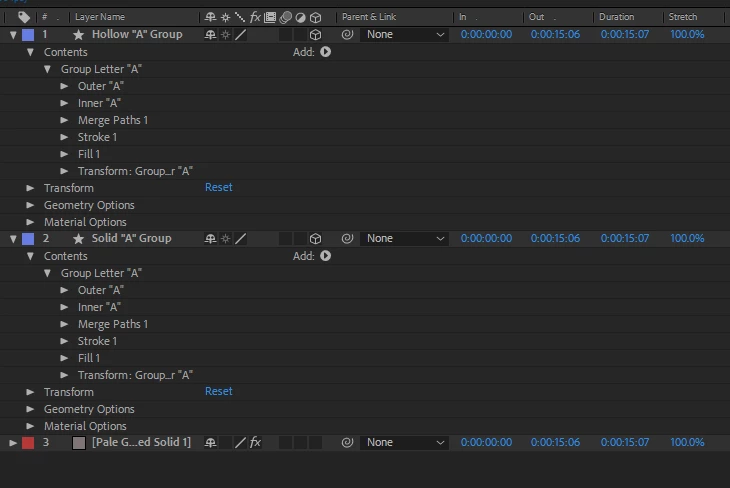
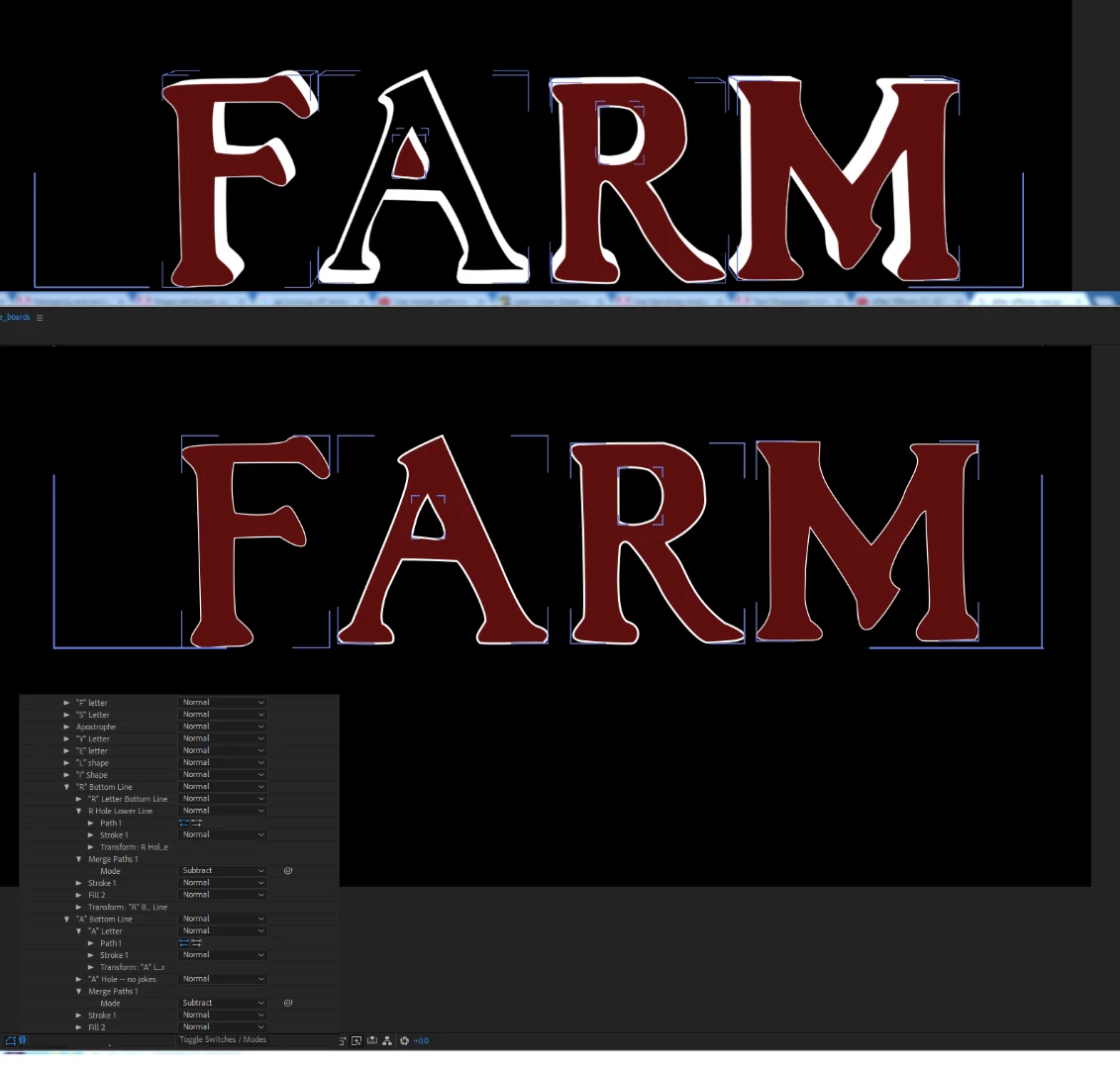
Pardon the newbie question, but I'm learning bezier editing on a shape layer in After effects and I have two groups that behave completely differently when 3D is switched on for the group.   If you see the "A" and the "R" in this graphic, you see that in 2D space, (2nd image below)  the hole in each letter is removed in subtract mode, but when I switch on 3D, the "A" hollows out and makes the hole solid.  I've set up each group the same way, and each of the primary shape paths look the same.   The "A" renders as a solid when the hole is removed.  Any hints?
This topic has been closed for replies.
Correct answer foxetown

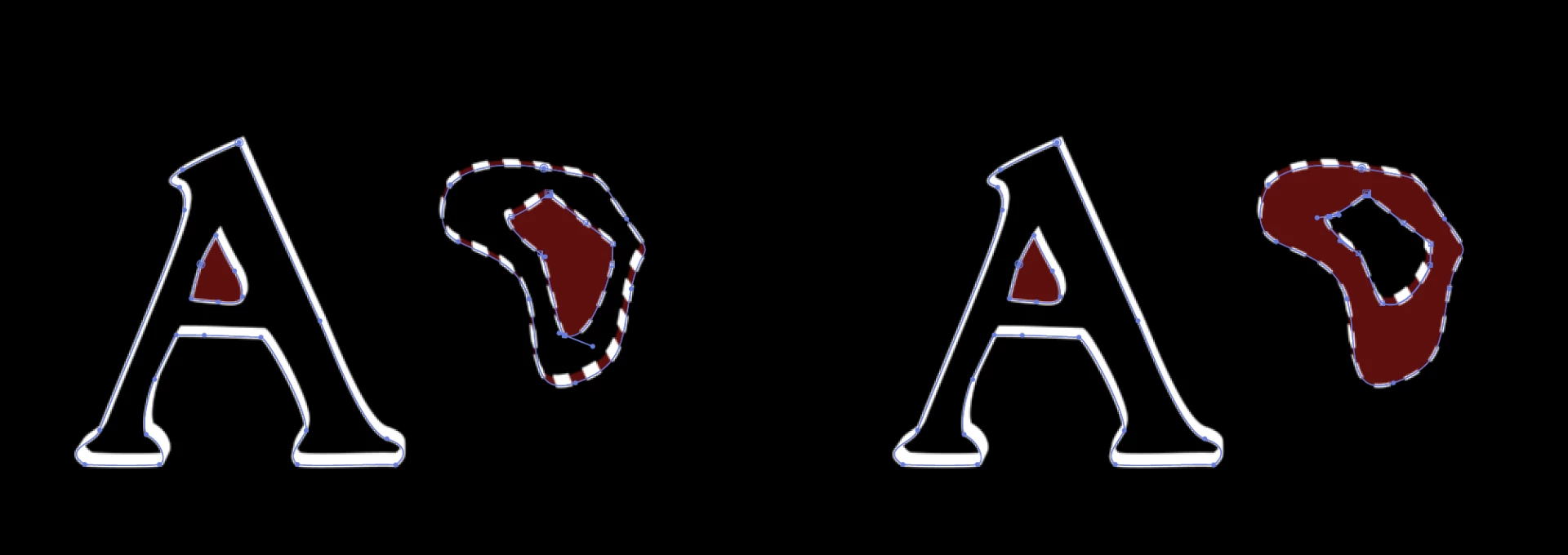
Another illustration of the problem letter not subtracting the interior shape next to a random double set of shapes.  On the right, the random shape is properly removing the interior shape in 3D.  On the left, I pulled down a vertice and it stopped performing the subtraction.


This isn't a solve, but a less-than-ideal work around.  The only difference between these two groups of shape layers is that the inner "A" on the right has one vertice dragged slightly lower and to the right.  When you have 3D checked on and play with a vertice, the rendering goes solid or hollow for some reason I can't determine.  If you're patient, you can get close to the shape you want.  This feels like a bug to me in the Cinema 4D rendering engine.  Apparently, I can't attach the AE file, for your review, but if it helps anyone else, this is the only way I could find to address the problem.

2 replies

foxetownAuthor
Inspiring
May 13, 2018

Not sure if this means anything, but the problem letters appear to have difficulty responding to stroke widths in 2d. (Not sure if that says something about the path itself.)

Mylenium
Legend
May 13, 2018

(Not sure if that says something about the path itself.)

Yes, it does. You need to clean up the artwork and fix those issues.

Mylenium

foxetownAuthor
Inspiring
May 13, 2018

It's a pretty close bezier trace of a long-used logo, so I don't have much choice there, but there are no points of intersection between the interior and the exterior shape.  In 2D space the interior space is properly subtracted, but not in 3d space.  I've confirmed AE apparently has this problem with simpler shapes as well.  Perhaps some setting on the path layer I'm missing?

Roei Tzoref
Legend
May 12, 2018

show us a full screenshot of your Ae interface.

What renderer are you using? Classic 3D /Raytraced/C4D? (In the composition advanced options)

foxetownAuthor
Inspiring
May 12, 2018

Render is set to Cinema  4D