
Jackmando
Participating Frequently
December 15, 2018
Answered

Missing effect: SA color finesse

  • December 15, 2018
  • 4 replies
  • 10153 views

Opening any project, AfterEffects CC 2019 does not recognise colour effects added via the baked-in third party plug-in SA Color Finesse. Error message: "After Effects warning: this project contains a reference to a missing effect. Please install the following effect to restore this reference. SA Color Finesse 3."
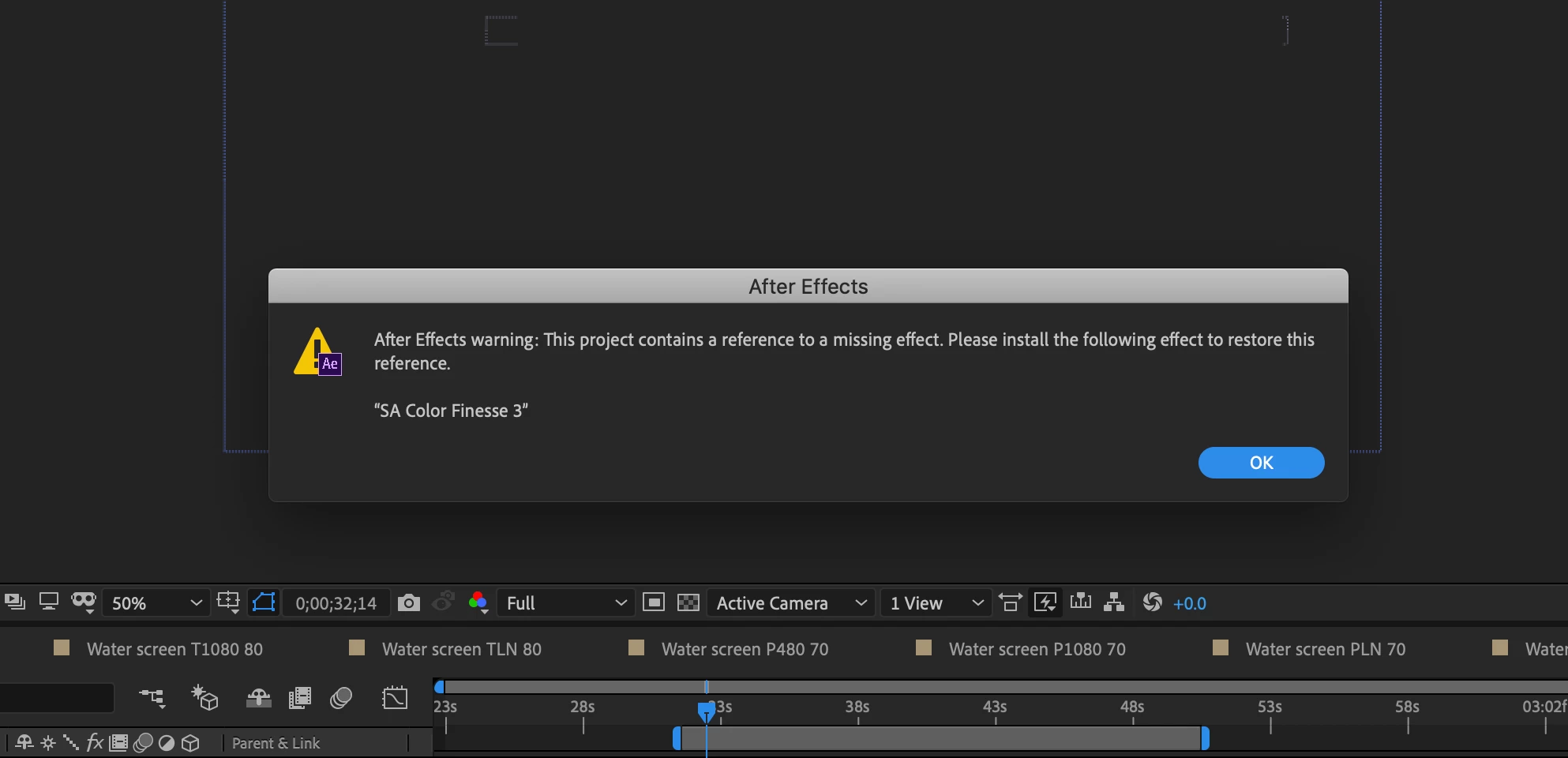
The error message seems wrong, since it is clearly still present in this AE version:
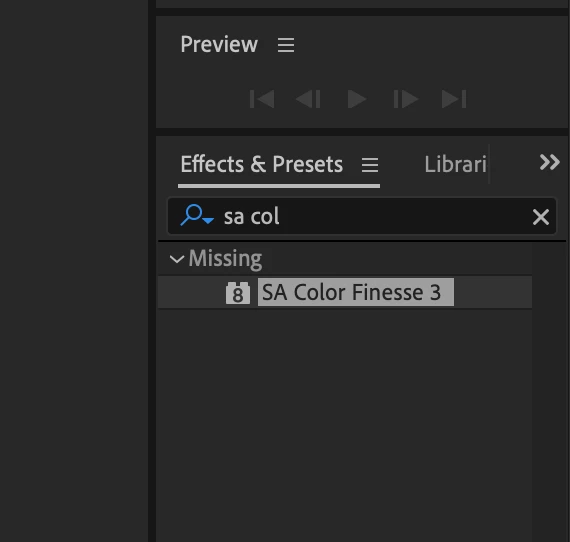
Any suggestions? If this isn't resolved, I'm looking at a hundred hours reapplying colour, which I would rather spend doing other things.

This since transferring from an old to a new Macbook Pro (web transfer method). I've checked forums and adobe help, but no luck.

Thanks in advance,

Jack
This topic has been closed for replies.
Correct answer imeilfx

No! Its not. As you clearly can see you have Color Finesse in Missing folder.
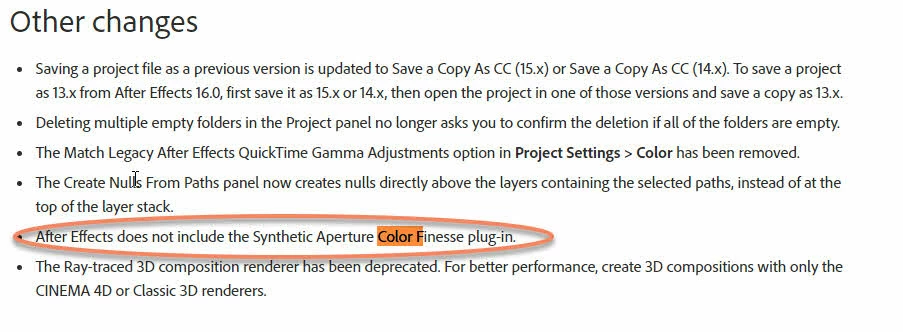
Adobe removed Color Finesse in 16.0 (2019 release) so the only thing for you to do is to use earlier version 15 if you need Color finesse to work

source: New features summary | April 2018 release of After Effects CC 

4 replies

Mo Moolla
Legend
December 15, 2018

Such a pity it was removed. Color Finesse was a truly powerful grading plugin which I used a lot

I keep CC2018 just for that

imeilfx
Inspiring
December 15, 2018

Yep. I also Color Finesse extensively and that is why I will keep earlier AE on my machine (to be able use my older projects) but with new Lumetri Color effect and Lumetri Scopes - Color Finessse got mostly obsolete.

Mo Moolla
Legend
December 15, 2018

CF was great because you could create "rooms" so you could create a grade room for say the external shots that were of similar lighting and save and apply to those shots etc. Found it very very interesting. Tons of secondaries, LUT import functions, shadows were amazing. I understand Adobe's decision to remove it so they could focus on Lumetri but I will continue using it especially on AE work.

Jackmando
JackmandoAuthor
Participating Frequently
December 15, 2018

Thanks, I'd missed that!

imeilfx
Inspiring
December 15, 2018

That's ok. Glad I could help.

Jackmando
JackmandoAuthor
Participating Frequently
December 15, 2018

Thanks, but as you can see in my second screenshot, the effect is still there. The usual interface has gone, true. But the plug-in can be used in new projects, it seems. My guess is that this is Adobe's attempt at continuity, but it is not working and the error message is confusing / unhelpful.

imeilfx
Inspiring
December 15, 2018

As you can see and as I've said you see Color finesse in Missing what mean that it's missing so you cant use it. So also as I said before - you cant use Color Finesse in AE 16 (2019).

If you will close AE and open with new project or old project but without Color Finesse - tou will not see Color Finesse and folder called Missing.

imeilfx
imeilfxCorrect answer
Inspiring
December 15, 2018

No! Its not. As you clearly can see you have Color Finesse in Missing folder.
Adobe removed Color Finesse in 16.0 (2019 release) so the only thing for you to do is to use earlier version 15 if you need Color finesse to work

source: New features summary | April 2018 release of After Effects CC