Known Participant
January 15, 2017
Answered

motion blur switch not showing on layer?

  • January 15, 2017
  • 1 reply
  • 33346 views

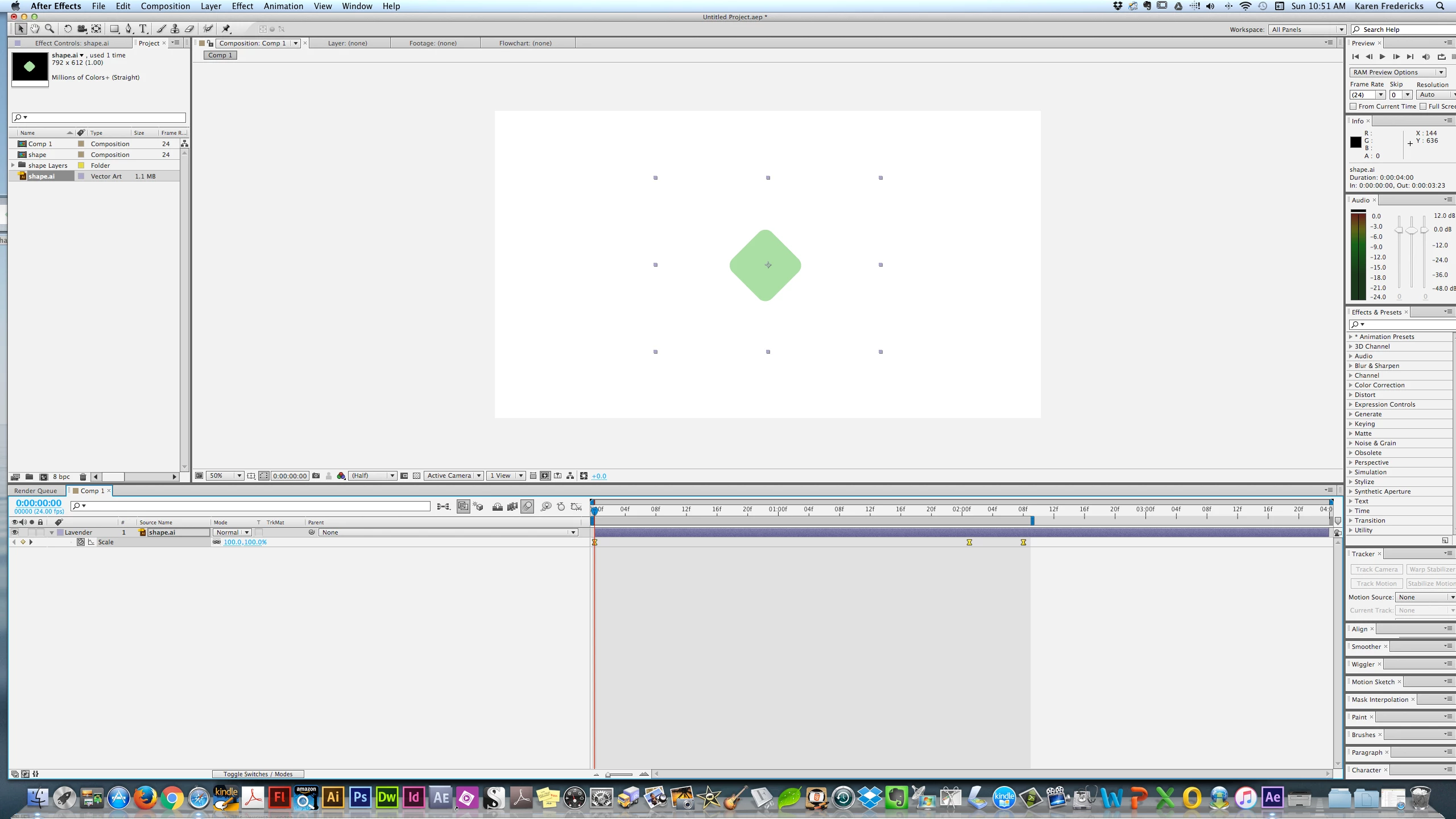
I'm trying to set a motion blur on a simple shape with 3 key frames scaling it up & down. I see the main Blur Icon - but doen't see the one that sets it for the shape /layer I am trying to affect. Below is a screenshot. Many thanks! BTW - I'm in CS6.
    Correct answer imeilfx

    Press F4 on your keyboard.

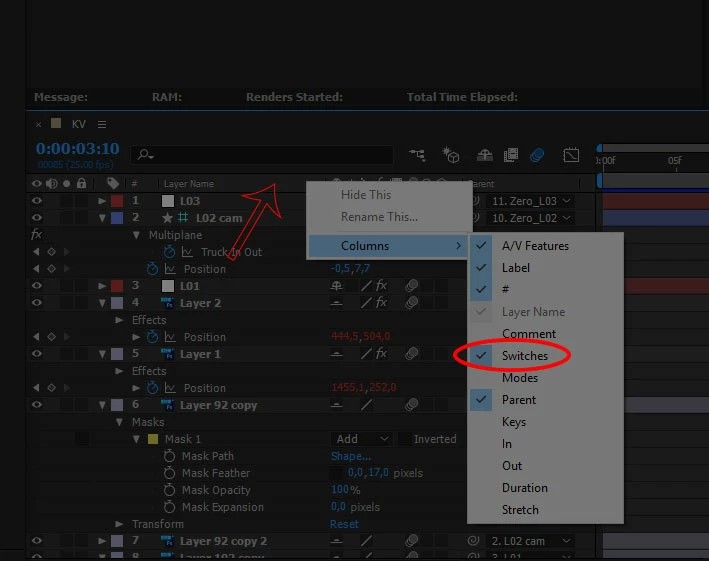
    If that wont work just press RMB bar with your collumns (red arrow on screenshot), and chose collumns and turn on Switches.

    1 reply

    imeilfx
    imeilfxCorrect answer
    Inspiring
    January 15, 2017

    Press F4 on your keyboard.

    If that wont work just press RMB bar with your collumns (red arrow on screenshot), and chose collumns and turn on Switches.

    karenf1Author
    Known Participant
    January 15, 2017

    Thank you! I hope you don't mind my asking - what does RMB Bar mean? Again - Many thanks for the speedy reply!!!!

    karenf1Author
    Known Participant
    January 15, 2017

    Hi Karen, didn't we agree you cover all the basics first?? if we didn't.. we should have! motion blur is basic - back to the fundamentals for you! give me twenty! tutorials... After Effects tutorials


    LOL! I wish I could come to Israel & enroll in your courses!  But I gotta tell you - the old way wasn't working - by the time I worked my way thru the lynda.com FOURTEEN AE Basics videos - I forgot what was in the early ones! But what's finally been working for me is a baby steps tutorial at Udemy. I'm actually having fun! If I were back in school - I would have been able to cut that painful time (TWO YEARS) of so much frustration! Because I'm off by myself, so - until recently I didn't realize that what I was intrested in was Shape Layers & motion graphics. So Im having a blast in this little Animate Logos course. The lessons are from ONE (!!!!) to 5 minutes long. The instructor calls them "ingredients" for using later in "recipes" when you combine them. It's perfect for an illustrator like me!

    Although, as you can see, I'm still bumping my head against walls! But less so.