Known Participant
January 15, 2017
Answered

motion blur switch not showing on layer?

  • January 15, 2017
  • 1 reply
  • 33346 views

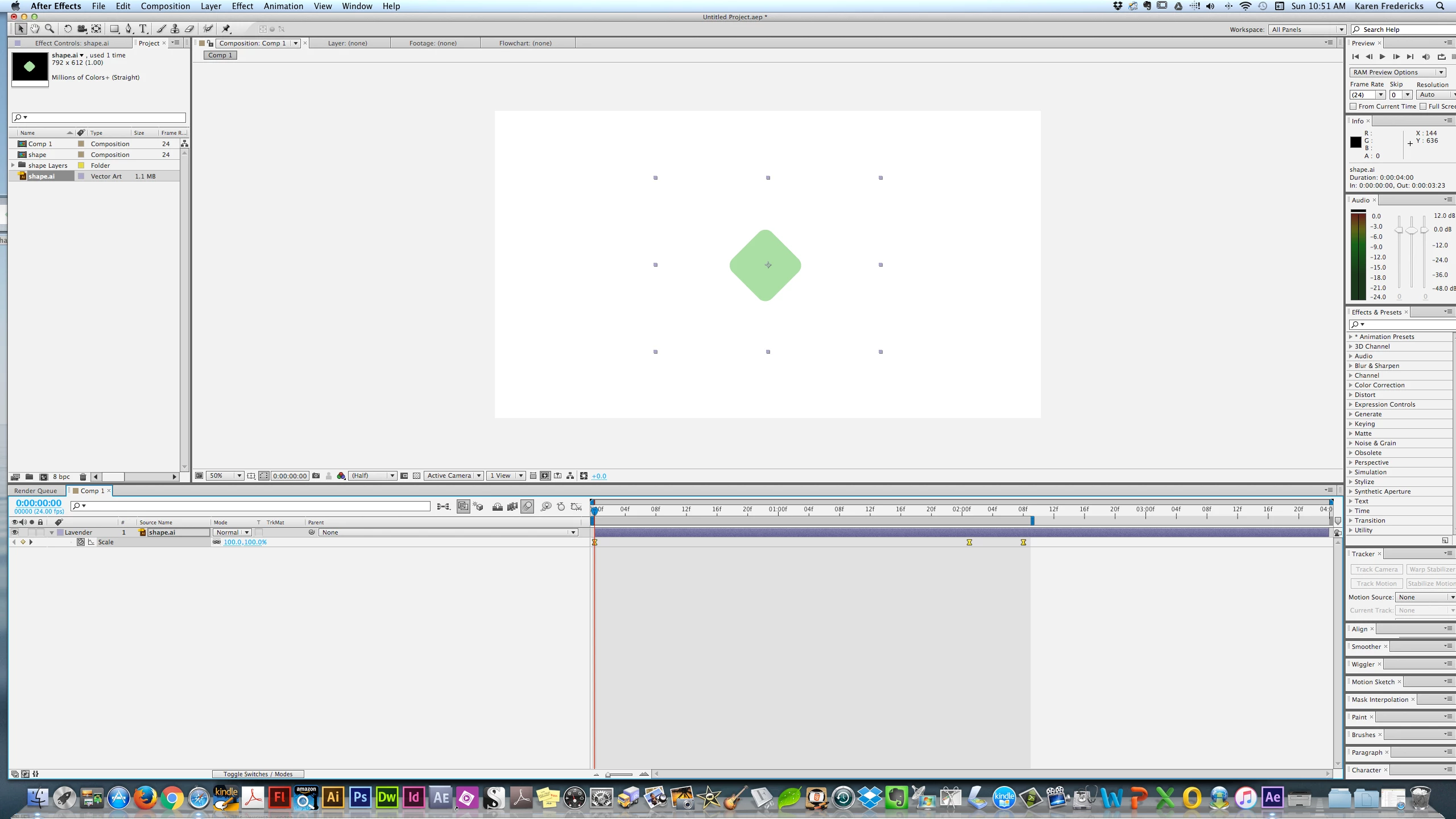
I'm trying to set a motion blur on a simple shape with 3 key frames scaling it up & down. I see the main Blur Icon - but doen't see the one that sets it for the shape /layer I am trying to affect. Below is a screenshot. Many thanks! BTW - I'm in CS6.
    Correct answer imeilfx

    Press F4 on your keyboard.

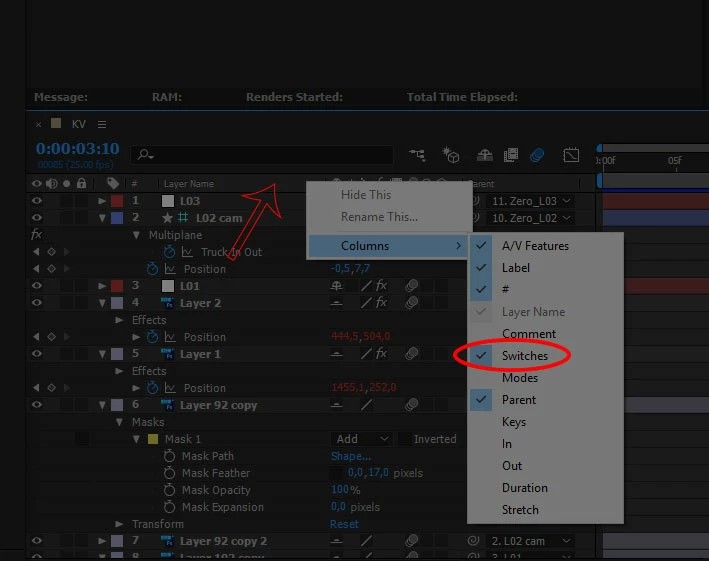
    If that wont work just press RMB bar with your collumns (red arrow on screenshot), and chose collumns and turn on Switches.

    1 reply

    imeilfx
    imeilfxCorrect answer
    Inspiring
    January 15, 2017

    Press F4 on your keyboard.

    If that wont work just press RMB bar with your collumns (red arrow on screenshot), and chose collumns and turn on Switches.

    karenf1Author
    Known Participant
    January 15, 2017

    Thank you! I hope you don't mind my asking - what does RMB Bar mean? Again - Many thanks for the speedy reply!!!!

    karenf1Author
    Known Participant
    January 17, 2017

    Thanks for sharing. Never heard of udemy before... whatever works for you. I know users often get bored from how slow some tutorials are and I love to dive deep into every little thing like Deke does or how detailed are the meyers (chris and trish meyer) in their tutorials. I think it's important to be patient and cover all the basics first even if it may seem confusing or irrelevant, things will become more clear as you move on up.

    the Ae tutorial pages is just bits sn pieces, to get more extensive I think an essentials course is the way to go. Try the latest Lunda course CC2017 by Mark Christiansen. He is a Master of AE Vfx.


    Funny, I noticed this course by Mark Chritiansen. I thought he might freshen things up a bit. So I will watch it. And I do love the Meyer's courses. Those are the ones I watched - but wished Shape Layers had come earlier but it was number 12 in the series!! You know who is a GREAT instructor - Mordy Golding. Too bad he's just ai and not ae! Helping beginners is an art! Hye - when are YOU going to do an AE tutorial????? I'll be your beta brat!