

Motion Graphic Template - Responsive Design Time / Protected Region bug in Première Pro
Hello everyone!
I’m working on a Motion Graphic Template kit in AE for an editor/client to use in Premiere.
Everything is working great except I have a pretty annoying bug regarding the Responsive Design Time feature once the Mogrt are imported in Premiere.
The RDT feature works well inside of AE when I put my template in another comp to test it : I have the blue protected region, and when I’m resizing/retiming the comp, the protected region keep their duration.
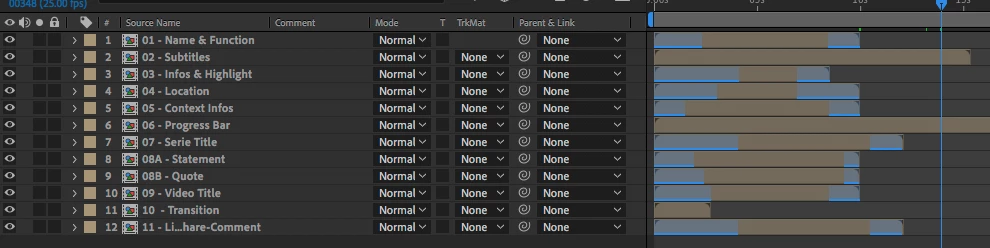
But when I import them in Premiere with the Essential Graphics panel, the protected regions are slowed down or accelerated, and the outro animation happens at a random point in time.
I’ve tested with a simpler comp (just a text with little animation) and it works.. That means, maybe it is something in my animations that break the RDT ? (That’s the scary hypothesis)
Would you have any ideas what can break the RDT features only in Premiere ? I have no sounds in my templates, no time-remap, nothing I can think of that can impact the time remapping process.
My mogrt are 1920x1920 comps as they need to fit either a 1920x1080 comp, or a 1080x1080, or even a 1080x1920 (vertical) edit...
I’m working on MacOS 10.13.6
With AE 17.0.2 (build 26)
And Premiere Pro 14.0.1 (build 71)
I would be glad to share one or two mogrt files if necessary.
Anything that can point me in the right direction would be much appreciated.
Thanks a lot !
 AdChoices