
Participating Frequently
August 18, 2018
Answered

My Point Lights in AE cannot be edited HELP!

  • August 18, 2018
  • 5 replies
  • 3375 views

Hello there, I am working on a project in After Effects, and I am having an issue with my lighting. This may be a novice question, but my point lighting doesn't move because I cannot find the RGB cursor to move the Point lights. Here is a screenshot of my project, as well as a screenshot from the tutorial I am watching. I have followed the step to Layer>New>Light>Point Light and have changed the parameters, but I cant MOVE THE LIGHT anywhere.
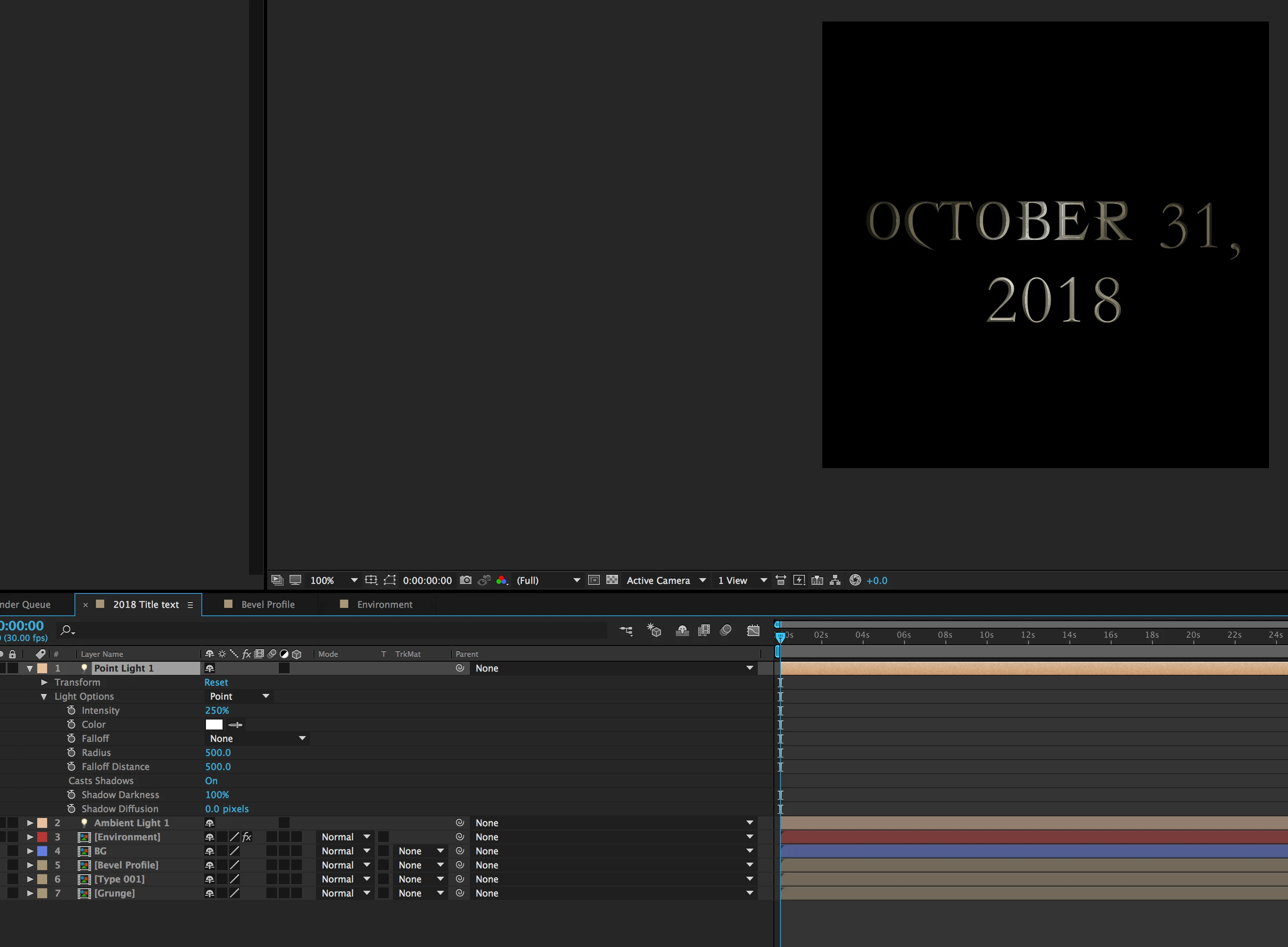
Here is the photo of the video I am watching, where the user automatically has the RGB cursor on his screen when he applies his Point light. The text that we have is 2D and is meant to be 2D, each time we
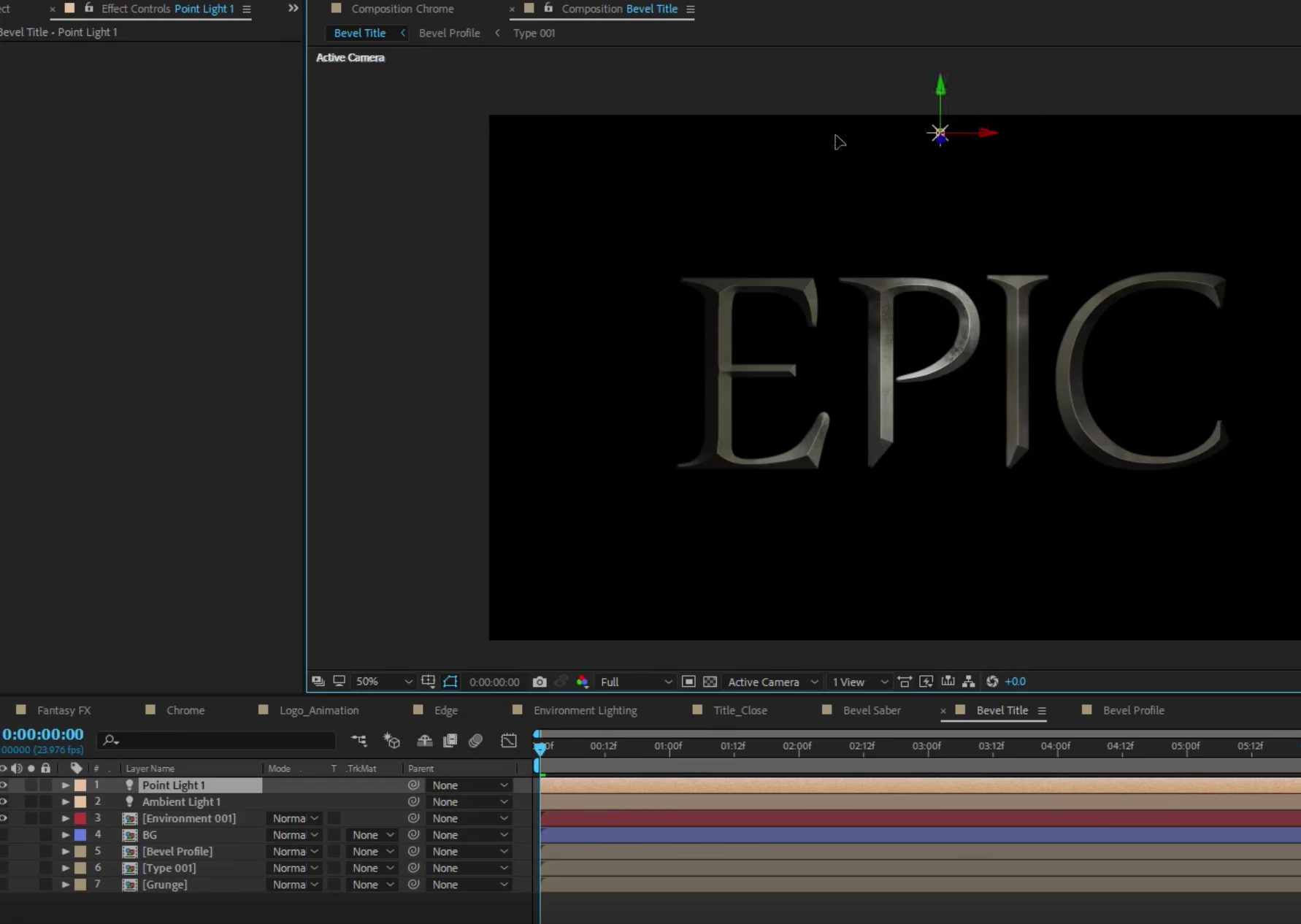
here is a link to the video I am watching, and I am at 10:15 Cinematic Title Design: Fantasy FX Tutorial! 100% After Effects! - YouTube

This topic has been closed for replies.
Correct answer istockplus

Go and select "View/Show layer controls" (shift+comd+H) mac shortcut

5 replies

Participant
December 12, 2023

Hi, I think I have a similar issue where 'Light position' is just not working and therefore I can select it to create the light animation I need from one side to the other...I tried the 'View/Show layer controls' as suggested but still not working. Thank you for your help.

istockplus
istockplusCorrect answer
Participating Frequently
August 19, 2018

Go and select "View/Show layer controls" (shift+comd+H) mac shortcut

Participating Frequently
August 19, 2018

That was the trick! Thank you so much!!!

Participating Frequently
August 19, 2018

I am able to move the light when I hit "P" for position, but I am unable to move the position with my move by dragging the source around, it is hard for me to guess the parameters, when I just want to put the light in one of the corners, or below, or wherever I want really.

Kyle Hamrick
Community Expert
Community Expert
August 19, 2018

Did you possibly switch off the visibility of the layer controls? Look under the View menu, about halfway down.

It's also possible that the light is simply way off to the side, or so far "towards" you in Z that it's way off the top. Try zooming WAY out to see if you can see it. And/or open up the position property and type in numbers you know will be within the comp bounds.

Community Expert
August 18, 2018

You may also want to click on the gaps under the cubes in the timeline to put the items that you want to interact with the light in 3D Space.

Community Expert
August 18, 2018

You may want to try switching to spot light.

I also recommend if you're trying to have it travel across the text go to the top of the interface and go to layer/transform/auto orient and turn auto orient to off.

Participating Frequently
August 18, 2018

No sir, watch the video at the time stamp that I have listed in the question. We have placed a "CC Glass" effect on the text and have set the "light" parameter to AE Lights. If i switch the light source to 3D, then I am prompted and told that the light will no longer work. I believe that all I am missing is the ability to edit this point light, in simplest ways of saying it, I cannot reposition the light anywhere because my software is not giving me the option to drag the light where I want to in the workspace.

P.M.B
Legend
August 19, 2018

Is your selection tool active? The shortcut for the selection tool is "v"

~Gutterfish