sophief82583740
Participant
April 1, 2019
Question

not visible on white solid

  • April 1, 2019
  • 1 reply
  • 1924 views

Hi guys!

I'm really new to after effects and maybe that is an obvious question but I really can't find an answer anywhere:

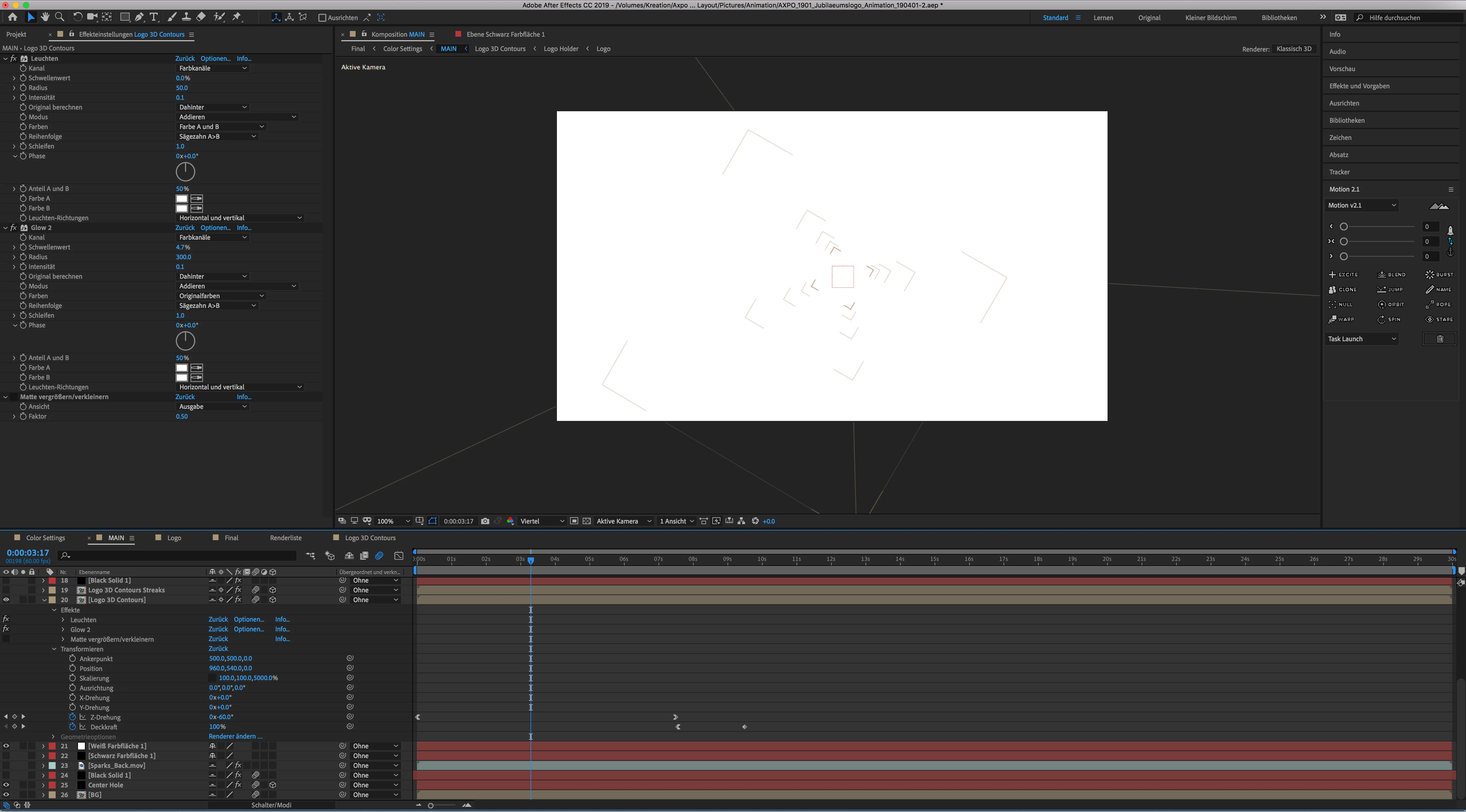
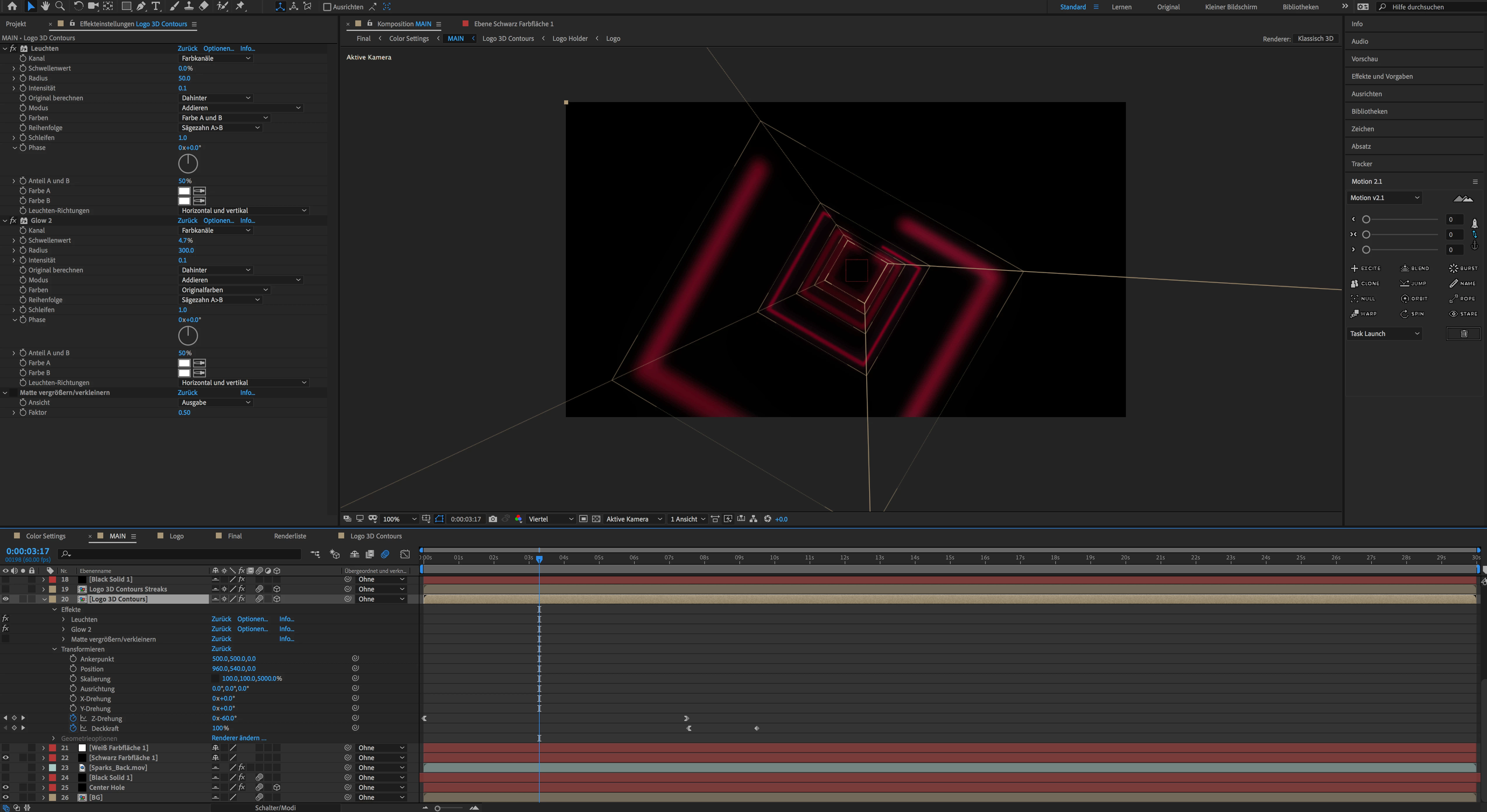
I've downloaded an after effects template and want to change the background from black to white but then the animation is not visible anymore (see screenshots). I already tried to change some of the effects but i couldn't find a solution.

Maybe someone can give me a tip where I need to change something?

Thanks in advance!

Cheers, Sophie
This topic has been closed for replies.

1 reply

Community Expert
April 1, 2019

I'm not sure because you have not selected or soloed the layer you are having problems with but the layer you have expanded is a glow, glow usually works by adding to the pixel values. If you are already at 100% and you add more you can't get above 100%.

How did you make the background white? Just changing the comp settings background color is not a reliable way to do that. You should put a white solid on the bottom of the comp and then experiment with the glow settings.

sophief82583740
Participant
April 1, 2019

I'm sorry but I don't really understand this part:

I'm not sure because you have not selected or soloed the layer you are having problems with but the layer you have expanded is a glow, glow usually works by adding to the pixel values. If you are already at 100% and you add more you can't get above 100%.

And as for the background: it is a white solid underneath the layer it's just named in german "weiss farbfläche". And what would you recommend to do exactly with the glow effect?

Big thanks for your quick answer.

Kyle Hamrick
Community Expert
Community Expert
April 1, 2019

I don't speak German, so that aspect will be tricky for me as well.

As a general rule, know that purchasing templates with the intent of altering them can be a very frustrating experience for those without much AE experience. Templates are usually purpose-built to do one thing, and if you start changing pieces without really knowing what you're doing, it can be easy to start accidentally unraveling large chunks of the project (or at least running into walls that you don't even know exist).

The point Rick is making is that it's likely your layer is being ADDED to the other visible layers, both within the Glow effect and possibly on the layer itself. The way color works in programs like this, white is essentially "the most" color you can have, so you can't add anything else to it. If you want the above layer(s) to appear over white, you'll need to change the Blending Mode within the effect:

Try setting it to "Normal" (or the German equivalent).

It's possible the actual layer has a Blending Mode applied as well. At the bottom of the screen, below your Switches column, is this button:

Clicking that will toggle Switches to Modes. If the layer in question is set to anything other than "Normal" (/the German equivalent again, obviously), try setting it to Normal.

Hopefully these will get your layer(s) visible, though they may not look quite the way you're wanting. The ideal here would probably be (re)building this with effects that would work better over white, but hopefully this either gets you close enough or at least helps you see a few options you can play with to get close to the look you're after.

Good luck!