kivad7408567
Participating Frequently
May 19, 2018
Answered

problem went i import a illustrator file to after effects

  • May 19, 2018
  • 1 reply
  • 8047 views

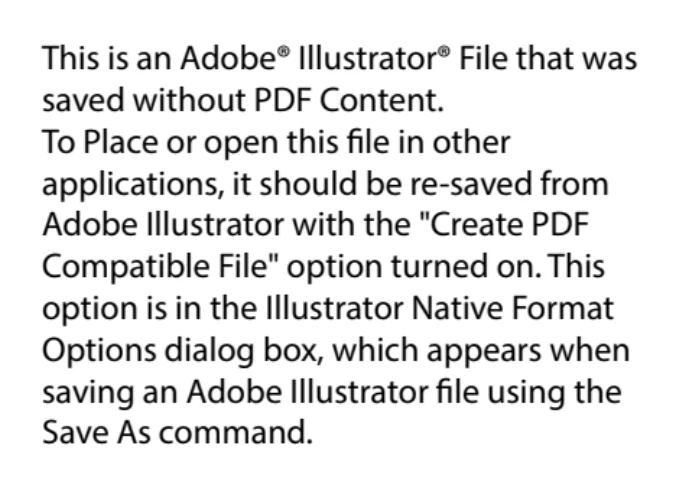
the problem is when importing an .ai file to after effects this is not shown correctly, I get text or black screen, just open me .eps but I can not do anything, i try to reinstalling after effects and illustrator and nothing , I have the updated drivers and try creating a new file after reinstalling Illustrator but it only showed me everything in black even though text was no longer available, someone knows how to solve this error, thanks

This topic has been closed for replies.
Correct answer Rick Gerard

i save you file with my illustrator and now don't work in after effects - this is your file that i save with my illustrator

this is you file that save

and this is you file


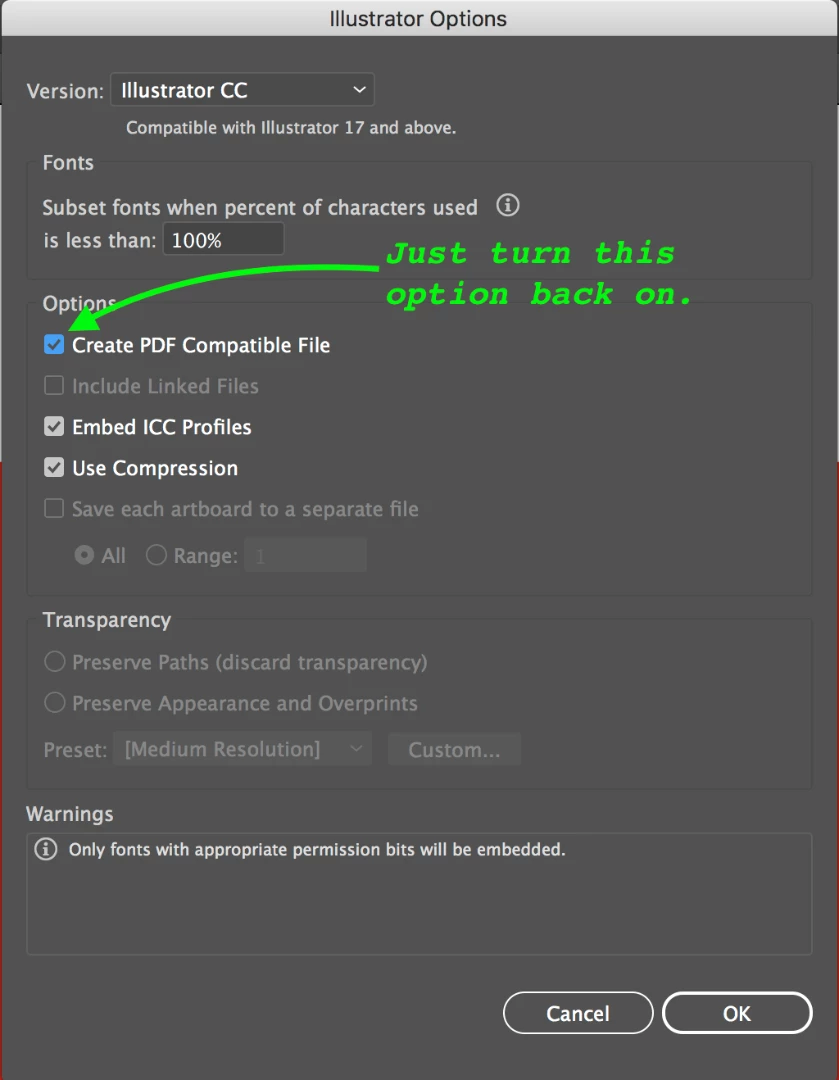
Dropbox says it all:

When you save a file this dialogue should pop up.

That should fix the problem.

1 reply

Community Expert
May 19, 2018

We would have to see your AI file to know what is wrong with it.

Try this.

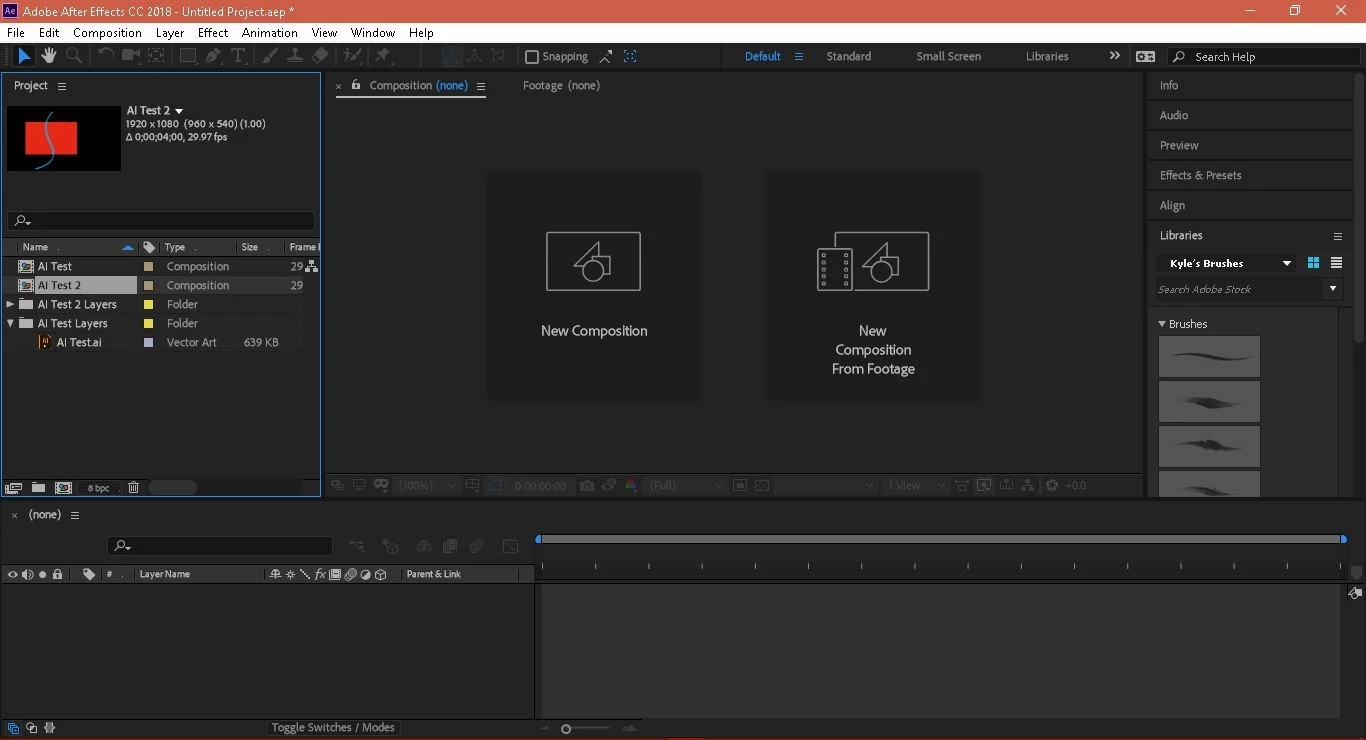
Start a new AI document 1920 points by 1080 points. Select any of the shape like the Rectangle tool and draw a shape with a red fil and no stroke. Add a new layer in the layer panel. Use the pen tool to draw a line with a blue stroke about 10 points wide in the second layer. Save the AI file and then import as a composition with cropped layers in AE. You should get a comp with a red shape on the bottom layer and a blue line on the top layer. The background would be black. If that works then the problem is with your original file.

kivad7408567
Participating Frequently
May 19, 2018

i follow you instrutions but

I went back to re-install again illustrator and later i create the new document with you instrutions but nothing happen U_U

this problem it only happens with the .ai files but no with .psd

Community Expert
May 19, 2018

Try this file:

Dropbox - AI Test.ai

If your browser adds a different extension just delete it. Open as a comp retaining layer sizes and you should see two layers. If that file does not work the make sure AE is up to date. If it works, make sure AI is up to date, reset all of the preferences in Illustrator, and make sure the color mode is RGB. You might also want to open the text file in AI and add another line or object and save it as a different name.