
NigelSims
Participant
January 18, 2019
Question

Radial wipe on mask

  • January 18, 2019
  • 2 replies
  • 3781 views

Hi everyone,

I'm having an issue with After Effects which i'm sure can be quickly answered by those more knowledgable then me. I am doing an animation of some shape layers. Below is a screen shot of the comp.
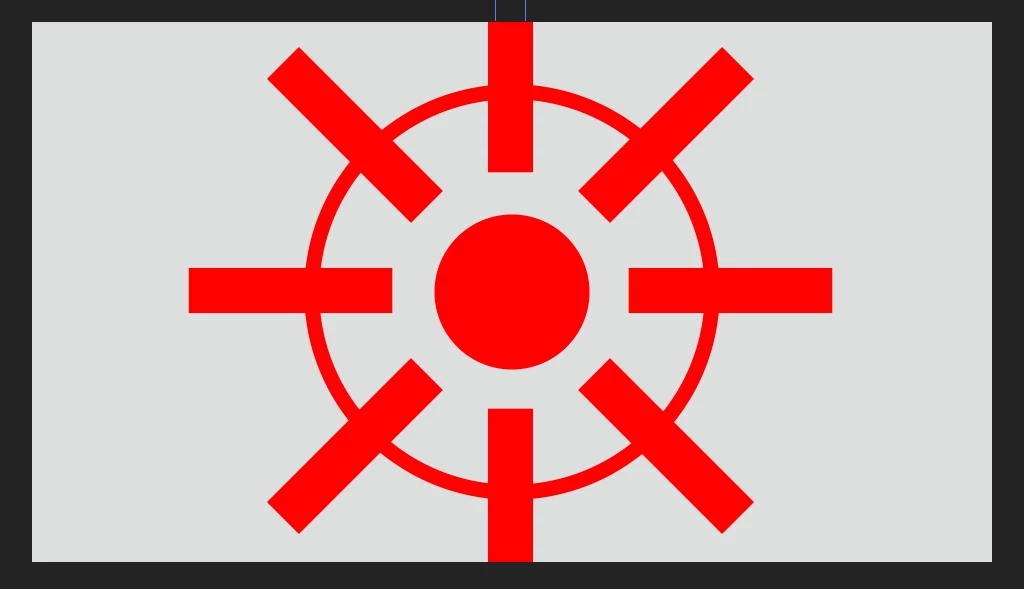
The red outer ring is animated using a radial wipe. As the ring reveals I want to have the outer regions of the rectangular boxes disappear. I have tried making another shape layer with a circle a similar size to the red ring. This new layer also has a radial wipe added to match the ring. The layer with the boxes on then has a set matte effect added using the new shape layer as the source. This will mask away the portion of the boxes outside the ring but won't follow the radial wipe animation. Instead the mask is static. Is there another way to achieve this?

Thank in advance

Nigel

This topic has been closed for replies.

2 replies

P.M.B
Legend
January 19, 2019

Or make the boxes a separate composition then apply the wipe to the composition.  You're struggling because you're trying to do it all in one comp.

~Gutterfish
Community Expert
January 19, 2019

You are struggling because you are trying to do it all on one layer. Make 3:

To soften the angle as the wipe takes away the rectangles you probably want to add a fair amount of feather to the wipe.

The biggest newbie workflow problem is trying to do too many things on a single layer.

Participating Frequently
January 18, 2019

Hi. You could use a solid the same colour as your background as your top layer. Draw a circular mask the size of the outside of your ring, then add the radial wipe effect and keyframe its position/timing to match the ring so it covers the outer regions of your rectangular boxes.