Participant
August 1, 2021
Question

Remove black background from a video

  • August 1, 2021
  • 2 replies
  • 1822 views

Greetings.

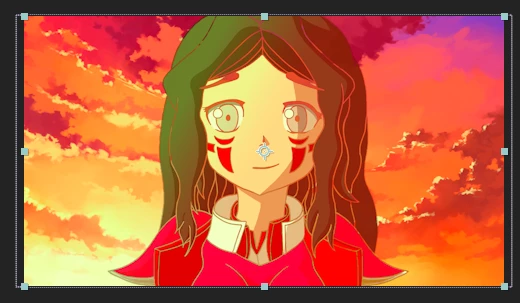
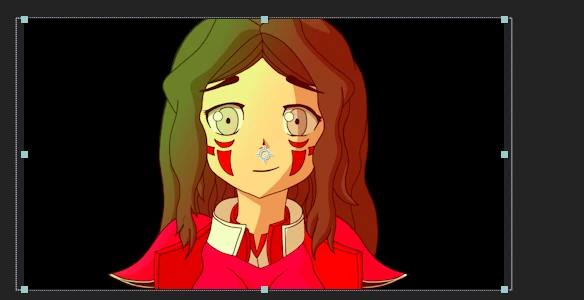
I am making an animation, where I have 2 files. 1 is the background (in .PNG) and the other is a video (in .AVI) of a character that I have drawn in Krita which only makes a 3-frame animation.

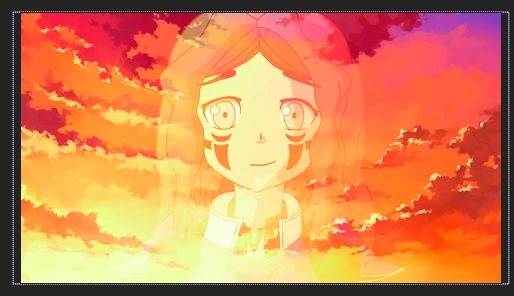
My intention is to place this character that appears above the background and make the movement, but the problem is that this video has a black background, which I don't know how to remove. Try using "Screen" blender, but the character looks somewhat transparent. I also tried to use the filter "Linear color Key" to eliminate the black color, but it is even worse since it also eliminates the black outline that the character has, leaving only its colors visible.

Extra data: The character creates it in Krita, it consists of 3 PNG images that are then rendered in AVI with the Sony Vegas.

Does anyone know how I can solve this?

Images:
This topic has been closed for replies.

2 replies

non linear
Participant
August 2, 2021

Hi

you want to remove a black background of a character while keeping his outlines

so i think that the a solution would be to use "any color removal" effect and after that applying a "simple choker" effect (must be a "negative number" to work) to bring back some of the background (or most "keying effects" have a "edge thin" property and if you give it a "negative number" you will get back background part's)  


i hope this will help you.

Participating Frequently
August 2, 2021

This! I completely forgot about the choker. I believe this will work. Thank you for helping out! (:

P.M.B
Legend
August 3, 2021

There are also some matte removal tools out there that i assume are just automated color removal/choke tools.

~Gutterfish
Participating Frequently
August 1, 2021

There is not much you can do in this case, except for manually masking out the character (maybe even try Rotobrush 2.0). In the future, make the background a bright green (or any colour that is not found in the subject). This will make it far easier to key out the background.