artichoked
Inspiring
August 25, 2021
Answered

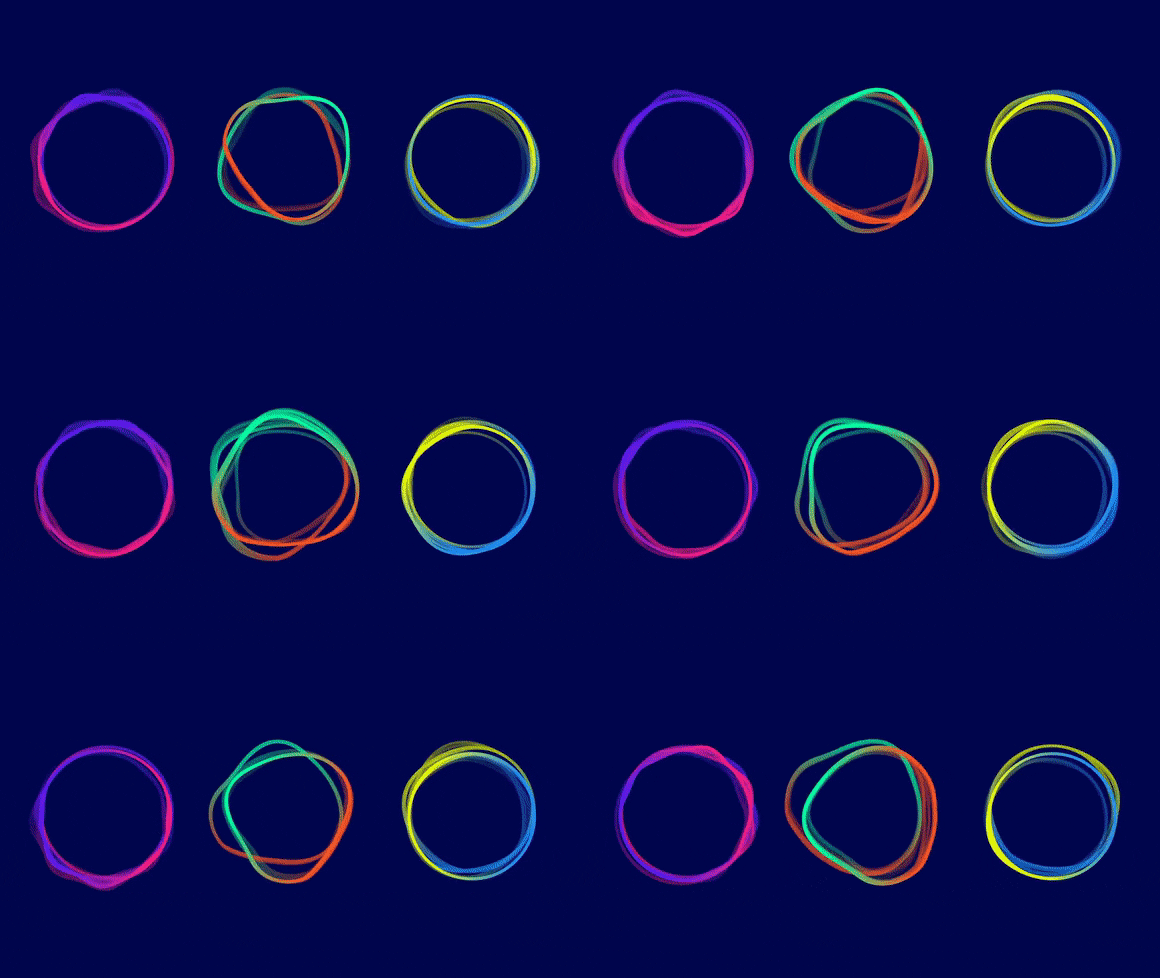
Shape effect: Undulating, flowing, spinning, rippling
  • August 25, 2021
  • 2 replies
  • 1084 views

I want to explore a similar effect in AE but I have absolutely NO clue where to start. Any suggestions?

This topic has been closed for replies.
Correct answer nishu_kush

Hi artichoked,


Thanks for writing in.

Creating a circle and applying Turbulent Displace to it is a good place to start. Check out the following YouTube video if you want more control on how things should go: https://www.youtube.com/watch?v=A4tqbUcN_Hs&ab_channel=graymachine

Hope it helps.


Thanks,

Nishu

2 replies

OussK
Community Expert
Community Expert
August 27, 2021

another way is by adding a wiggle effect to the shape and you can also add Round corners in case you want a smooth corners 

artichoked
Inspiring
August 27, 2021

I had a feeling the Wiggle effect could be used for this! I'll try this out as well. Thank you!


nishu_kush
Community Manager
nishu_kushCommunity ManagerCorrect answer
Community Manager
August 25, 2021

Hi artichoked,


Thanks for writing in.

Creating a circle and applying Turbulent Displace to it is a good place to start. Check out the following YouTube video if you want more control on how things should go: https://www.youtube.com/watch?v=A4tqbUcN_Hs&ab_channel=graymachine

Hope it helps.


Thanks,

Nishu

artichoked
Inspiring
August 26, 2021

This is a great starting point and exactly what I was looking for! Thank you.