
Participant
October 24, 2017
Answered

Simple Choker creates black surroundings

  • October 24, 2017
  • 2 replies
  • 2110 views

Followed this simple tutorial​ and got the right result. Right until I changed the background and noticed the Adjustment Layer with Simple Choker creates a wide black outline as shown:
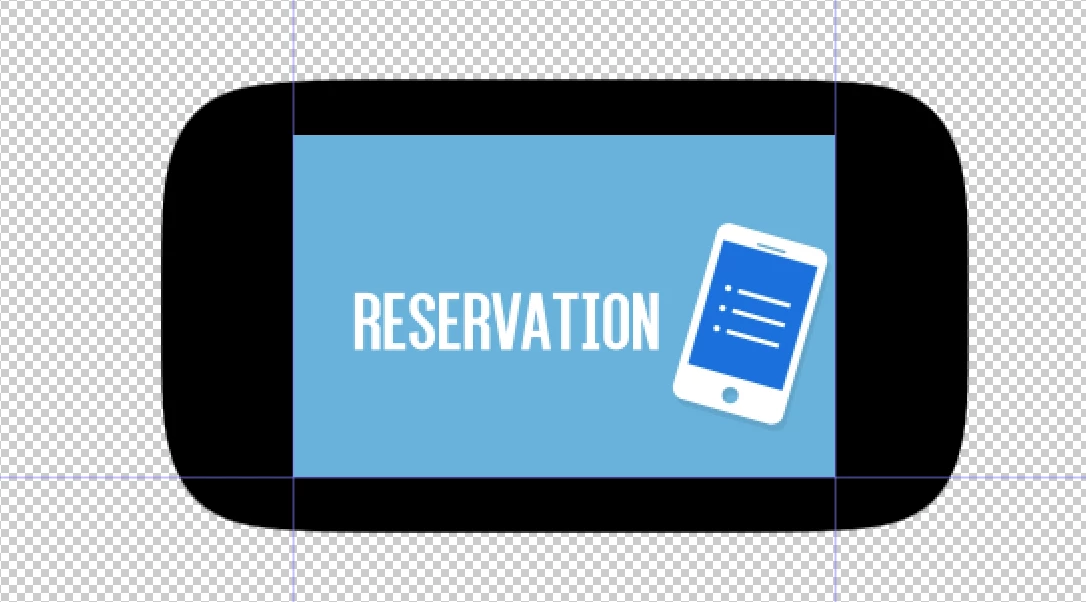
How would I avoid that?

-In the comments of the video, OP commented "Create your animation first, then precompose it and put it on whatever background you want." But I think I misunderstand something as that doesn't do anything. I might be precomposing wrong.

This topic has been closed for replies.
Correct answer Mylenium

By default the effect only operates on the transparency. Set its options suitably to include the color information.

Mylenium

2 replies

Mylenium
MyleniumCorrect answer
Legend
October 24, 2017

By default the effect only operates on the transparency. Set its options suitably to include the color information.

Mylenium

Community Expert
October 24, 2017

First, the link to the tutorial is bad. Second, just a screenshot of the comp panel is pretty useless. if all that black comes from simple choker then you have the values jacked way up. The only meaningful screenshot is one that shows us the full UI with the modified properties revealed. Just press the U key twice with a layer selected and start resetting things that have been modified until the problem goes away. If you can’t figure out what is causing the problem then get back to us.

If all you have in your composition is the stuff on the blue background then there is probably no need at all for simple choker. It is verry possible that you may be following a tutorial given by someone that does not know what they are doing. Five years ago most of the After Effects tutorials on the web gave pretty good advice, but now days the percentage is getting pretty low. Many of them give bad advice and lead you down dead end workflows that are not efficient or effective.