
Participant
September 25, 2017
Answered

Trim Path with sharp ends

  • September 25, 2017
  • 4 replies
  • 8800 views

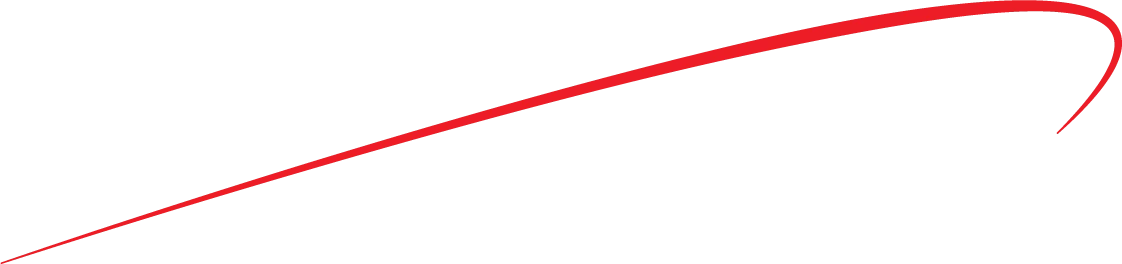
Hi after spending hours searching I now realize I can't use trim paths with a vector image with sharp ends, can some please give me and alternative. I just need a simple left to right reveal but really need the pointed ends. I've made the below in AI.

Also is AE prone to weird crashes on Win10? I'm on the latest version of AE and it randomly crashes.

Thanks
    This topic has been closed for replies.
    Correct answer Zero_Alpha

    Hi Kevin

    Yes I did complete it. I ended up using a normal stroke with rounded edges.

    Regards

    James

    4 replies

    Participating Frequently
    May 19, 2021

    You can also use the Taper  option present under Strokes. This is default and has been added to After Effects.

    You can use the Start Length and End Length properties to control tapering (which means to get narrow or thin towards an end) at the Start/End points of the Stroke. 

    Check out this article that goes over Tapering in detail:

    https://helpx.adobe.com/after-effects/user-guide.html/after-effects/using/taper-shape-strokes.ug.html

    Kevin J. Monahan Jr.
    Community Manager
    Community Manager
    October 10, 2017

    Hi mSet_One,

    Did you complete your motion graphics comp? What did you end up doing?

    Thanks.

    Kevin

    Kevin Monahan - Sr. Community and Engagement Strategist – Adobe Pro Video and Audio
    Zero_AlphaAuthorCorrect answer
    Participant
    October 10, 2017

    Hi Kevin

    Yes I did complete it. I ended up using a normal stroke with rounded edges.

    Regards

    James

    Kevin J. Monahan Jr.
    Community Manager
    Community Manager
    October 10, 2017

    Cheers, thanks for letting us know.

    Kevin

    Kevin Monahan - Sr. Community and Engagement Strategist – Adobe Pro Video and Audio
    angie_taylor
    Legend
    September 25, 2017

    You can't do this with a Shape layer but what I've done in the past is to use a pressure-sensitive brush to draw a tapered line. You'll need a steady hand and a wacom tablet to do it. Once you've drawn it you can then Auto-trace it onto a new Layer as a mask. Then Apply the Scribble effect and zero all the Stroke variation settings (as in the diagram) Animate the End value to make it reveal. You may need to also animate the Angle setting to get the leading edge to look right.

    angie_taylor
    Legend
    September 25, 2017

    I've also had instances where I've pasted the path into a position property so that I could use the Smoother on it to get rid of the wobbles before pasting it back not the layer! Funny what we end up doing in restricted situations eh? ;-)

    Roei Tzoref
    Legend
    September 25, 2017
    Hi after spending hours searching I now realize I can't use trim paths with a vector image with sharp ends

    unfortunately this functionality is not native yet in Ae. the common term is "taper". we want taper strokes. ask for it here please: Feature Request/Bug Report Form

    for workarounds there are various methods. here's some you may consider:

    1. using a 3rd party plugin called "Trapcode 3d Stroke" that has a taper parameter

    2. using a text layer or a complex rigged shape layers setup. see more information here: Re: Gradient Along Stroke

    3. using a 3rd party plugin called BAO Boa: BAO Boa - aescripts + aeplugins - aescripts.com

    Also is AE prone to weird crashes on Win10?

    no. this has something to do with your setup. make sure your Ae is up to date, and if it still crashes be more specific as to when exactly.

    Mike_Abbott
    Legend
    September 25, 2017

    To just add another option to Roei's list:

    You could also look at Optical Flares Sabre plug-in. I'm 90% certain you can do a double ended tapered line with it. Probably not to easiest solution for this requirement, but it's free:

    https://www.videocopilot.net/blog/2016/03/new-plug-in-saber-now-available-100-free/

    Mike_Abbott
    Legend
    September 25, 2017

    and another...

    If you have a version of AE with C4D lite / Cineware, It's not difficult to set up a tapered sweep animation in C4D with a white luminant material and bring that into AE as a matte.