Inspiring
January 31, 2019
Answered

Try to get Light Sweep to "override" lighting

  • January 31, 2019
  • 1 reply
  • 6265 views

I have  character made up of various cutout parts, turned into 3D so I can light it. I am using cc Light Sweep to create a flickering effect on each body layer in the comp to create a light cast effect... it's working really well. (If I put Light Sweep on the whole comp, it detects the edge of the whole character as one outline, so I need to put it in each body part layer so the head has an edge that is separate from the arm etc)

However, when I then put that comp into my main comp and  light the scene, the light layer "dims down" the effect of the flickering light non the character. Is there any way to have the Light Sweep effect not be effected by the light layer so that I can light the character in the scene with a dim light but still have the flickering lights be bright on the body?
This topic has been closed for replies.
Correct answer Rick Gerard

I'm not being clear I think, maybe I'm not understanding your answer...

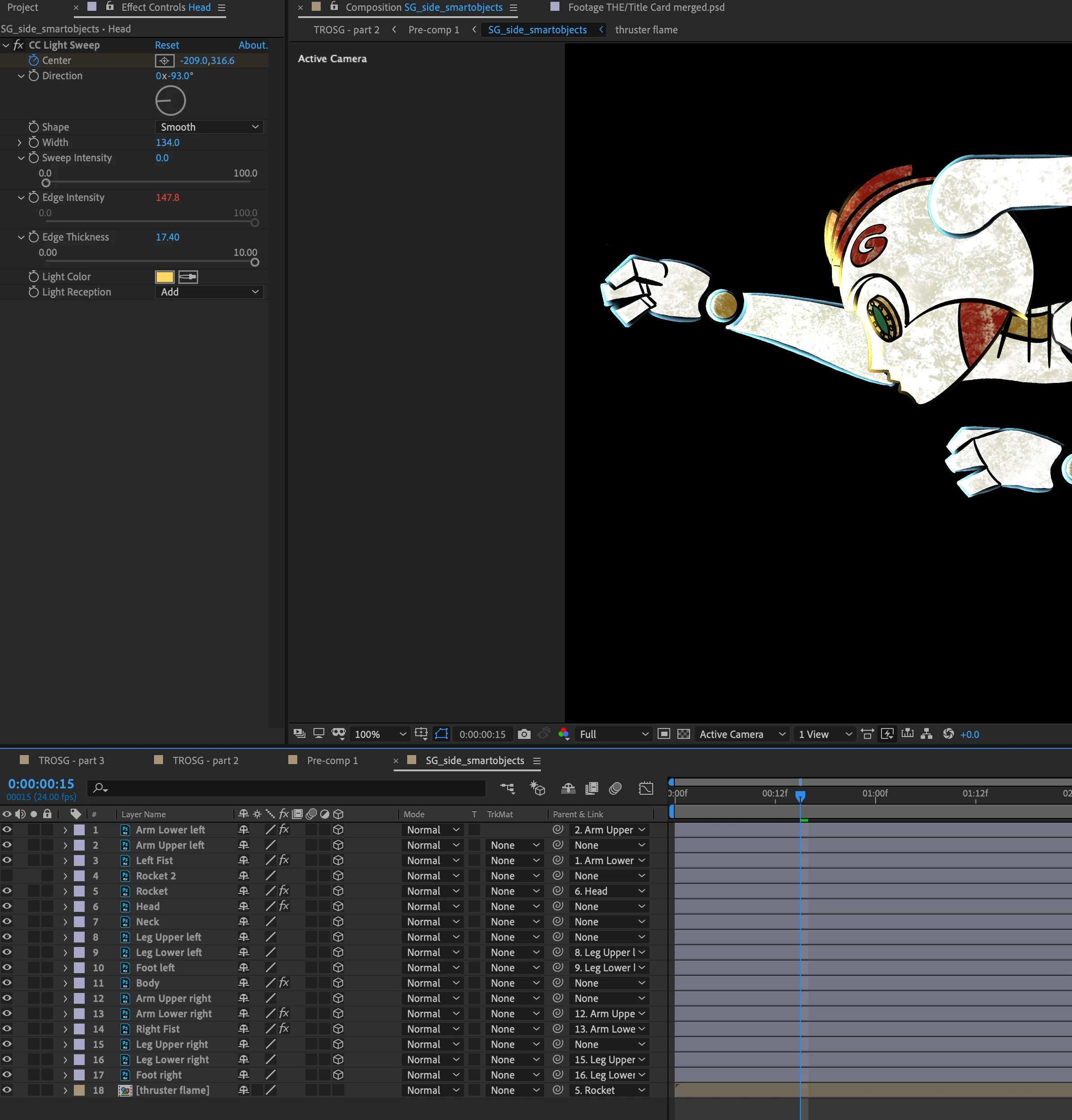
I added Light Sweep to the head layer in this comp so that it get's the highlight, yellow in this case:

When I use this comp in another comp, which I am lighting, I get one of two things, if the comp is not 3D or Collapse transformations is OFF, then it looks the same and has no lighting on it:

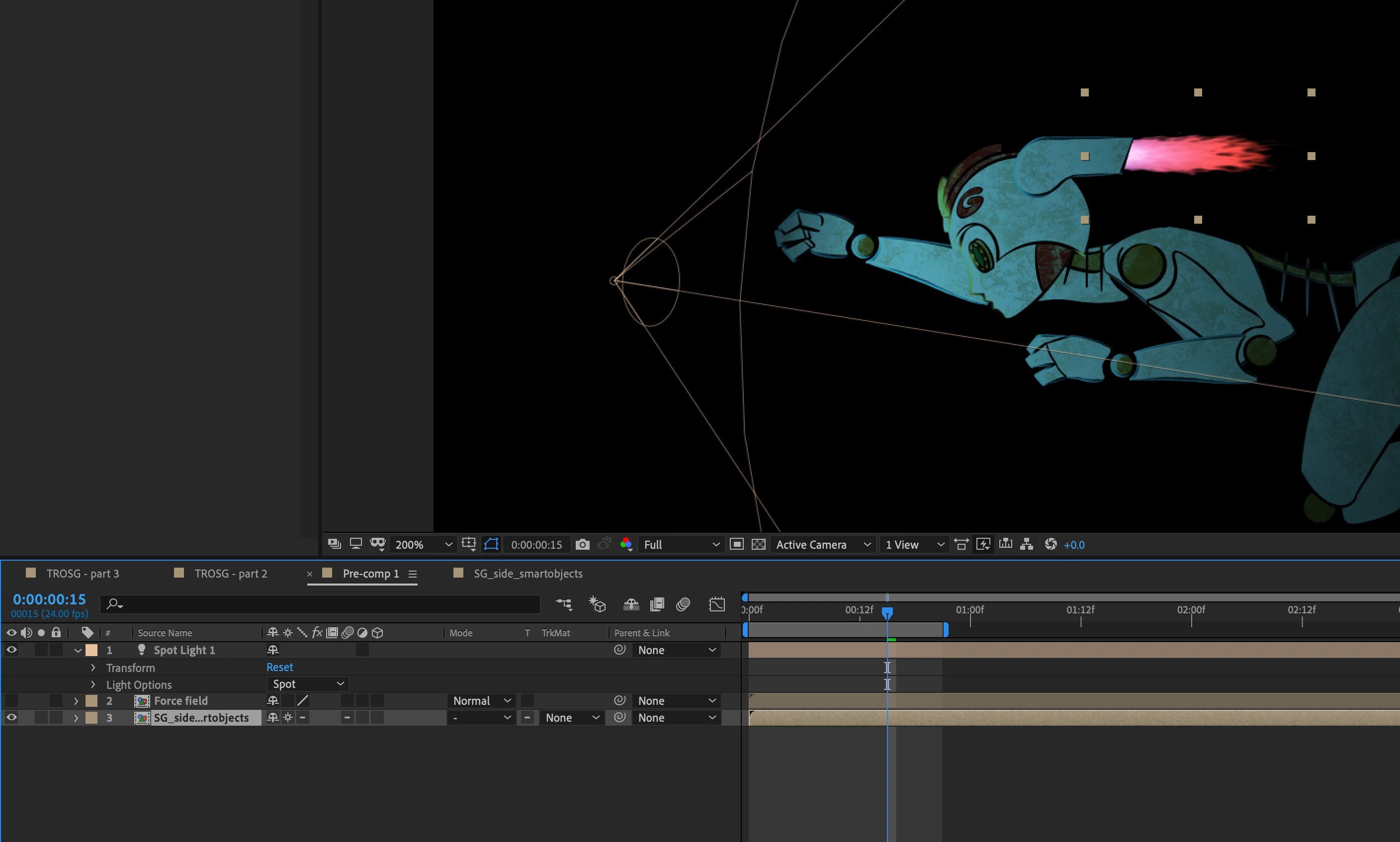
When I Make it 3D or Collapse Transformations, the light now hits it (which is what I want), but the yellow highlight is now muted (and green due to the mix):

So what you are saying is, copy the head layer, make it black, and put the light sweep on that?


Because your layers are very light and are all Photoshop layers the most straightforward option would be to duplicate the nested comp, then remove all color from the layers you are going to apply CC Light Sweep to so they are black or dark gray. Then you put that duplicate comp in the main comp and experiment with blend modes.

I hope this is clear. You must get a copy of your pre-comp and change that color so that only the light sweep effect is visible. That duplicate comp is used with the appropriate blend mode to give you more control on how you blend in the highlights.

1 reply

drmdzh1Author
Inspiring
January 31, 2019

And this is true of a flame I have as part of the character comp too... it's made of a solid layer with Particle Systems and blur effects. When the whole character comp is then lit in the scene, the flame dims down with the light.

Dave_LaRonde
Inspiring
January 31, 2019

You can set the layers' Physical Properties to not "Accepts Lights" to see the effect.

drmdzh1Author
Inspiring
January 31, 2019

But I want the layer to be lit as part of the scene, so it has to accept light. What the problem is, the light sweep effect is getting effected by the light. I want to layer to have the light sweep effect on it AND receive light from the "room" (spotlight).