
Bulgakov
Inspiring
January 29, 2019
Question

Unable to switch time ruler to seconds

  • January 29, 2019
  • 2 replies
  • 1966 views

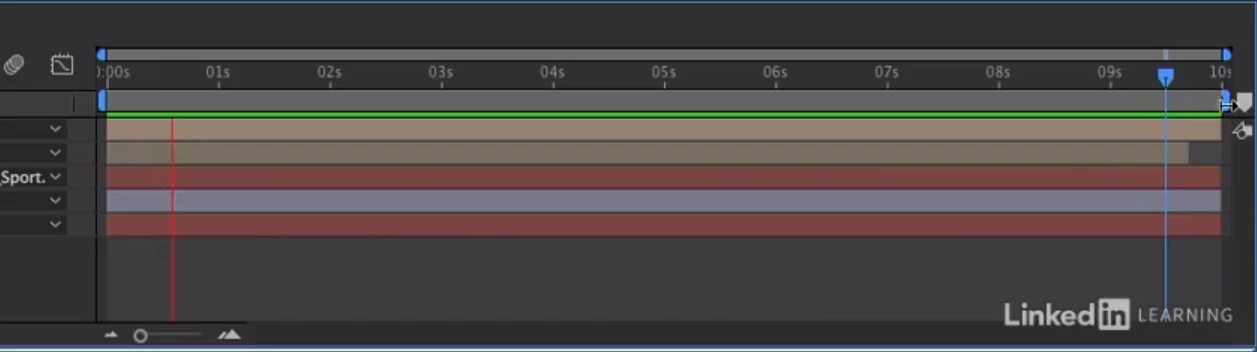
I cannot get my timeline to display seconds. It is always showing as frames. Is this format just the new thing?  I've been following a Lynda.com tutorial and you can see that in his timeline, seconds are clearly shown:
Whereas in mine, I get frames despite ctrl clicking.  This is the exact same project using tutorial files from Lynda.com.  The only difference, which should not be relevant, is that he is on a Mac and I am on Windows.
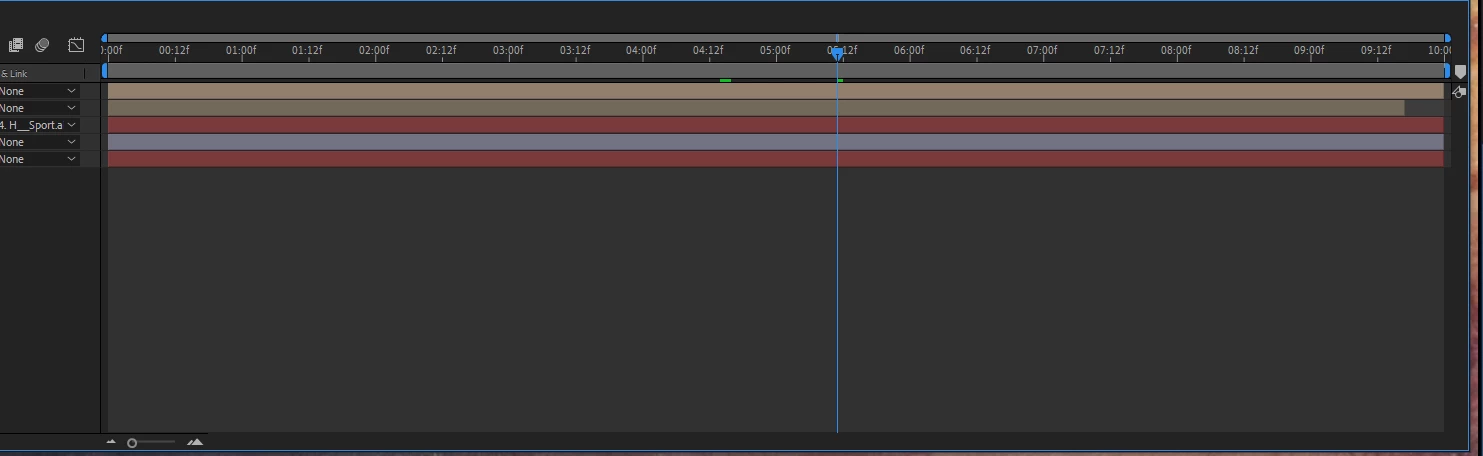
The standard answer in other forums (and on this one) is to zoom out

(for example, here: How to change time ruler time. and here: Time Ruler: Changing Frames to Seconds Issue (Picture) ),

but you can see I am fully zoomed out and this is a 10 second composition.

This topic has been closed for replies.

2 replies

Bulgakov
BulgakovAuthor
Inspiring
January 29, 2019

Gutterfish

It is most certainly 10 seconds.  I set it as such and it plays through in that time.  Here is a full screenshot.

Dave_LaRonde
Inspiring
January 29, 2019

I see the seconds on your timeline, and I ALSO see frames.  That's what the "f" means -- you'll see the frame measurement appended to the actual seconds.  As long as you know what you're looking at, what's the problem?

Bulgakov
BulgakovAuthor
Inspiring
January 29, 2019

As I asked above, is this then the standard format now?  If it is, that is fine, but it was confusing to me to see my timeline not displaying the same as the one in the tutorial.

P.M.B
Legend
January 29, 2019

Your composition is 10 minutes, not 10 seconds.  It is displaying minutes and seconds but for some reason is showing an f instead of an s or m.  Show a full screen shot of your interface (not a cropped one)  also please show a screen shot of your composition settings.

~Gutterfish
P.M.B
Legend
January 29, 2019

Maybe I'm wrong about the length of your comp but still please show full screen shots

~Gutterfish