
Participant
March 30, 2021
Question

Video Copilot Element 3D Shadow Problem

  • March 30, 2021
  • 2 replies
  • 1891 views

(Sorry for my bad english)

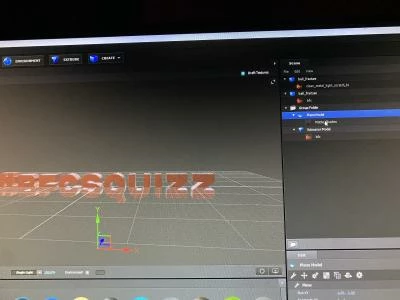
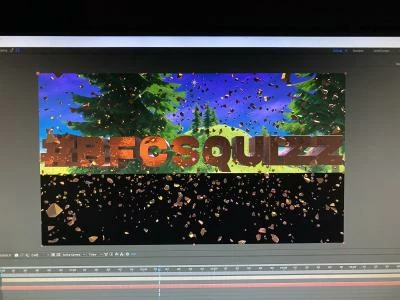
I have a problem with Element 3D in After Effect, in the last 3 month I did a lot of 3D text and logos with shadows and I had no problems, but now when I create a shadow a black plane appear, and I don't why cause I didn't change anything in my application, I tried to uninstall and install the app and the plugin and it didn't worked...

When I oppen my old projet with shadows, the same thing replace the shadow...

So all of my old work is corrupted. 

If somebody have the solution please help me, or there is no solution can someone explain me how to restore all my settings and presets of video copilot to see if it change something, because I thing I activated something who goes in all of my project and now I can't add shadows....


This topic has been closed for replies.

2 replies

Community Expert
March 31, 2021

These are the basic settings required for getting a shadow to appear when using Element 3D. First, inside the Element UI you have to add a plane below the object you have added to cast the shadow and Matte Shadow must be turned on in the Advanced Materials section of the Shader panel. You go from this:

To this:

Then in the Effects Control Panel, you have to set Element/Render/Shadow to Enable.

The last screenshot shows you everything that was modified for each layer. Here's a project file for you to try.


If that does not work check your GPU settings in the Project Panel and your GPU drivers. 

Spip5C26Author
Participant
April 17, 2021

I did what you told me to to, and I tried your project file, but it didn't work,

Witch GPU settings have I to verify, and what have I to do with my disk caches?

Sorry for the delay of my answer

Mylenium
Legend
March 30, 2021

Chances are you messed up your graphics driver or changed a setting in it, affecting compatibility in E3D. If you recently updated it or e.g. enabled a specific game optimization, going back to an older setting/ version might get E3D back on track. Rinse repeat for other stuff, of course. Impossible to say more because you haven't offered any system information or otehr details.


Mylenium

Spip5C26Author
Participant
March 30, 2021

Ok, thank you for your answer, I haven't made any update but I think I've changed settings in after effect, but I don't remember witch one,

Can I send you screenshort of my ae settings to see if something's wrong?