
Known Participant
July 28, 2021
Question

What is used to make this cyber-looking squares particle?

  • July 28, 2021
  • 3 replies
  • 726 views

I've seen this kind of field of squares that looks like cyber particles that I really like. Can this be achieved without plugins? 
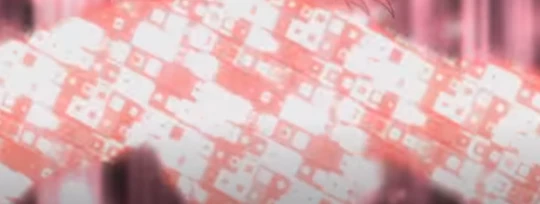
 

https://ibb.co/Tvpvd8h

The particle in motion can be seen in this GIF: 

I WISH I have a clearer one, but I cannot find any better example of what I meant. 

This topic has been closed for replies.

3 replies

Mylenium
Legend
July 29, 2021

You would of course have to animate some parameters such as Evolution to cycle through the colors so and subsequent effects like Colorama actually have something to latch on. That would be true for other effects as well like e.g. using Card Dance to gnerate the squares while using the cut-out character as a map for scale of the squares. There's a really a number of ways to approach this and contrary to what the others said this is perfectly doable in AE without resorting to complicated particle effects. It will just take a lot of time to fiddle with parameters of your stacked effects to get it to look right, but then again this would also be true if you were to use Particular, Stardust or whatever else. Point in case: The effect has very little to do with how the "particles" are generated, it's more a trick playing with the color cycling/ pulsing of the texture. Again, I could at least think of three or four ways to do this in AE without any plug-ins and that's just by looking at the GIF for a few seconds.


Mylenium

Mylenium
Legend
July 28, 2021

Simply looks like a grid effect which you can easily generate using the Mosaic effect or Fractal Noise set to the respective grid mode. Then you add a bit of CC Vector Blur to it to soften and "blobbify" the effect, i.e. create some rounded edges and finally you throw on a Colorama effect and animate the input phase/ offset, so it cycles through the colors. All that's then lefft to do is using the pre-comp as a texture in your main comp and moving and rotating it into place, then masking it. Additional effects like Glow are of course also massively used in the example. Rinse repeat as many times as needed. Will also work with other regular patterns.


Mylenium

Known Participant
July 28, 2021

That's weird. I tried the blocks/squares option on Fractal Noise and it just looks like a pixelated noise. It doesn't have that same "pulsating" look on the squares. Do I need to use another effect on top of it?

Jose Panadero
Community Expert
Community Expert
July 28, 2021

Using shape layers and repeaters you can achieve a similar result with a lot of work. I think this is a work for a particle emitter. After Effects includes some particles filters in the Simulation category but I think that Trapcode Particular or Superluminal Stardust are the best options to do it.

Known Participant
July 28, 2021

I see. So it's not really something that can be done by manipulating a built-in tool? 

Kyle Hamrick
Community Expert
Community Expert
July 28, 2021

CC Particle World is a built-in effect that allows you to use other layers as particle textures.