Deaf_Guy
Inspiring
July 25, 2018
Answered

Why is my text on a graphic blurry when scaled in?

  • July 25, 2018
  • 1 reply
  • 6277 views

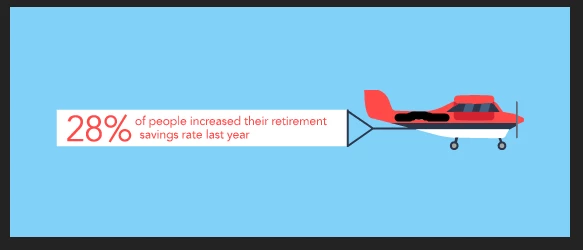
I'm making a 560x230 animated GIF in AE. It's an airplane cartoon with clouds flying by, prop spinning, and banner flapping.  The artwork was made in AI and imported to AE, including the banner.  I want the banner to be up close and flapping, then it pulls back to reveal the plane and clouds.  The problem is the banner text is blurry when I use the scale function to zoom it in.  See the two scenes of it below. What do I have to do to make the text be very clear when it's up close before it pulls back?  I thought because I made it in AI it'd be clear.

Do I have to make the banner and text in PSD at 300 DPI? Or make the banner and text inside of AE with the text tool? Or should I use the camera function?

Please advise.

    This topic has been closed for replies.
    Correct answer RobShultz

    Please try clicking the continuous rasterize button. Click the gap under the icon that looks like an asterisk for the layer in the timeline. You may have to press the toggle switches and modes button to see the switch.

    1 reply

    RobShultzCommunity ExpertCorrect answer
    Community Expert
    July 25, 2018

    Please try clicking the continuous rasterize button. Click the gap under the icon that looks like an asterisk for the layer in the timeline. You may have to press the toggle switches and modes button to see the switch.

    Legend
    July 25, 2018

    It's actually called "collapse transformations" - because it does far more than just fix pixelation!

    See https://helpx.adobe.com/after-effects/using/precomposing-nesting-pre-rendering.html

    Deaf_Guy
    Deaf_GuyAuthor
    Inspiring
    July 25, 2018

    Thanks for this as well.  I actually have another question.  I created the thrumming propeller with an AI file.  This will not be zoomed in because it's revealed after the flapping sign goes from close up to wide.  But I did notice something.  Suppose I create the thrumming propeller in its own timeline and then create a new composition and just drag that into it.

    Will the asterisk thing still work or will, because its now a composition, be blurry? Reason why I'm doing it this way is because the propeller comp has a huge amount of layers in it and I'm just trying to make it a little bit easier when I make the final comp so the timeline doesn't go down to 100 layers

    Thanks.