


Known Participant
August 3, 2023
Answered

add sound

  • August 3, 2023
  • 3 replies
  • 18039 views

Hi Guys

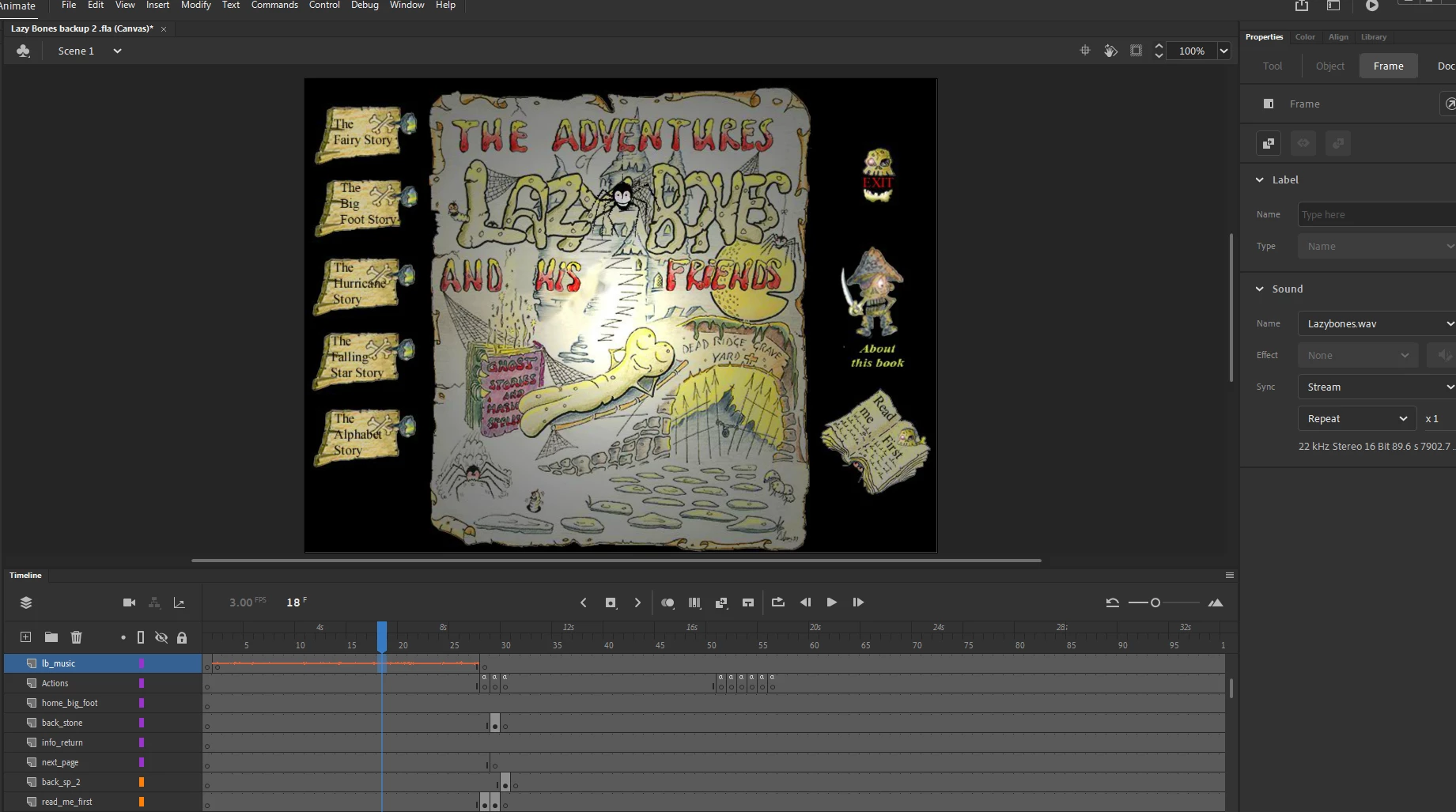
 I managed to get all my buttons work correctly. now i need some help with sound/music. I need the title music to play at the start of my project frames 1-28 where my first bit of frame by frame animation runs with it. But when I test project the animation runs ok but no music. But when i press button to go to another part of the project and return to home page the animation plays ok again and the music to but only for the duration of the short  animation. I need the music the keep playing in that area 1/28 until the user press a button and move on.

Help! AlanY
    This topic has been closed for replies.
    Correct answer kglad

    Hi again 

    Just going round in circles here spent 4 hours trying to get id certificate. Regestered as Apple developer when I try to get into create a cetificate I get denied access! Help!


    contact apple support for help.  


    p.s. did you pay the $100+?

    3 replies

    alephdiscool
    New Participant
    September 5, 2023

    Sorry for a bump, but did you try changing the sound from "stream" to "event"?

    Should help. 🙂

    alephsadobe
    kglad
    Community Expert
    September 5, 2023

    @alephdiscool 


    the sound question's been answered.


    p.s. if you don't get banned for already including a iink your previous message, don't add more non-essential links to your messages.

    Alan5E07Author
    Known Participant
    September 7, 2023

    Hello again

    Starting to recode my button to functions for air-desktop dont understand the error!


    Giddy_personality5D25
    Adobe Employee
    Adobe Employee
    September 1, 2023

    Create a movieclip for your audio and make the audio as Event under the Sound properties. Now bring that movie clip to the main stage. In the 28th frame, anyways the animtion stops and waits for the user to click any one option, so in all the buttons that you have at the 28th frame, just add a the action: SoundMixer.stopAll(); within the eventlistener of each button. Now the audio will stop and if you have any other audio that is part of each section of the buttons, just place those musics within the particular movieclip. So when you come back to the home screen, by clicking any of the buttons from each of your sections, again add the same code for those buttons: SoundMixer.stopAll();. Now what this does again is, it will stop all the sounds and when it returns to the main home screen, it will start playing the movieclip audio that was added for the beginning section. One important thing here is, this will work, only if the audio is kept as event under the Sound properties. If this doenst help, I Happy to solve this once when you share a sample of your work by changing any confidential data from the file.

    kglad
    Community Expert
    September 1, 2023

    @Giddy_personality5D25 


    canvas project.

    kglad
    Community Expert
    August 3, 2023

    put a stop() in your first frame and an intro message along with a button/movieclip to click to trigger your timeline to play().


    (user's have to interact with browser files to permit sound to play.)

    Alan5E07Author
    Known Participant
    August 14, 2023

    Hi Not exactly what I am looking for. My project starts automatically with the frame by frame animation and the cursor start frame one and stops at frame 28. I would like for the music to play at the same time but to be kept between frames 1-28 and to continue to play untill the user clicks a button that will take them out of the area. The music is quite lengthy but I need it to only play in that area 1-28 frames

    Alan5E07Author
    Known Participant
    August 18, 2023

    paste it into frame one of your main timeline.


    tried that when I move out of the 1-28 area it still keeps playing