

New Participant
October 6, 2020
Answered

Adobe Animate: Black Screen and empty dailog box?

  • October 6, 2020
  • 3 replies
  • 4597 views

So, i was drawing in Adobe Animate, and everything was going fine until...
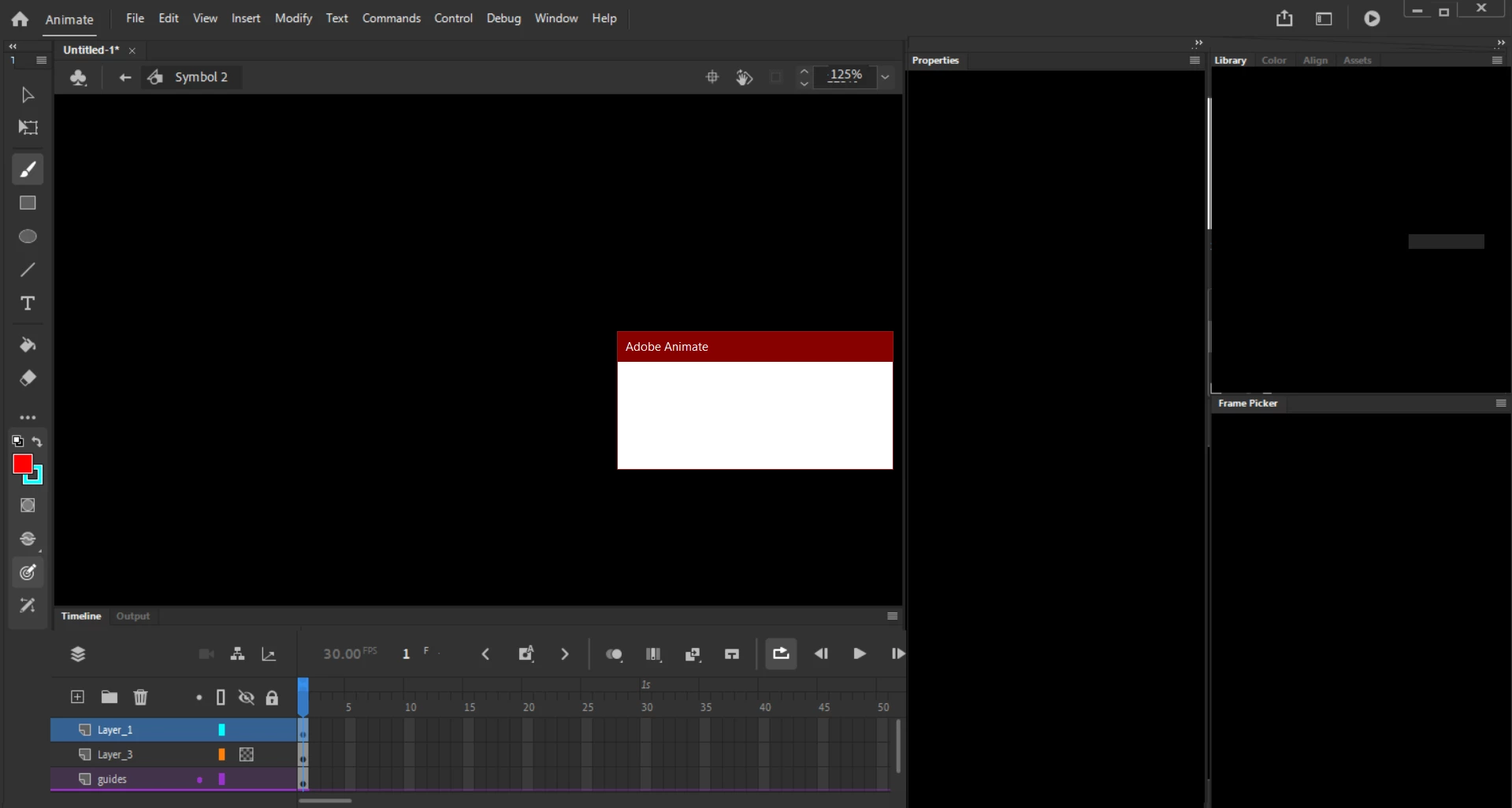
Idk how this even happened... how do I fix this?

This topic has been closed for replies.
Correct answer kglad

restart your computer and reopen the fla.


if there's still a problem


1. test if it's a problem with all fla's including new ones.  if so, reset your preferences: https://helpx.adobe.com/animate/using/set-preferences.html


2.  if it's only a problem with the fla you were working on, what do you see when trying to reopen that fla?

3 replies

HappyRoute
New Participant
June 6, 2022

Restarting your computer/laptop does help, but improper restarts can corrupt files.  I don't know what an "improper" restart is, but it happened to me before and I learned all about it after I lost an entire animation, anyone seeing this, be careful with restarts

kglad
Community Expert
June 6, 2022

get in the habit of naming and frequently saving your fla with increasing version numbers appended. eg, project1.fla should be saved as project1_v000.fl, project1_v0021fla etc.

HappyRoute
New Participant
June 6, 2022

Oh, I already do that, but thank you for the comment! 😄

Community Expert
October 7, 2020

Uninstall and reinstall 20.5.1. 

kglad
kgladCorrect answer
Community Expert
October 7, 2020

restart your computer and reopen the fla.


if there's still a problem


1. test if it's a problem with all fla's including new ones.  if so, reset your preferences: https://helpx.adobe.com/animate/using/set-preferences.html


2.  if it's only a problem with the fla you were working on, what do you see when trying to reopen that fla?

EX2014Author
New Participant
October 7, 2020

This did fix my problem. Strange. I don't know how that happened at all.