


Known Participant
July 6, 2012
Answered

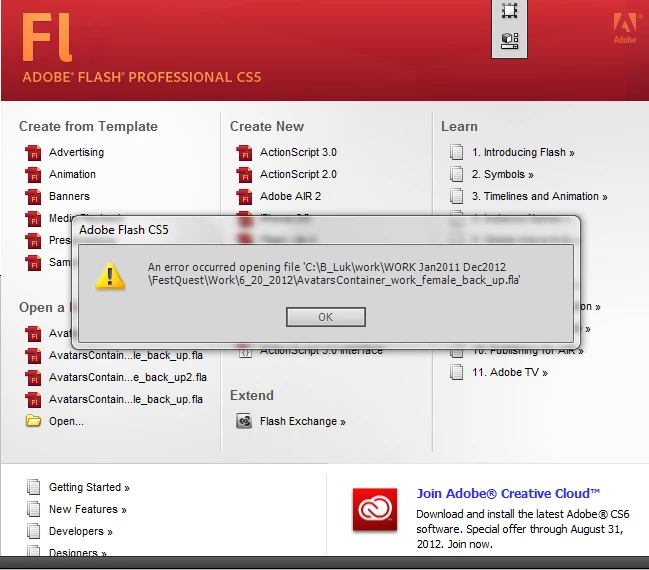
An error occurred opening file. Flash can not parse this document”.
  • July 6, 2012
  • 3 replies
  • 26939 views

I working on a keyframe animation for a client.  It was working until the recent flash player patch. Now the file is corrupt and not working.  I have four back up files on two different hard drives, still no luck.  I can't afford to keep recreating files when it should be probably saving in the first place. Is there way to recover the files properly? This devastating I really need some help.  Thanks

This topic has been closed for replies.
Correct answer Mohanaraj

Hi,

This issue is due to an incorrect addition of empty frame(s) to one or many of the library assets cause the XML structure to be corrupt and hence the error. To overcome this issue, please update your Flash CS5 to the latest available Flash CS5 build.

1. Launch Flash.

2. Go to Help menu > Updates...

3. Make sure the check box for Adobe Flash Pro CS5 is checked in the Adobe Application Manager dialog.

4. Click Update. You will probably be asked to quit Flash while the Updater is running.

After a successful update, you should be able to open the file without any error.

Thanks!

Mohan

3 replies

Yvonadabadoo
New Participant
October 28, 2015

Soooo not sure if it's still a problem for anybody, but Cs3 has an option to "Save and Compact" so if you're switching computers use this option to save out your file and then transport it to a new computer, and it'll open fine. Or at least it opened fine for me.

Mohanaraj
Adobe Employee
MohanarajCorrect answer
Adobe Employee
July 10, 2012

Hi,

This issue is due to an incorrect addition of empty frame(s) to one or many of the library assets cause the XML structure to be corrupt and hence the error. To overcome this issue, please update your Flash CS5 to the latest available Flash CS5 build.

1. Launch Flash.

2. Go to Help menu > Updates...

3. Make sure the check box for Adobe Flash Pro CS5 is checked in the Adobe Application Manager dialog.

4. Click Update. You will probably be asked to quit Flash while the Updater is running.

After a successful update, you should be able to open the file without any error.

Thanks!

Mohan

New Participant
August 12, 2015

this did not work for me please help i was working on an animation that took hours and now it wont open

esdebon
Inspiring
July 6, 2012

Maybe the path is too long, change it

Or copy your file, then change the extention from fla to zip and try repair the file with a zip fixer software (winrar can do that)

user7777Author
Known Participant
July 7, 2012

I gave your tips a try.  Still no luck. Thanks though.