


New Participant
November 20, 2019
Answered

Animate 2020 Brush Library inaccessible

  • November 20, 2019
  • 1 reply
  • 6906 views

I just updated Animate and now cannot access the brush library when using the brush or pencil tools. The option is simply greyed out.
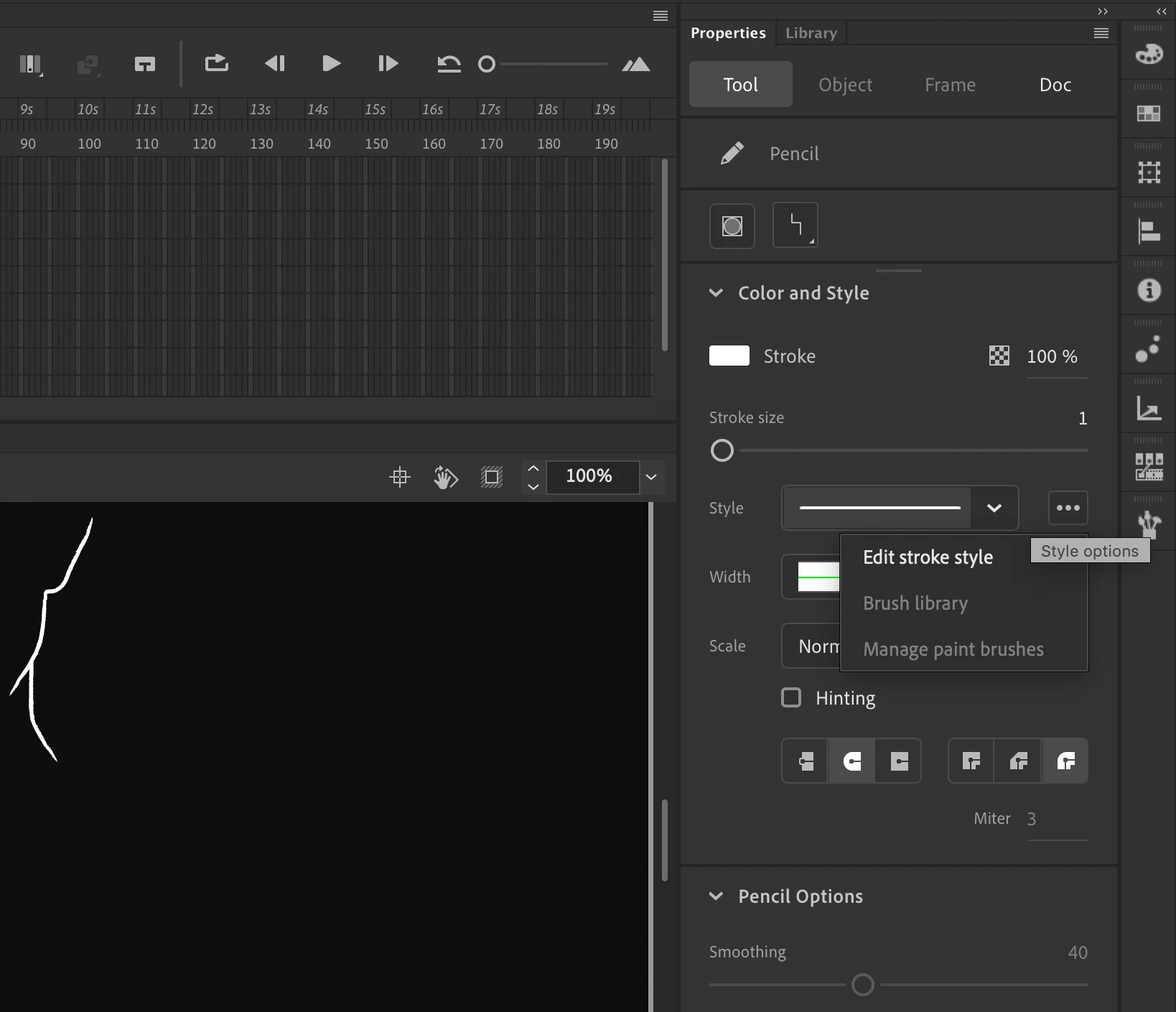
Weirdly I am able to access the brush library when using the line tool.

There was another post about this at the beginning of the month and the only solution offered was updating graphics drivers but would that make sense if I am able to use the brush library in one circumstance but not the other?
I would preferably not like to update my macbook to the latest OS just yet because it'll mess with certain plugins I use in my music software...

This topic has been closed for replies.
Correct answer joechump

Are you using the 'Paint Brush' tool or the 'Classic Brush" tool? The one you want (Paint Brush) has a little brush stroke next to it on the icon, the other doesn't. It might be hidden in the tool menu now as Adobe has hidden a load of tools by default and there is now a Fluid Brush tool too just to confuse matters.

Paint Brush tool works on mine (Mac) and should work on yours. Pencil does not work work with brush library on mine. But essentially you don't need Pencil because it's the same as Paint Brush with the pressure turned off. I guess Adobe has got rid of that duplication of features. Just find and select Paint Brush and you should be ok.

If this doesn't work then no idea I'm afraid. Good luck.

1 reply

joechump
joechumpCorrect answer
Inspiring
November 21, 2019

Are you using the 'Paint Brush' tool or the 'Classic Brush" tool? The one you want (Paint Brush) has a little brush stroke next to it on the icon, the other doesn't. It might be hidden in the tool menu now as Adobe has hidden a load of tools by default and there is now a Fluid Brush tool too just to confuse matters.

Paint Brush tool works on mine (Mac) and should work on yours. Pencil does not work work with brush library on mine. But essentially you don't need Pencil because it's the same as Paint Brush with the pressure turned off. I guess Adobe has got rid of that duplication of features. Just find and select Paint Brush and you should be ok.

If this doesn't work then no idea I'm afraid. Good luck.

New Participant
November 22, 2019

Thanks. I figured it out shortly after posting actually. After about an hour of scratching my head I realised the Paint Brush tool was missing from the panel, and I mistook the Fluid Brush tool for it because it was sitting where the Paint Brush usually was. I had to go in and add it to the panel.

Silly user error on my part. Thanks for your response!

joechump
Inspiring
November 22, 2019

No worries, I was also confused as to why all my main tools appeared to have gone on holiday without telling me.