


kevinc51419347
Participant
February 7, 2019
Answered

Animate CC: Export animated GIF: Animated PNG 24 drop menu not working

  • February 7, 2019
  • 2 replies
  • 3930 views

Hey pals,

I have a short animation im working on and i need it to be transparent, gifs work with binary transparency which looks super jagged when i upload it. PNG 24 however have a really good transparency, perf for what i need (or so ive heard). when i go into export animated gif it gives me a box on the right that has gif, png, png 8, png 24 - i want png 24 but everything except for gif is unavailable. whats going on? all i want to do is basically export this as a animated png 24 but i just cant bloody do it. please help me out.
This topic has been closed for replies.
Correct answer Nick Gioia

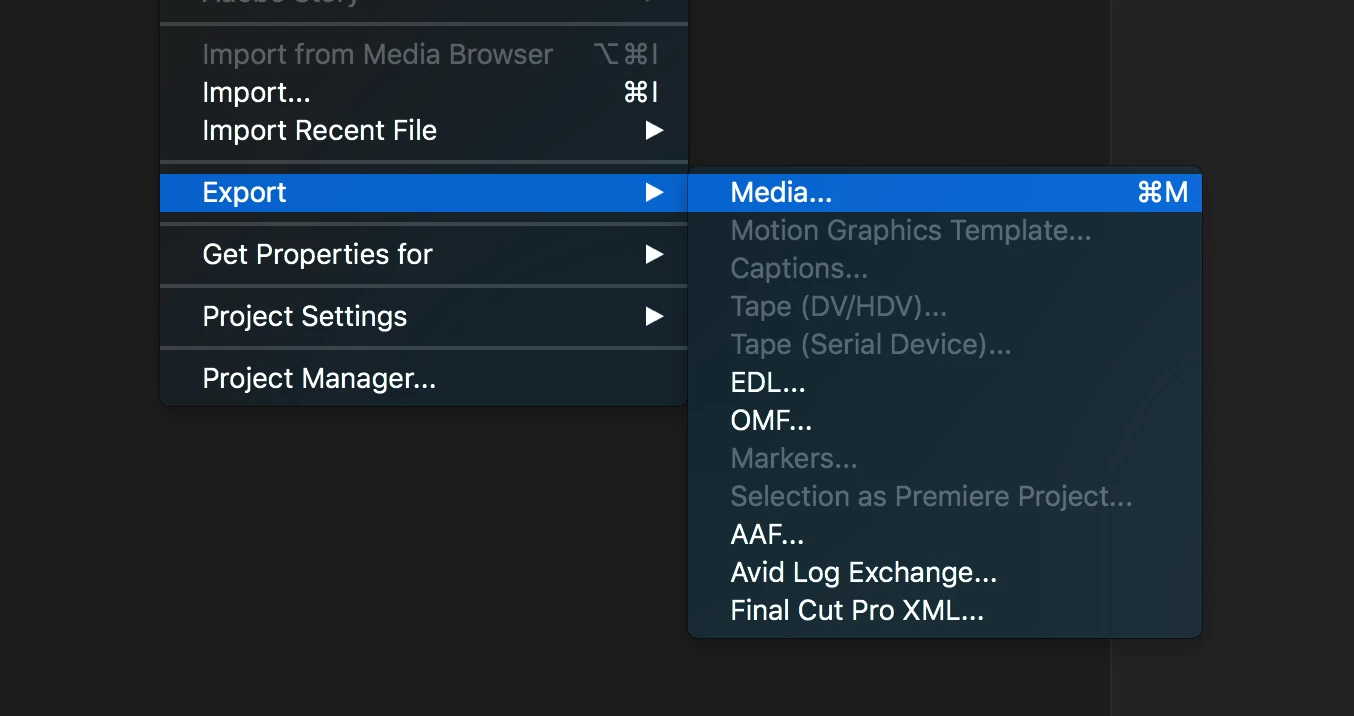
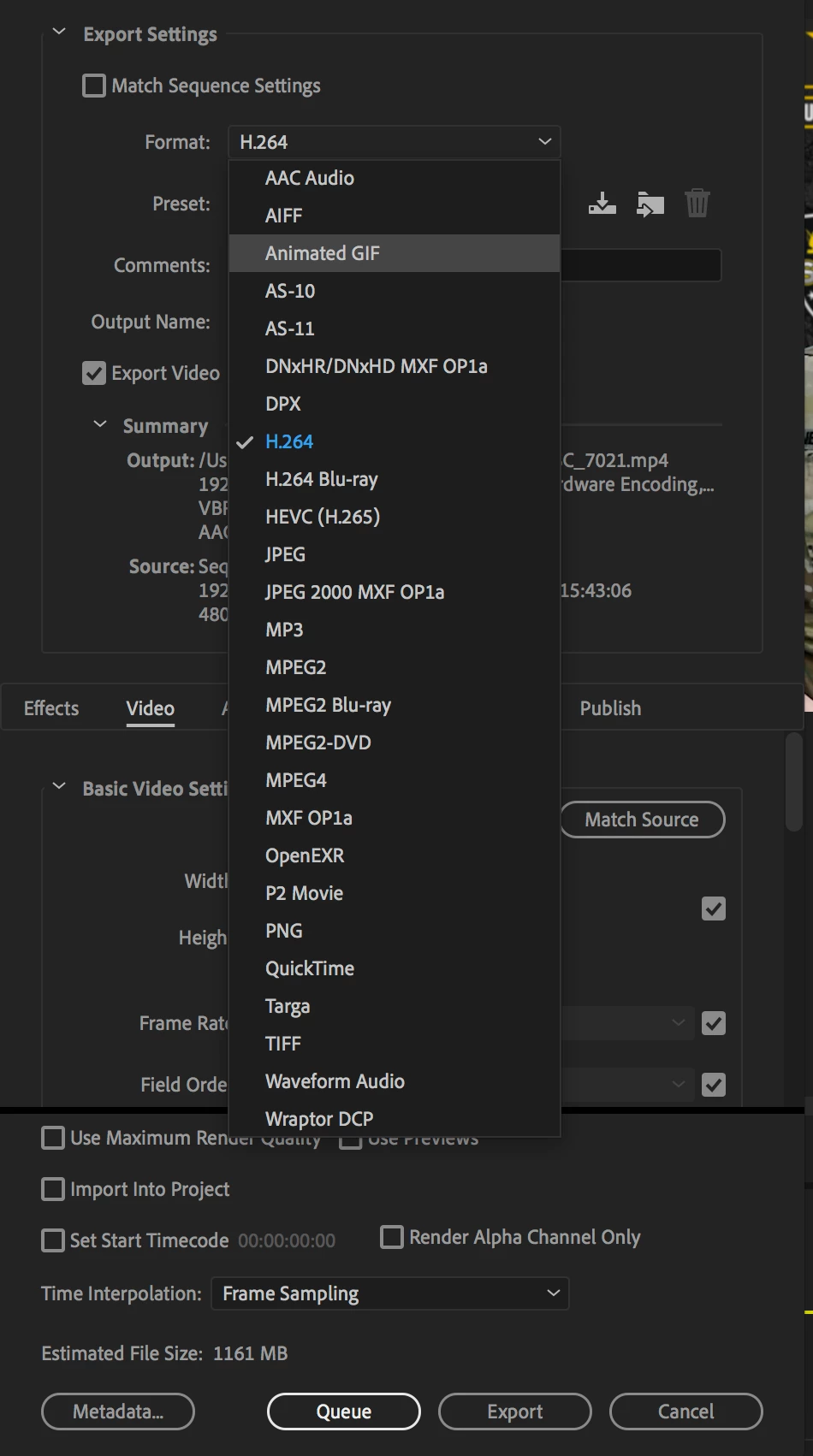
Take all 24 gifs into adobe premiere all lined out. Then export your sequence through media. The drop-down menu choose animated gif. The click export. That should do it. You can actually do the same through animate but this way you will get less jagged. Give it a shot and let me know if it works for you.

2 replies

Nick GioiaCommunity ExpertCorrect answer
Community Expert
February 8, 2019

Take all 24 gifs into adobe premiere all lined out. Then export your sequence through media. The drop-down menu choose animated gif. The click export. That should do it. You can actually do the same through animate but this way you will get less jagged. Give it a shot and let me know if it works for you.

Inspiring
August 17, 2020

He doesn't want an animated GIF. He wants an animated PNG, so your solution is incorrect. It's a bit pitiful that Adobe Animate doesn't provide an animated PNG export option. Come on Adobe, pull your finger out!!!!

kdmemory
Inspiring
February 7, 2019

Hi Kevin

"GIF Stands for "Graphics Interchange Format." GIF is an image file format commonly used for images on the web and sprites in software programs. Unlike the JPEG image format, GIFs uses lossless compression that does not degrade the quality of the image. However, GIFs store image data using indexed color, meaning a standard GIF image can include a maximum of 256 colors."

From https://techterms.com/definition/gif

This is also true for Animated GIFs.

There is no Animated PNG format!

What you can do is to export to HTML5 Canvas, set Publish Settings > Image Settings Format to PNG and the Quality high 24/32 bit. It's no Animated GIF but you get the quality you are after.

Klaus

Participant
January 31, 2020

This is not true. Animated PNG does exist and it's mostly used for Apple stickers.


See other Adobe Community entries: https://community.adobe.com/t5/after-effects/best-way-of-rendering-to-an-animated-png-with-alpha-channel/td-p/9926874?page=1


Wikipedia: https://en.wikipedia.org/wiki/APNG


Animate CC tutorial: https://youtu.be/efoF8aEkyYQ


I have tried to find a way to export an animated PNG directly from Adobe though and it seems you need a third party converter or plugin, as this is not possible directly out of Adobe. If anyone has found a solution in the meantime, I would love to hear from you!