


Participant
August 15, 2019
Answered

Animate cc - Static text not visible in Test Movie (In Browser)

  • August 15, 2019
  • 3 replies
  • 2113 views

I'm trying to create a HTML5 banner ad (MPU) with static text but my text keeps disappearing when I try and test it in browser. It works perfectly in editing mode so I'm not sure what's happening. For context: I'm converting the text to a graphic symbol and using motion tweens. I was originally using the font Frutiger but switched to Arial and Helvetica but still having the same problem. Dynamic text does work but I need this to be static text.

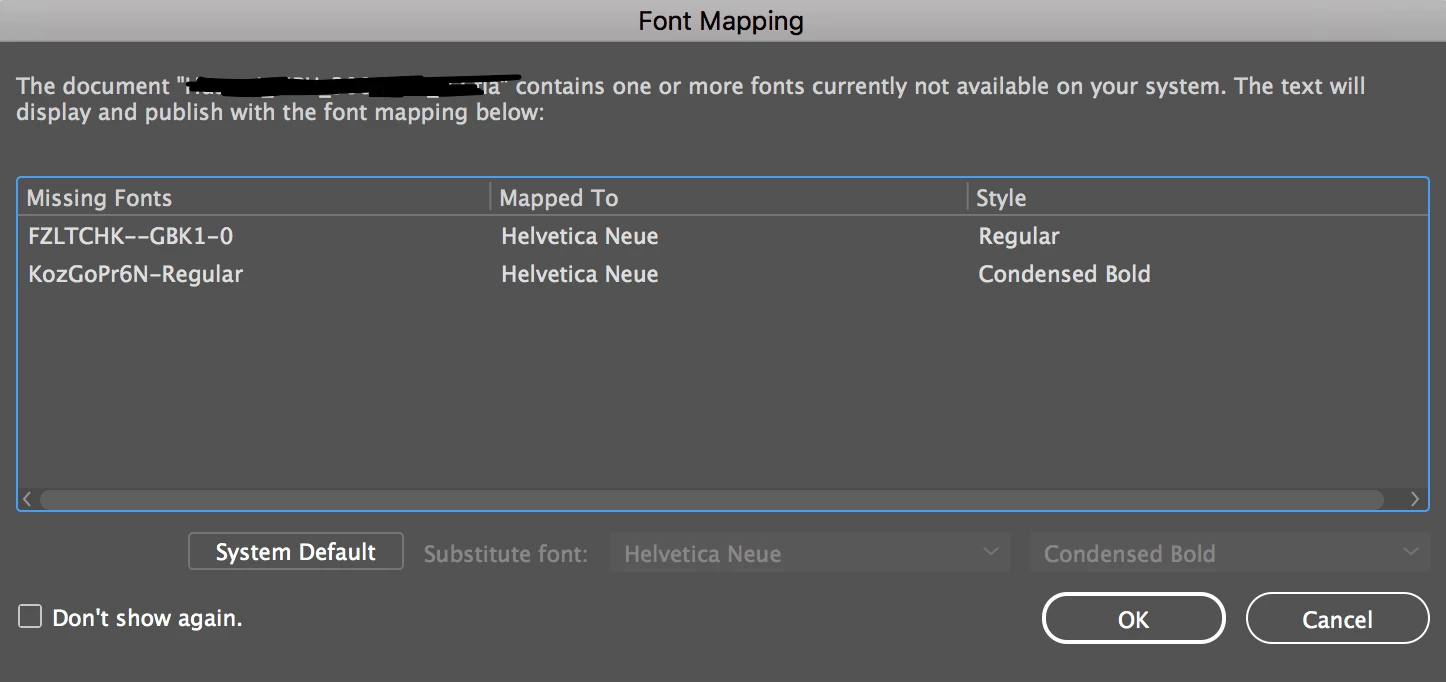
When I open the file this message comes up, I've mapped the fonts to Helvetica but still experiencing the same problem (I'm no sure where these fonts have come from):
Your help is much appreciated!

Beth

This topic has been closed for replies.
Correct answer Joseph Labrecque

Hi Beth. Have a look at your publish settings. If you are exporting the entire document as a texture - try disabling that feature and see what happens.

3 replies

Participant
December 14, 2020

I am having the same issue. Only that I can't use that technique because the file will increase and as you may know the banners should be a maximum 150kb. When I am switching to other fonts, like Arial for example, it works. 

Joseph Labrecque
Community Expert
Joseph LabrecqueCommunity ExpertCorrect answer
Community Expert
August 15, 2019

Hi Beth. Have a look at your publish settings. If you are exporting the entire document as a texture - try disabling that feature and see what happens.

Participant
August 15, 2019

Worked a treat - thank you very much!

P.s. I actually watch your tutorial videos on Lynda (LinkedIn), very helpful.

Thanks again,

Beth

Participant
August 15, 2019

As a quick win I've brought my text in as a vector (this works) - but please reply if you have or may know a solution.

Thanks!
Beth