unique_judge0101
Inspiring
December 2, 2022
Question

animate is bearly working
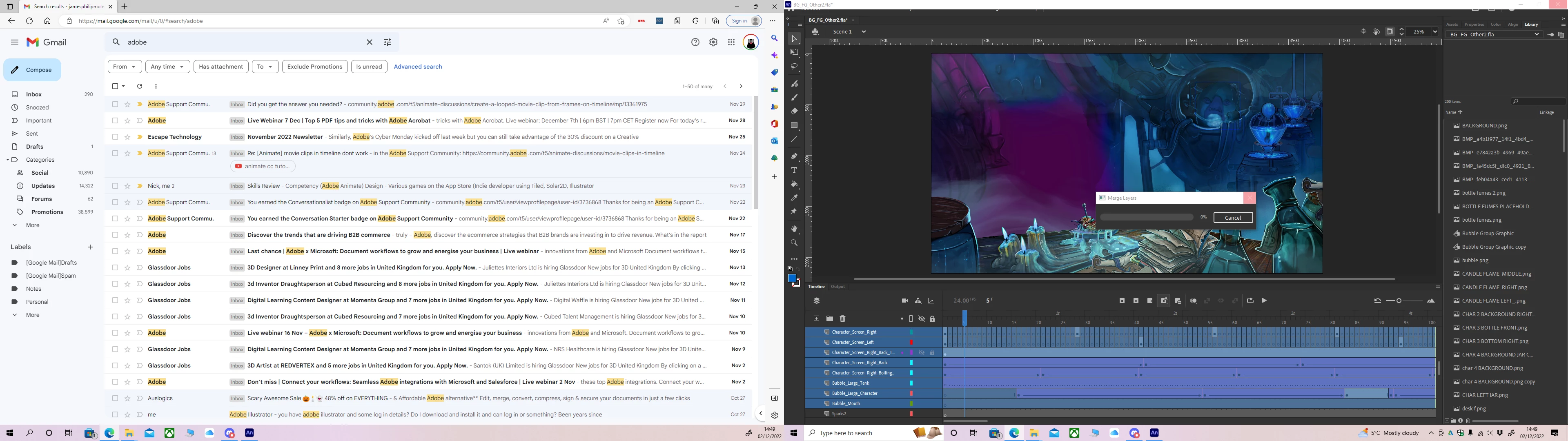
  • December 2, 2022
  • 2 replies
  • 7684 views


been on this for 10 mins... 0%.cant work like this.........

    This topic has been closed for replies.

    2 replies

    Mario_CR
    Inspiring
    December 2, 2022

    If I may ask, why are you merging these layers? Merging tweened layers is never a good idea. If the purpose is to have a cleaner timeline, nest the layers on a graphic symbol instead. Select the layers > right-click > Convert Layers to Symbol.

    unique_judge0101
    Inspiring
    December 2, 2022

    It was just an idea to save performance but it hasnt worked..... destroys the layers 

    Mario_CR
    Inspiring
    December 2, 2022

    What format do you need this in? Is this an interactive (web, app, game) or non-interactive project (video, gif, sequence)?

    kglad
    Braniac
    December 2, 2022

    again, speed of execution depends on your hardware if you have uncorrupted animate files.


    to test your animate files, create the simplest project that has the least amount from the problematic file needed to test.  

    unique_judge0101
    Inspiring
    December 2, 2022

    no idea what to do pal..... or how you do this. Im a 3D guy helping out guys at work. I might try merging layers again if this scene ever loads but tbh all this work could be a waste

    kglad
    Braniac
    December 2, 2022

    once things start to hang, the risk of fla file corruption increases.  if you abort the hanging process, it significantly increases the risk of fla file corruption.


    now and in the future, save your fla files with increasing version number appended and periodically close and reopen the latest version to confirm it's uncorrupted. ie, for project1.fla, save as project1_v000.fla, project1_v001.fla, project1_v002.fla etc.


    if the latest project closes and reopens without problem, you can delete all the previous versions.