

Answered
Animate Not Opening: Animate.exe Bad Image
I just installed Animate cc and opened it to use it for a while. I closed it and after a while I opened it again and it wouldn't start.
This Error Message pops up:
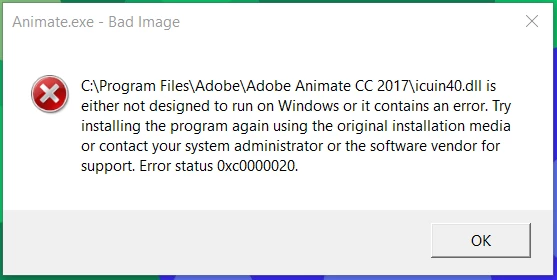
Thanks in advance.

I just installed Animate cc and opened it to use it for a while. I closed it and after a while I opened it again and it wouldn't start.
This Error Message pops up:
Thanks in advance.
I contacted Adobe Creative Cloud Customer Service they helped me reinstall Animate CC and in the process were able to resolve my problem. Thanks for your feedback though, Colin.
The problem occurred again but customer support helped out again and they uninstalled the Microsoft Visual C++ Packages. Hope other people can learn from my problems.
Already have an account? Login
Enter your E-mail address. We'll send you an e-mail with instructions to reset your password.
 AdChoices