New Participant
October 3, 2018
Answered

animated snow within snowglobe (mask html5 canvas)

  • October 3, 2018
  • 3 replies
  • 6698 views

Hello,

I'm creating a winter ecard with a snow globe.

I use Adobe Animate and need to export it as HTML5 Canvas. So actionscript is not working.

Inside the snow globe it should snow. Is there a ready snow animation, which one I can use and where I can change only the symbol (snowflake). There are several scripts for snow, but since I only want it to snow inside the snow globe and not over the whole stage, I don't think that's possible, isn't it? I have now created a mask and would like to arrange a finished snow animation below the mask. That should work, right?
Can anyone help me?

This topic has been closed for replies.
Correct answer JoãoCésar17023019

And can you also change the script so that the snow doesn't have to fill the screen first, but the whole screen is full right from the start, Is that possible? You undersatnd what I mean?

So 2 different snowflakes (can I make movieclip with random?) and screnn should be full from the start.


Hi.

While Clay doesn't give you a proper answer, to fill up the whole screen at the beginning just remove the minus sign when the y position is set.

Instead of this:

snow.y = -stage.canvas.height * Math.random();

Write this:

snow.y = stage.canvas.height * Math.random();

To randomize the snow flakes, create an array with the classes you want (the class name must be set in the linkage column of the Library panel). Then get a random index out of this array. Like this:

var snow;

var snowTypes = [lib.Snow, lib.Square, lib.Star];

...

snow = new snowTypes[Math.floor(Math.random() * snowTypes.length)]();

Anyway, I played with your code a bit. Here is the result (please ignore the GIF speed and other limitations):
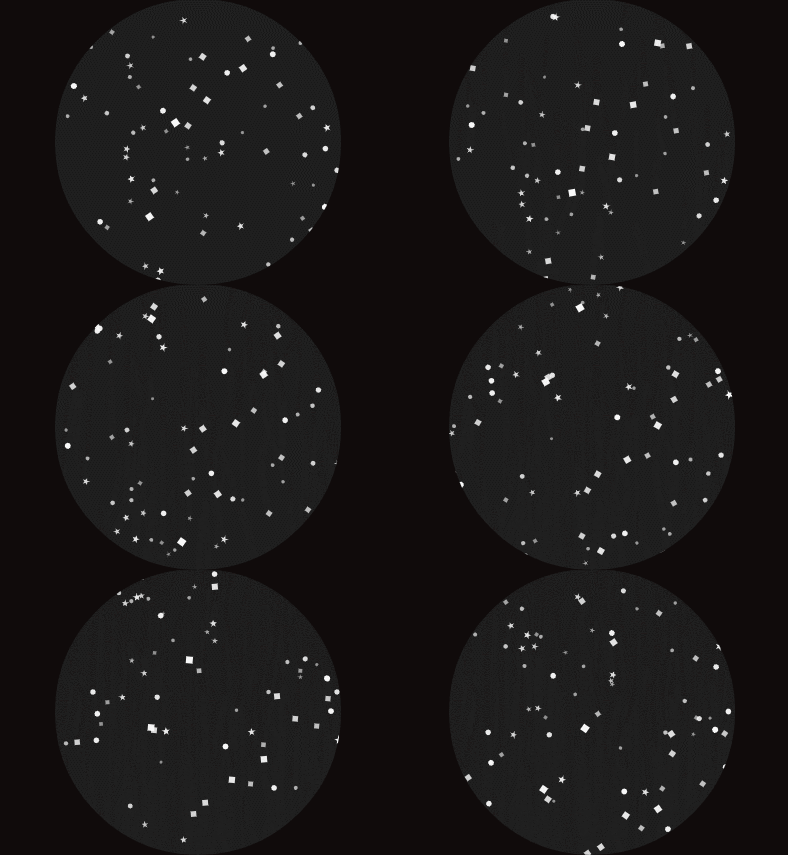
JS code:

const SNOW_NUM = 200;

var container = this.globe.container;

var snowTypes = [lib.Snow, lib.Square, lib.Star];

var snowA = [];

function start()

{

     createSnowF();

     createjs.Ticker.timingMode = createjs.Ticker.RAF;

     createjs.Ticker.addEventListener("tick", animateSnowF);

     container.alpha = 0;

     createjs.Tween.get(container).to({alpha:1}, 2000);

}

function createSnowF()

{

     var snow;

     for (var i = 0; i < SNOW_NUM; i++)

     {

          snow = new snowTypes[Math.floor(Math.random() * snowTypes.length)]();

          snow.scaleX = snow.scaleY = 0.5 + Math.random() * 0.5;

          snow.alpha = snow.scaleX;

          snow.x = stage.canvas.width * Math.random();

          snow.baseX = snow.x;

          snow.angle = 0;

          snow.angleSpeed = Math.random() * 0.05;

          snow.rangeX = 15 * Math.random();

          snow.y = stage.canvas.height * Math.random();

          snow.rot = 2 * Math.round(Math.random()) - 1;

          snow.sp = 1 + Math.random() * 1;

          container.addChild(snow);

          snowA = snow;

     }

}

function animateSnowF()

{

     for (var i = SNOW_NUM - 1; i >= 0; i--)

     {

          var snow = snowA;

          snow.rotation += 5 * snow.rot;

          snow.x = snow.baseX + Math.cos(snow.angle) * snow.rangeX;

          snow.y += snow.sp;

          snow.angle += snow.angleSpeed;

          if (snow.y > stage.canvas.height / stage.scaleY + snow.nominalBounds.height)

          {

               snow.x = (stage.canvas.width / stage.scaleX) * Math.random();

               snow.y = -snow.nominalBounds.height;

          }

     }

}

start();

FLA download:

animate_cc_html5_snow.zip - Google Drive

Notice that I didn't use an actual mask for performance sake.

Regards,

JC

3 replies

Participating Frequently
November 18, 2022

 Awesome, thanks!

Participating Frequently
August 16, 2022

Hello,


The link to the FLA is not working. Is there any way to repost it? Thank you

Brainiac
October 3, 2018

Modify the script to create snow inside a movieclip instead of on the root timeline.

Mask the movieclip.

Fin.

New Participant
October 3, 2018

Hi Fin, thanks.
You have a script that is working?
It must work as HTML5 Canvas, so no actionscript, right?

December 3, 2019

Hi! I'm glad you liked it!


If you just want to stop it (meaning freezing it) you can add a timeout in the start funcion body and remove the tick event listener. Like this:


setTimeout(function()
{
    createjs.Ticker.removeEventListener("tick", animateSnowF);
}, 30000);


But if you want the snow flakes to stop falling naturally you can create a boolean variable at the top called respawn, for example, set to true initially and add it to the if condition in the animateSnowF function and then set this variable to false in the interval added in the start function. Like this:


const SNOW_NUM = 200;

var container = this.globe.container;
var snowTypes = [lib.Snow, lib.Square, lib.Star];
var snowA = [];
var respawn = true; // NEW

function start()
{
    createSnowF();
    createjs.Ticker.timingMode = createjs.Ticker.RAF;
    createjs.Ticker.addEventListener("tick", animateSnowF);
    container.alpha = 0;
    createjs.Tween.get(container).to({alpha:1}, 2000);
	
    setTimeout(function() // NEW
    {
        respawn = false;
    }, 30000);
}

function createSnowF()
{
    var snow;
	
    for (var i = 0; i < SNOW_NUM; i++)
    {
        snow = new snowTypes[Math.floor(Math.random() * snowTypes.length)]();
        snow.scaleX = snow.scaleY = 0.5 + Math.random() * 0.5;
        snow.alpha = snow.scaleX;
        snow.x = stage.canvas.width * Math.random();
        snow.baseX = snow.x;
        snow.angle = 0;
        snow.angleSpeed = Math.random() * 0.05;
        snow.rangeX = 15 * Math.random();
        snow.y = stage.canvas.height * Math.random();
        snow.rot = 2 * Math.round(Math.random()) - 1;
        snow.sp = 1 + Math.random() * 1;
        container.addChild(snow);
        snowA[i] = snow;
    }
}

function animateSnowF()
{
    for (var i = SNOW_NUM - 1; i >= 0; i--)
    {
        var snow = snowA[i];
		
        snow.rotation += 5 * snow.rot;
        snow.x = snow.baseX + Math.cos(snow.angle) * snow.rangeX;
        snow.y += snow.sp;		
        snow.angle += snow.angleSpeed;

        if (respawn && snow.y > stage.canvas.height / stage.scaleY + snow.nominalBounds.height) // EDITED
        {
            snow.x = (stage.canvas.width / stage.scaleX) * Math.random();
            snow.y = -snow.nominalBounds.height;
        }			
    }
}

start();


I hope it helps.


Regards,

JC


Another question, if I want to show the snow on mouseover, is there a way to clear all the existing snow so that it doesn't keep multiplying each time the mouseover occurs?


Setting respawn = false; in the mouseout function stops the animation nicely, but doesn't make the snow disappear, so it can really pile up if you keep mousing in and out.

