


New Participant
March 18, 2020
Answered

Animation doesn't play after exporting to MP4

  • March 18, 2020
  • 1 reply
  • 1654 views

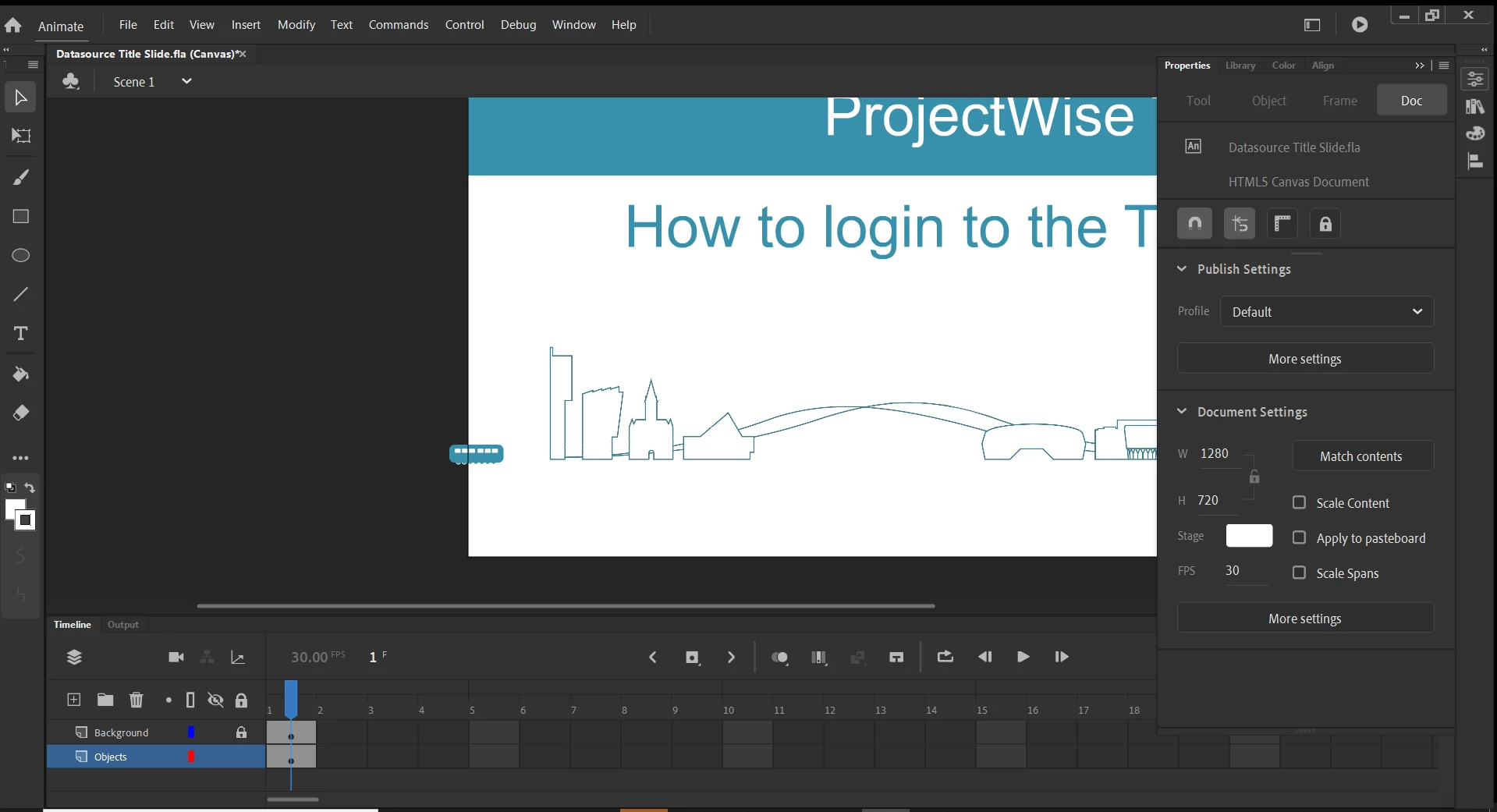
Hi, very new to using Animate and I have created a very simple 4second animation using a symbol and motion tween over a stationary background layer.  The animation works perfectly in Test Movie but not from the main timeline and not after export to MP4.


Any tips appreciated?  I just want to export this small animation screen to video media so that I can add it into Adobe Rush with my main footage.
 

    This topic has been closed for replies.
    Correct answer n. tilcheff

    Hi mate,


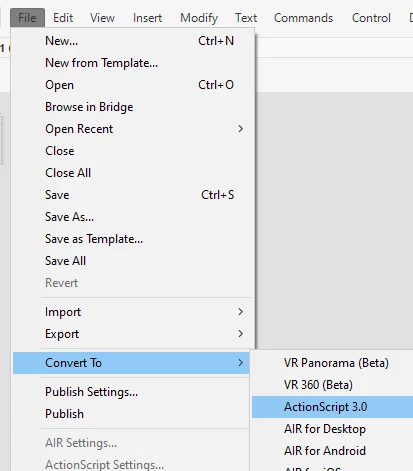
    1. Change your file type to AS3, not Canvas.


    2. Where is your animation? Is it inside a Movie Clip? I can only see one frame on the Timeline.

    If this is so, from Properties panel, select that Movie Clip and change it to Graphic, then extend the frame span on the outside to match what you have inside the Symbol, i.e. if the animation is 100 frames inside it has to be 100 on the outside also, when you're working with nested timelines.


    3. Extend the background to 100 as well.


    4. Now when you drag the playback head or hit the play button the animation will play on the Main Timeline and should export to video without issues.


    1 reply

    n. tilcheff
    n. tilcheffCorrect answer
    Brainiac
    March 18, 2020

    Hi mate,


    1. Change your file type to AS3, not Canvas.


    2. Where is your animation? Is it inside a Movie Clip? I can only see one frame on the Timeline.

    If this is so, from Properties panel, select that Movie Clip and change it to Graphic, then extend the frame span on the outside to match what you have inside the Symbol, i.e. if the animation is 100 frames inside it has to be 100 on the outside also, when you're working with nested timelines.


    3. Extend the background to 100 as well.


    4. Now when you drag the playback head or hit the play button the animation will play on the Main Timeline and should export to video without issues.


    Nick - Character Designer and Animator, Flash user since 1998 | Member of the Flanimate Power Tools team - extensions for character animation
    New Participant
    March 19, 2020

    Thanks n_tilcheff


    Your advice worked a treat!  I converted to AS3, changed the movie clip to a graphic, then extended the frame span.  Hey presto the animation comes to life in the main timeline and when I export to MP4.


    Cheers


    n. tilcheff
    Brainiac
    March 19, 2020

    Great! 

    Well done! 🙂


    Nick - Character Designer and Animator, Flash user since 1998 | Member of the Flanimate Power Tools team - extensions for character animation