


Participating Frequently
October 21, 2019
Question

Annoying Pop-Up appears almost every time I Undo.

  • October 21, 2019
  • 4 replies
  • 3145 views

Hello Community.


I'm a very new user to Adobe Animate, but I've been working with Macromedia/Adobe Flash for over a decade. 🙂


When starting a project, I like using the brush tool to quickly sketch-out a rough image. While I'm sketching, I make a lot of rapid brush strokes and often press Ctrl+Z to quickly undo strokes I'm unhappy with. In the past, this rapid iteration of laying down/undoing brush strokes has never been a problem, however; in Adobe Animate when I attempt to undo a brush stroke I constantly get a pop-message that says:


Animate is processing strokes. Please Wait...
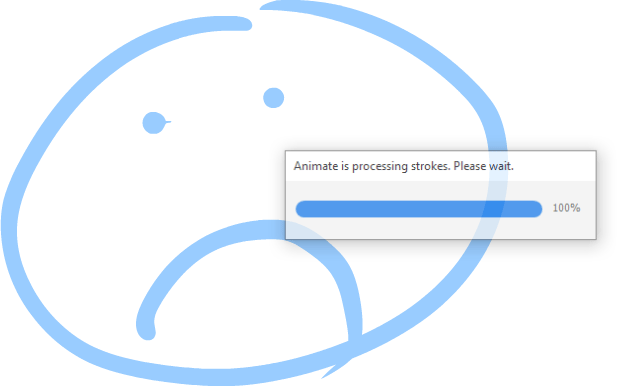


This pop-up message is a HUGE disruption to my workflow. I'm unable to quickly produce a sketch without getting constantly interrupted by this message.


Is there anything I can do in Edit>Preferences to help optimize the drawing tools so this pop-up doesn't appear?

Is Adobe aware of this issue? Does anyone know if they're planning to fix it?


Any information would be hugely appreciated. Thank you very much for your time. 🙂

    4 replies

    Adobe Employee
    October 24, 2019

    At High smoothing values there is always high processing involved and not recommended for fast sketching scenarios but it has advantages of smoothening out finely the shakky/jagged edged strokes while drawing slow.  


    For fast sketching its ideal to use smoothing value other than High. 


    Also you can join our beta program where you will have an early access to our developmental builds, features and bug fixes. If interested, please signup to the program using http://adobe.ly/20AEkbJ


    Hope this helps. Thanks.

    Participating Frequently
    October 24, 2019

    Thank you very much for the reply Arvid_bv! 🙂


    I tried setting the Brush smoothing to a lower setting and this indeed fixes the problem! 😄


    However, when it comes time to do the final outline, I need to max the Brush smoothing again because any other setting creates too many art nodes.


    And I use Undo almost as much when outlining as I do when sketching. o_o

    This is an improvement though! Thank you for the tip. 🙂


    It's unfortunate that the Brush tool feels very "processor heavy" in Animate. It causes processing pop-ups to appear and lags terribly once a scene becomes more detailed/complex. I never experienced these problems in earlier versions of Flash. 😞


    Thank you for providing the link to the Development Build! I might have to check that out. 🙂


    Adobe Employee
    October 25, 2019

    Hi Chris, I understand the usability issue you are facing. I will report this internally. Thank you.

    Known Participant
    October 22, 2019

    Hey Bro! 🙂
    I just put the latest version of Animate on my Gaming PC, updated drivers and everything. I can confirm there is a loading bar that pops up when you quickly try to do an undo immediately after drawing a paint brush stroke. This loading bar, when it appears, blocks the undo from happening, and you have to hit the undo key again after the loading bar finishes to get the undo to happen. This happens with a mouse, or a stylus.

    This isn't happening with the pencil tool.


    Hopefully this gets fixed, I agree it makes it hard to rapidly sketch in this version of Animate.

    Community Expert
    October 22, 2019

    Make sure you have the latest version of Animate. 

    Participating Frequently
    October 22, 2019

    Thanks for the reply Nickg28. 🙂

    Yes. I am using the latest version of Adobe Animate (version 19.2.1)

    Legend
    October 21, 2019

    What version of Animate are you running? This issue was supposed to have been fixed over a year ago.


    https://community.adobe.com/t5/Animate/Serious-Brush-bug-with-Latest-AnimateCC-Update/td-p/8958744


    Participating Frequently
    October 22, 2019

    Thanks for the reply ClayUUID. I super appreciate it! 😄


    The thread you linked to appears to focus on the pop-up appearing when users draw with brush strokes. I'm only getting this pop-up when using the UNDO command to remove brush strokes. (Heh, although, with how often I use UNDO, that's almost just as disruptive to my workflow.)


    I've recently installed Adobe Animate on a brand new workstation, so I should have the latest version. However, when I'm in the office tomorrow I'll double check.


    I really badly want to work in Adobe Animate, but if I can't find a solution to this problem, I might have to install an older version of Flash and do all my illustration work there. 😞

    n. tilcheff
    Legend
    October 22, 2019

    It must be somehow hardware specific.

    I had never seen this before. 


    Just did a quick test in 19.2.1 with very fast and random sketching with my Intuos Pro and fast undoing - both by pressing Ctrl+Z multiple times or by holding the keys down.

    Tried different smoothing and brush sizes.

    Everything works here as expected; no sign of the progress bar.


    What is your screen resolution, mate?

    It seems that Animate's performance drops exponentially with resolution increase. Many users with high DPI displays have reported this.

    I did all the tests on a single monitor system with 1920x1080 resolution.

    If you have display scaling other than 100% applied at OS level remove that as well.


    Finally, if you're not needing any of the newer features there is nothing to worry about. CS6 is a better-performing Flash in every respect than any of its successors.


    Nick - Character Designer and Animator, Flash user since 1998 | Member of the Flanimate Power Tools team - extensions for character animation