


Known Participant
August 21, 2018
Answered

Best way to create an interactive map with clickable icons

  • August 21, 2018
  • 3 replies
  • 9398 views

Hi Community,

I am looking for a bit of assistance from you all please

I am looking at creating an interactive map that has interactive icons that would allow a user to click and select rather than the what I have below. Some locations have various divisions which are quite difficult to make out as the outer ring is basically cut to incorporate the other divisions. At the moment I use a PDF document with a long list of depot contact details thereafter, however I want to create something more user friendly that we can keep on our desktops and also put online as HTML5. Below would be an example of the map.

To overcome this I was looking to create expanding pins, having some form of circular HUD animate out from the 'main pin' when the user interacts that allows the user to click the relevant division. A basic example below as if user has scrolled over the red section and expanded that depot.
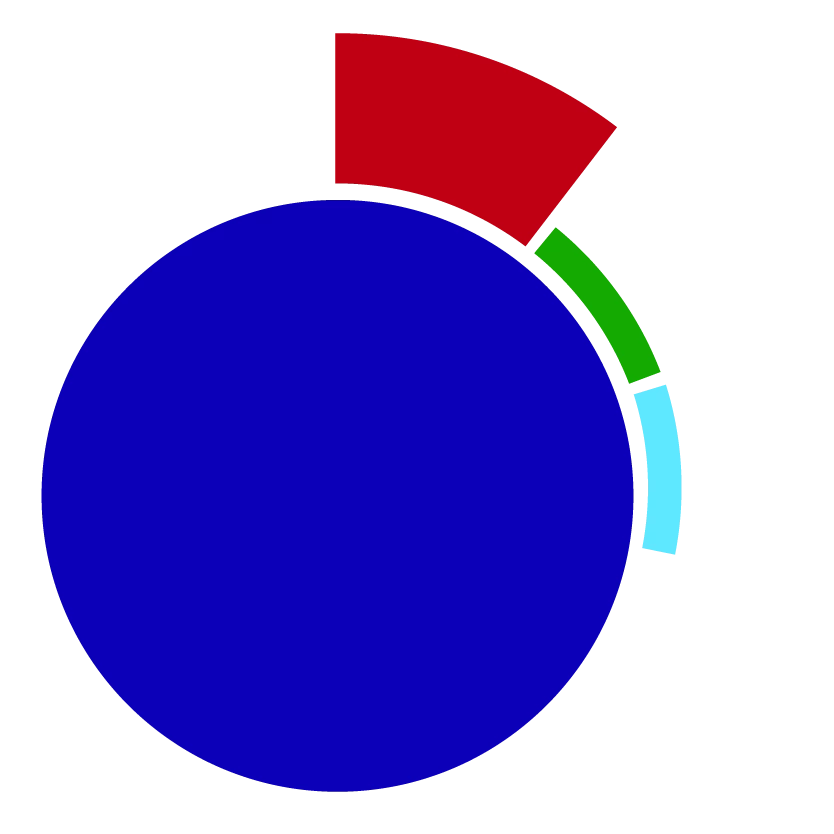
As the user clicks or scrolls over the pin, the HUD would expand out allowing the user to select the relevant depot. From here all of the related information would populate at the side of the screen. I have some experience using Adobe Flash in the past, however I gather that it is not commonly used these days?

I have the map in AI with all depot pins categorised by region but I am just asking before I head into creating this what the best option would be? Would I animate each pin in Adobe edge for example?

Any suggestions would be greatly appreciated!

Thanks, Jamie

This topic has been closed for replies.
Correct answer JoãoCésar17023019

Hi.

Some time ago, a user asked for a map navigation similar to what you want.

So I adapted the code to your case. Even if it's not exactly what you want, I think it may help as a starting point.

Please change the variables at the top to best suit your needs.

FLA download:

animate_cc_html5_map_navigation_02.zip - Google Drive

Regards,

JC

3 replies

Participant
August 21, 2018

Oooo

JoãoCésar17023019
Community Expert
JoãoCésar17023019Community ExpertCorrect answer
Community Expert
August 21, 2018

Hi.

Some time ago, a user asked for a map navigation similar to what you want.

So I adapted the code to your case. Even if it's not exactly what you want, I think it may help as a starting point.

Please change the variables at the top to best suit your needs.

FLA download:

animate_cc_html5_map_navigation_02.zip - Google Drive

Regards,

JC

Known Participant
August 22, 2018

Hi Joao,

This looks absolutely perfect - thank you very much for your help! I will start by creating all of my animated sub pins as kglad suggested and incorporate it into what you have provided.

Hopefully I can work this into something that will save a lot of people time

Thanks,

Jamie

JoãoCésar17023019
Community Expert
Community Expert
August 22, 2018

This is great, Jamie!

I'm glad it can help you to get started.

I hope you can come up with an amazing user experience.

Regards,

JC

kglad
Community Expert
Community Expert
August 21, 2018

i would create one movieclip for each pin-type.  eg, every red pin that has 4 subpins would use the same movieclp.

if there are pins that have 3 subpins, that would be another movieclip, etc.

frame 1 of each red pin would display the red dot and contain a this.stop().  create a mouseover frame that displays the subpins with each subpin being a movieclip.

i would create a database (eg, an object) containing the data displayed in the side panel by mousing over the subpins.

if you've not used animate before or you're not familiar with javascript, this would be a difficult first project.

Known Participant
August 21, 2018

Thanks for your reply!

Creating the movie clip types i'll make my first point of action then. I haven't used animate before, however I was fairly competent with Adobe Flash so I am hoping it's fairly similar.

Thanks again, Jamie

kglad
Community Expert
Community Expert
August 21, 2018

there's no significant difference between flash and animate cc (except animate cc has more capabilities). but for this project i don't foresee anything requiring newer animate features.