



Can a layer have a seperate symbol in it, while being part of a tween.
The problem is hard to explain, I've broke it down the best I can.
Problem: So, to create a classic tween, you need to convert all the layers that will be tweened into a symbol, so I did this, but doing so deleted a symbol one of my layers already had, what I want to know is, if there is away I can keep a symbol in a layer, while having that layer being part of a tween, I'm still quite new to animate cc.
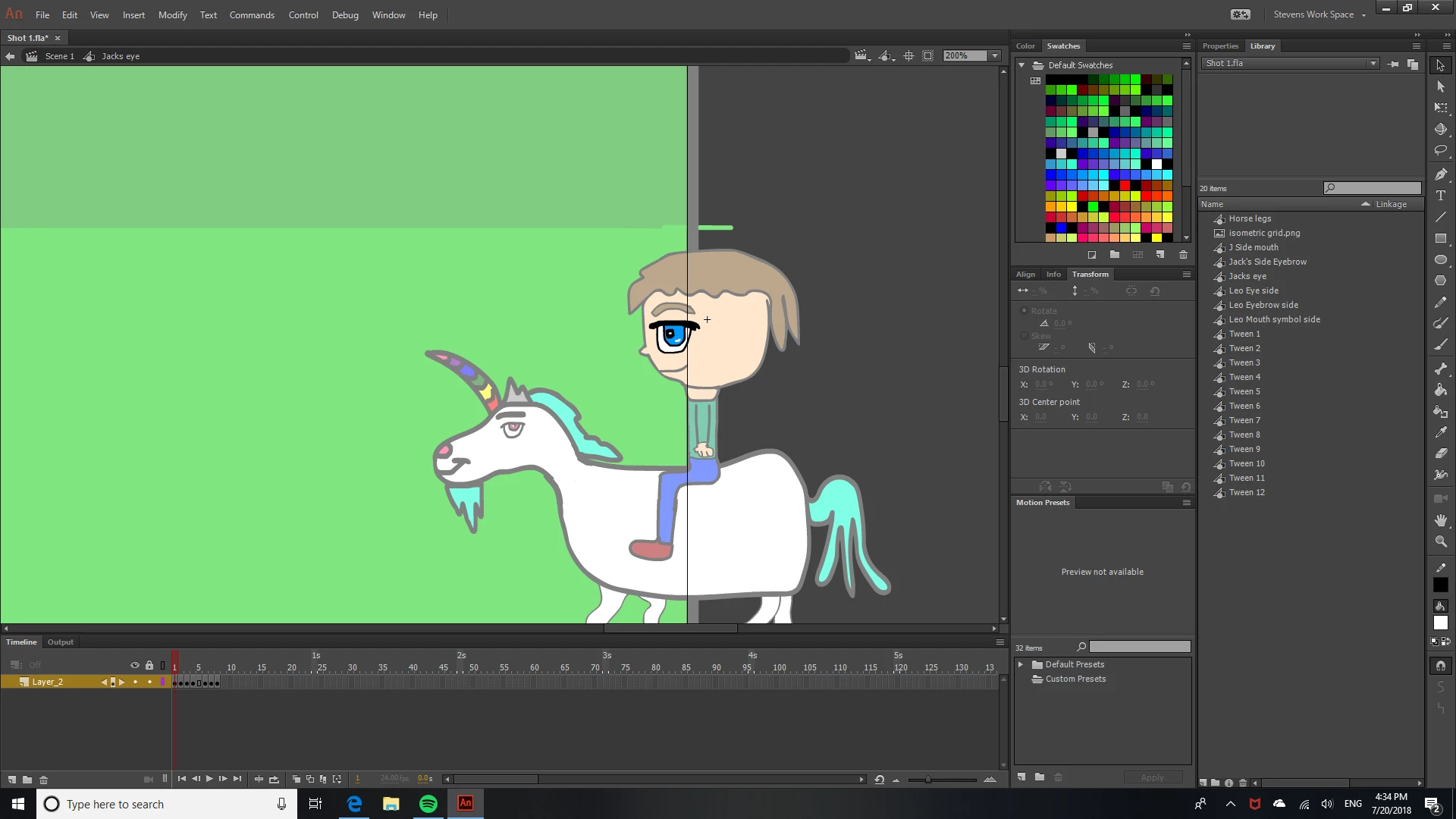
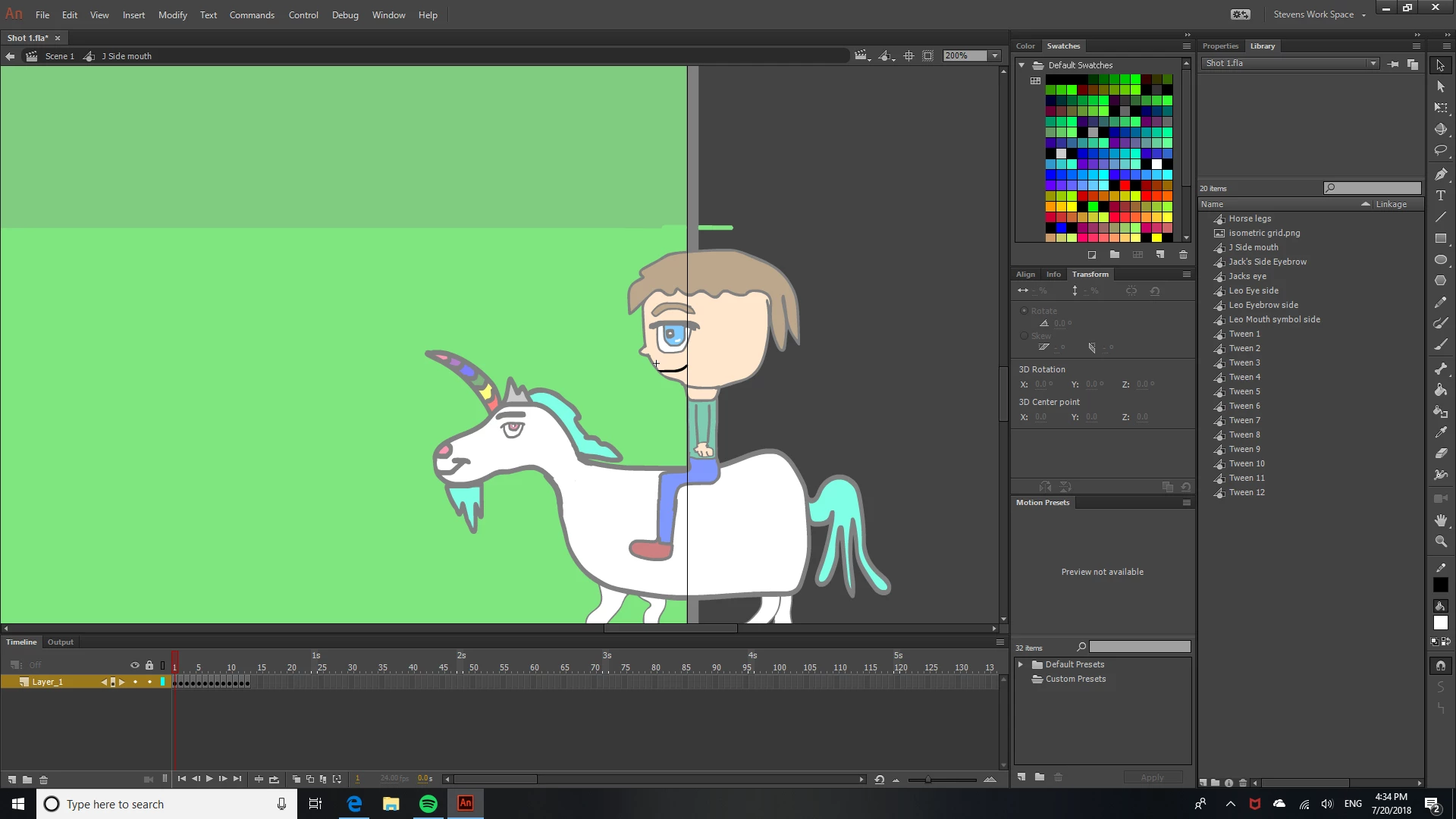
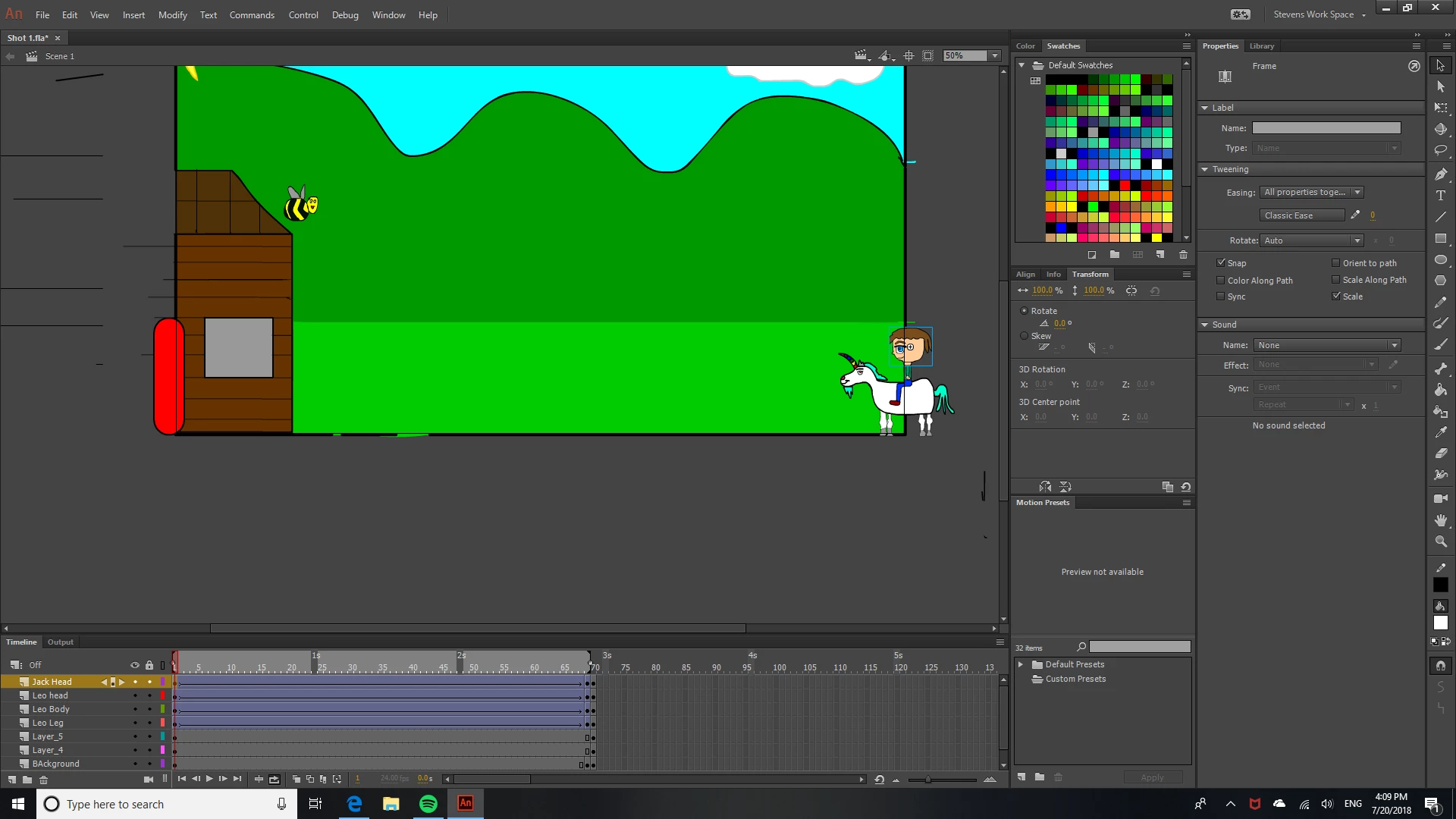
Screenshots: Below are screenshots of the clip I'm working on. Originally the boy had a symbol for his mouth and eyes, (Screenshots 1 and 2) to make adding blinking and lip syncing easier, but when I added this layer to tween with the Unicorn he is on, so they all move together, to create the illusion he is riding it, it made it so I could no longer click his eyes and mouth to access their symbols, so he can't blink and speak while he is riding. (Screenshot 3)
Question: Is they an efficient way around this, perhaps with a different symbol type, or an option I am yet to explore or will I need to use frame by frame animation.
FYI: All my symbols are graphic symbols.
How the shot is formed: The Unicorns legs play in a loop, so to create the illusion it's running, he needs to move with a classic tween, but the other layers that make him up must move in that same tween too, or his body parts will be scattered across the screen. (Screenshot 4) Which means, if I was to keep my head out of the tween, it would be able to blink and be lip synced yes, but it would stay in the same place, making my character look headless, which isn't the desired effect. Can I keep his head attached to his body, an keep that attached to the Unicorn, while still being able to have him blink and lip sync with a graphics symbol so it's easier. If so how? Meanwhile the eyes and mouth are also graphic symbols but are a different layer to the Unicorns feet and move with a single frame instead, so I type in the number of the mouth or eye shape I want. (screenshot order descends 1,2,3,4)
Hope that makes sense, any solutions are much appreciated. The only solution I have in mind is to resort to frame by frame animation,but if there is another way, I'll take it, so I can save time.
Many Thanks
 AdChoices