
hayleyW3983916
Participating Frequently
November 22, 2018
Answered

Can't see objects in FLA file on Animate

  • November 22, 2018
  • 2 replies
  • 2590 views

Hi,

I'm new to animate and a while ago I attempted an animated sort of banner and saved it as a FLA file and output as a swf file too.

I recently went to make edits and when I open the FLA file in animate - Scene 1 is just a white space and when I click on Edit Symbols there is a list of the different elements which also show as a white screen - but also show a white circle, a cross and a green motion line. All the objects are either text or drawn objects but non are showing. I've tried changing the background but they are still not showing. It looks like all the movements are there but just not showing the objects.
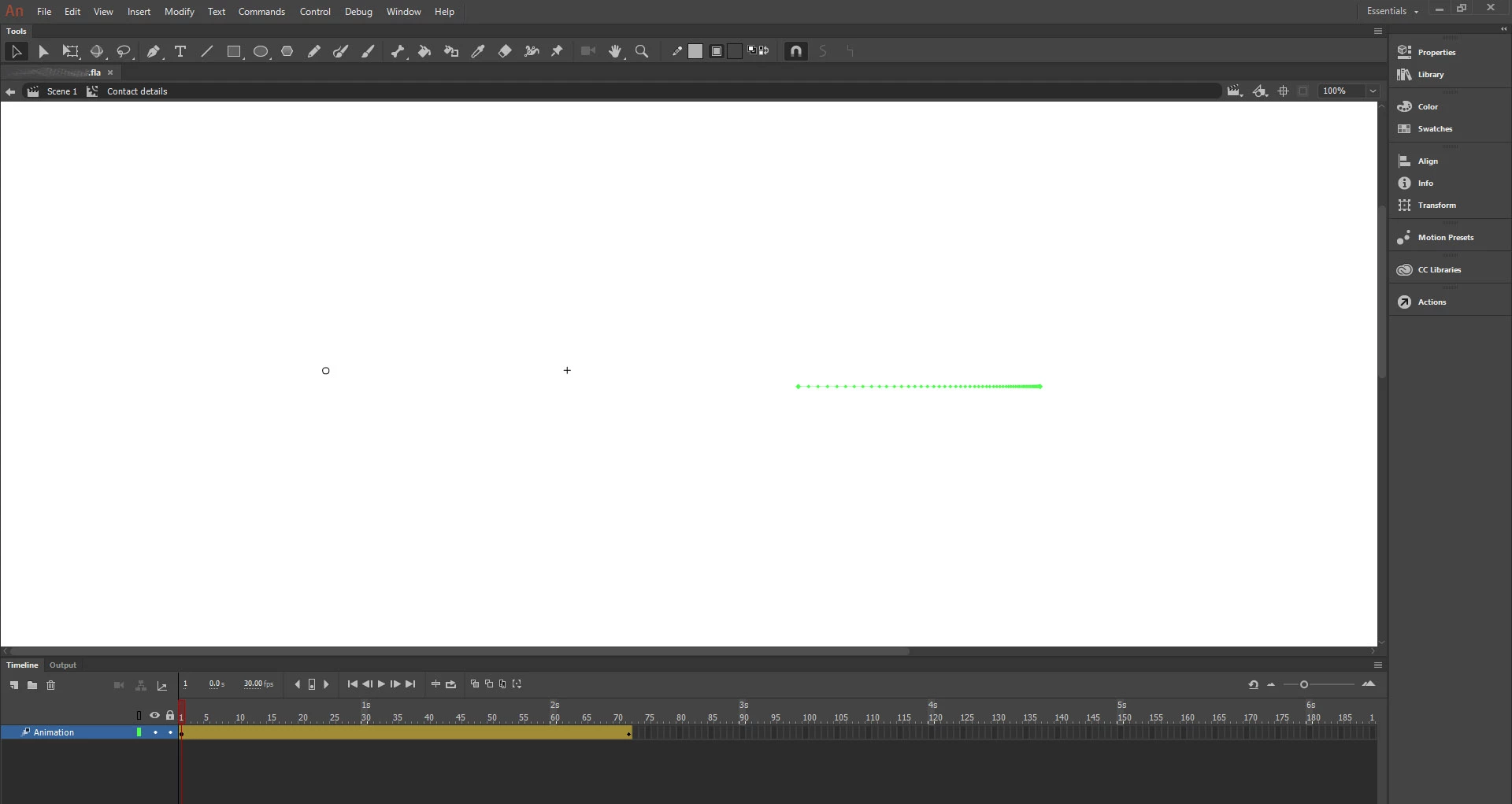
Any help would be appreciated.

Thank you

This topic has been closed for replies.
Correct answer kglad

Yes I have a dropbox account, just haven't used it in a while.


Scissor Station2 has nothing on its stage.  fix that and that will solve, at least, some of the problems if not all.

2 replies

New Participant
May 6, 2022

same problem bro, can u have suggestion

Colin Holgate
Inspiring
May 6, 2022

You may need to upload your file somewhere that we can get it in order to look for what is wrong.

kglad
Adobe Expert
November 22, 2018

toggle your hide/show layer on and off.

if that fails, click that circle and check the properties panel to see if it's a library symbol and then check your library.

hayleyW3983916
Participating Frequently
November 22, 2018

No joy with hide/show layer.

In properties it says it is a movie clip but should be a graphic or text box.

The items are all listed in library as well but they all appear the same as on the Scene.

Is there a way to reattach the elements to these movements?

kglad
Adobe Expert
November 22, 2018

does that movieclip exist in your library and appear normal/visible in the library panel?