



Jeffery.Wright
Inspiring
January 25, 2024
Question

Change default anchor point for movieClips?

  • January 25, 2024
  • 3 replies
  • 573 views

When I drag a clip from the library onto the stage, the default anchor point is centered:

How do I get Animate to stop doing that? 


I want the default to be top-left, which occurs when you double click the anchor point :

 

Under document setting there is this:
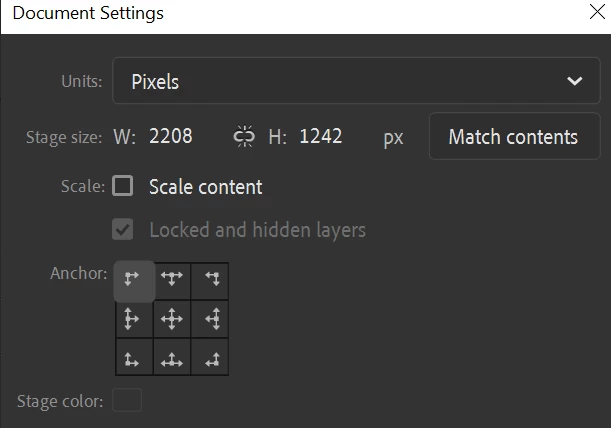


Is that just for the stage?


How do I change the default anchor point location for objects? 


Thanks. 


This topic has been closed for replies.

3 replies

n. tilcheff
Brainiac
January 25, 2024

@Jeffery.Wright 

The little circle that you are talking about is called Transformation Point, not anchor.

The Document Settings dialog which you show in your original post is irrelevant.


Nick - Character Designer and Animator, Flash user since 1998 | Member of the Flanimate Power Tools team - extensions for character animation
n. tilcheff
Brainiac
January 25, 2024

@Jeffery.Wright , @kglad 


You can pin the Transformation Point in Flash from the context menu, but it seems to have been removed in Animate.


This is from Flash CS6:


The property seems valid, as the file created in CS6 works as expected in Animate.

You can test with this sample FLA  by dragging the symbol to the stage:

https://drive.google.com/file/d/1DZEH1ZTioAEXxqB80PVfzXZ4vX0zxCGL/view?usp=drive_link


Nick - Character Designer and Animator, Flash user since 1998 | Member of the Flanimate Power Tools team - extensions for character animation
kglad
Community Expert
January 25, 2024

@n. tilcheff 


that's not setting a default for other objects, is it?

n. tilcheff
Brainiac
January 25, 2024

@kglad 

It pins the Transformation Point of the existing symbol to where it is on the instance, so that when you drag it out of the Library to the Stage the position is maintained.


Nick - Character Designer and Animator, Flash user since 1998 | Member of the Flanimate Power Tools team - extensions for character animation
kglad
Community Expert
January 25, 2024

good question.  but i don't think you can change the default.  you can change the reg/pivot/etc point using the transform tool.